
Check the acquisition promise
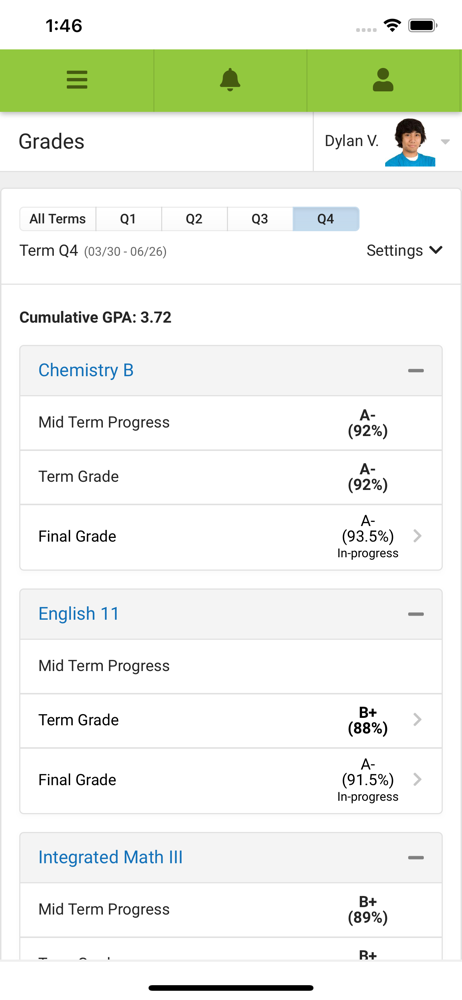
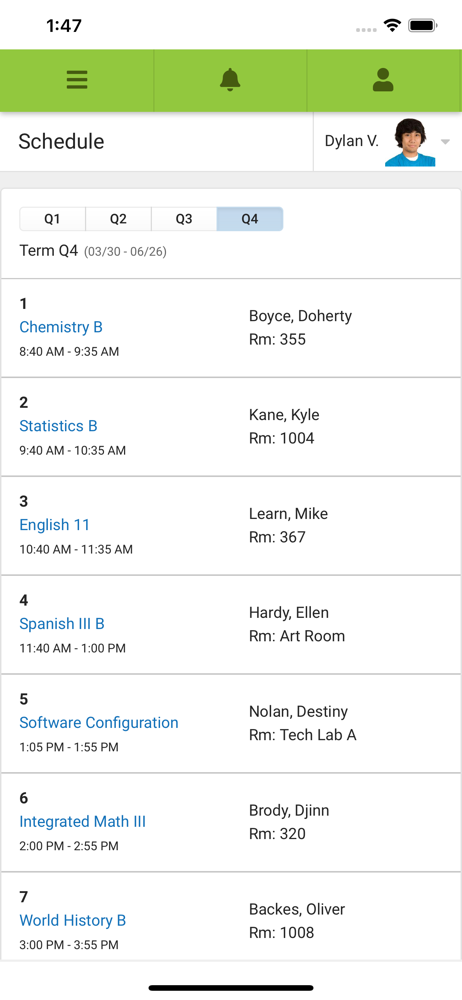
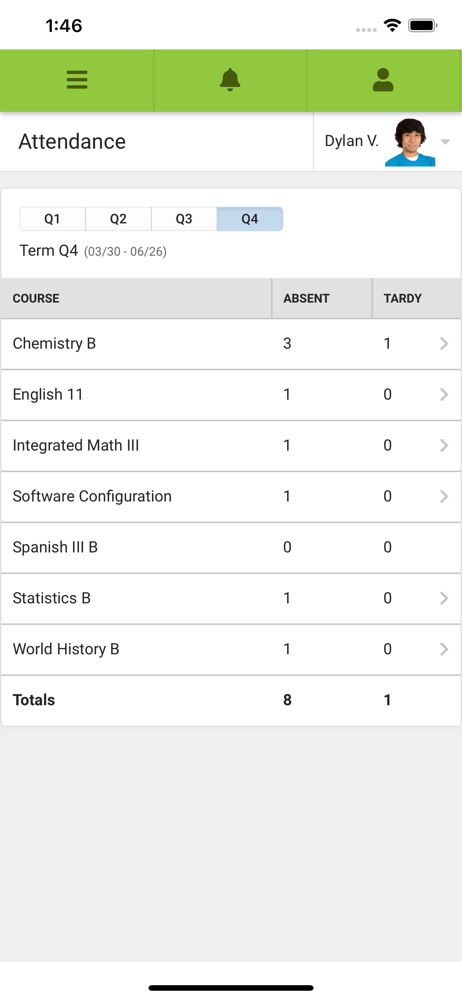
Read the store headline, screenshots and description. What problem is the app promising to solve?
Study the storefront ↗
Infinite Campus, Inc. · iOS
Explore the ad evidence, study the storefront, and build your next acquisition hypothesis.
01 / Creative research
Read the store headline, screenshots and description. What problem is the app promising to solve?
Study the storefront ↗Explore apps with direct store-link matches. Compare their hooks and formats without assuming the same approach works here.
Browse observed advertisers ↗Store rankings and revenue estimates describe market context. They do not establish ad spend, conversions or ROAS.
Review the market context ↗02 / Storefront & product
Study the product story and store experience behind the acquisition funnel.



03 / Market context
Keep revenue, downloads and store rankings separate from advertising performance.
It worked fine all year then one day I was meet with a big green screen with an error message in the center on both the app and desktop. The district security system flagged my personal home WiFi IP address for whatever reason. How I know, when I turned my WIFI off on my phone and just used my cell data and a browser (not the app) it worked. Cell phone has a different IP. To fix it, I just unplugged my WiFi router from the wall for 6 minutes. My specific provider gives us a new IP each time it’s unplugged. Now, it’s back working on my app and desktop using my WiFi. If this doesn’t work for you just call your school district desk help support to see if they can troubleshoot your account. The app works great. I get to make sure the school isn’t accidentally making my child absent when she’s actually there in class on time like they were doing before.
I have to use this app because our state requires it. It was fine for the first half of the year and then I realized I wasn’t receiving any of the email communications the teachers would send through the app. I never touched my settings but for some reason Infinite Campus had me flagged to not receive emails. Then the notification bubble (red bubble) has NEVER worked so I have to keep the app open all the time to see if I receive an update along with turning on with all of the notifications. Lastly, the emails around missing or failing assignments comes through WEEKS after the teacher makes the update. How’s that “timely?” This app needs an overhaul because based on other parent experiences it’s very clunky for being a widely used app in America’s schools.
Infinite Campus was such a well thought out and cohesive app. I attempted to log in and was redirected to the new app of Parent Campus. Once downloaded, I was able to log in but was taken to a screen with a welcome message highlighted in blue that said, “there is no data to display, please contact your district for more information”. I clicked on the bell for notifications and that worked fine but any other place I attempted to navigate just continued to display that same message highlighted in blue. I thought perhaps there was an issue with the app so opened a browser and logged in through the website with the same issue! I read all the reviews and it seems that many users have the same issues. I also read about the current update to the app that claims to have “fixed bugs”. How many reviews will it take for a response? Infinite Campus kept parents informed about their childs issues/progress. This app is obviously not working correctly and even a simple response to let us know that you are working diligently to fix this would be courteous. Thank you.
Stay connected to your student’s school life anytime, anywhere. Campus Parent puts important academic information at your fingertips, with real-time a...


