
Check the acquisition promise
Read the store headline, screenshots and description. What problem is the app promising to solve?
Study the storefront ↗
Bluebeam, Inc. · iOS
Explore the ad evidence, study the storefront, and build your next acquisition hypothesis.
01 / Creative research
Read the store headline, screenshots and description. What problem is the app promising to solve?
Study the storefront ↗Explore apps with direct store-link matches. Compare their hooks and formats without assuming the same approach works here.
Browse observed advertisers ↗Store rankings and revenue estimates describe market context. They do not establish ad spend, conversions or ROAS.
Review the market context ↗02 / Storefront & product
Study the product story and store experience behind the acquisition funnel.



03 / Market context
Keep revenue, downloads and store rankings separate from advertising performance.
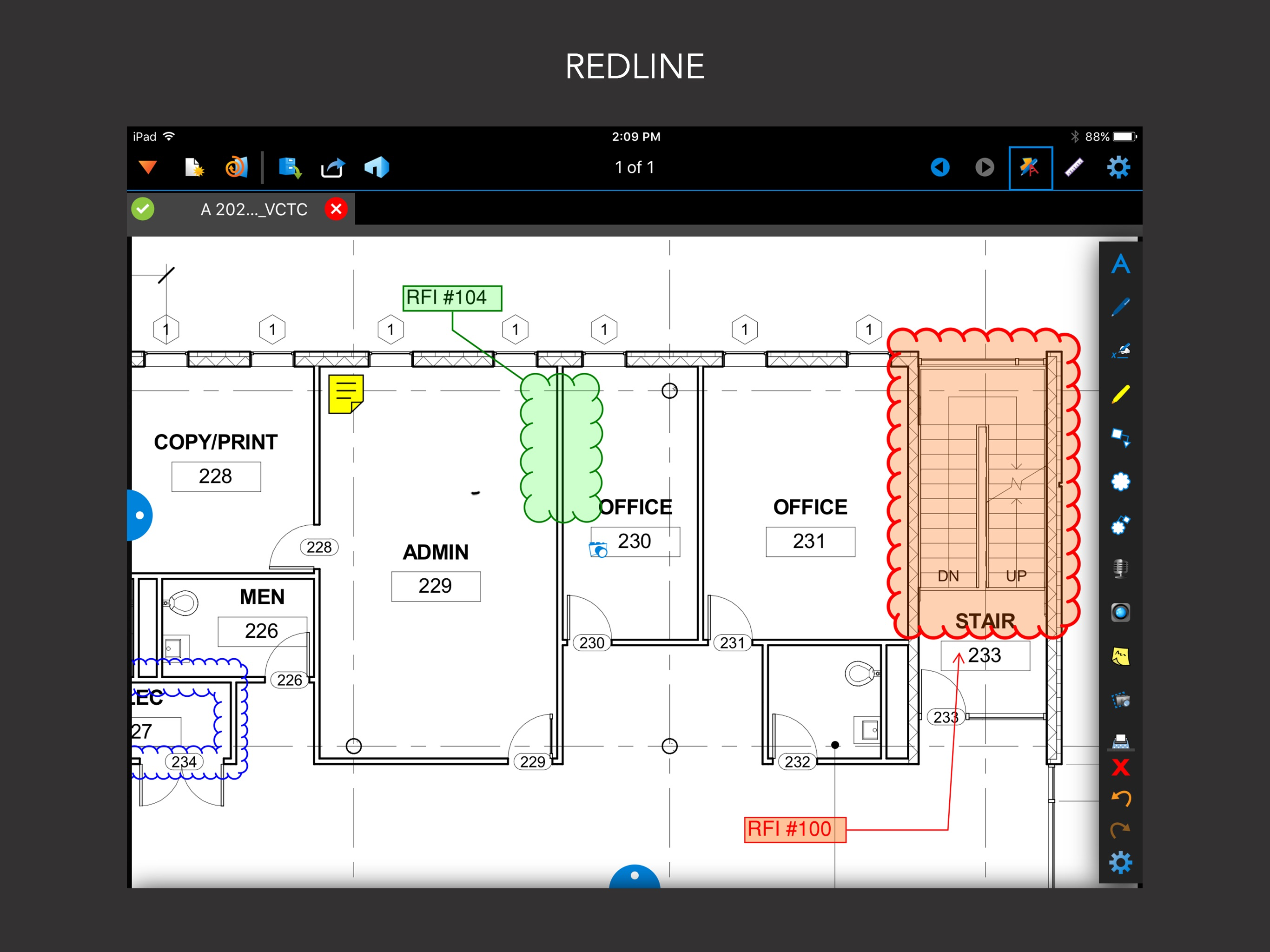
I am a fire alarm technician and I work with drawings daily. I have the desktop version of Bluebeam and it is vastly superior to the iPad app, but the iPad app isn’t intended to match it. I have to walk around the job-sites where I am to install new systems and verify that what the engineer drew up on the prints are accurate. 99% of the time they do not accurately reflect what’s in the building. As such we have to draw up as built prints and that’s where this app shines. I can quickly, easily, and conveniently make changes to prints in the palm of my hands and send them out to the engineer and then he can permanently make the changes through the desktop software. That’s the main selling point I’m making but not the only one. I also link all my projects through Studio and that works well on the app. And lastly it’s an easy way to have multiple project prints at my disposal versus having to carry around a bunch of 24x36 inch paper prints. I will say that it is too bad that the snapshot feature does not work, because that is a powerful and useful tool to have. So overall this is not a one or two star app if you use it the way I believe it was intended to be used.
I am an architect and I have the desktop version of Bluebeam and I love it. However, this app for the iPad is a real lemon in my view, because it is super clunky to use and is missing some important functions to the degree that it is worthless to me, personally. For example, it has the “snapshot” command, but it doesn’t let you “paste” the snapshot into another document, which is the whole point of the command, at least in the way that I use it commonly with the desktop version. I contacted Bluebeam support about this issue and they confirmed that the snapshot command doesn’t work that way in the iPad version and furthermore, that copying and pasting from one document to another isn’t an option either. The support guy suggested some cumbersome workarounds, and I just gave up on this application. I asked for a refund, but they just referred me to Apple, and Apple refused to give me one. I’m really flabbergasted that Bluebeam would release such a lame app that has such limited functionality, given that their desktop version is so powerful. While I never expected the iPad to function at the desktop level, I think the lack of cutting and pasting is a HUGE oversight. This app is only good for making some limited mark ups to a document in the field, in a very clunky fashion, and that’s pretty much it.
This app was my go to for field markups/ as-built drawings. I have convinced my company to issue IPads (40+) to all foreman and techs to primarily access this app. The app was always a little clunky but most guys got navigate the basics after a day or so of playing around with the tool bar. Certainly not as robust as the desktop version but did the job. The last few weeks have been rough with constant crashes on all iPads. Errors include “memory too low” or “unable to save”. The app now shuts down unexpectedly every few minutes and will erase all markups from the last save. This is totally unacceptable and make the whole app useless. We have spent too much money on desktop access and app access for this to be ignored. PLEASE FIX BUG. Now the good. If the app is stable I would highly recommend. 4 out of 5 stars. You lose a few of the features from the desktop version but for field use it is a valuable asset. Blueprint storage in folders, quick sketches, as-builts are awesome. It beats the days of full size paper drawings and colored pencils.
Bluebeam® Revu® for iPad lets you work without limits from anywhere. Access and navigate PDFs on the go. Markup PDFs with industry-standard symbols in...


