
Check the acquisition promise
Read the store headline, screenshots and description. What problem is the app promising to solve?
Study the storefront ↗
Lauri-Matti Parppei · iOS
Explore the ad evidence, study the storefront, and build your next acquisition hypothesis.
01 / Creative research
Read the store headline, screenshots and description. What problem is the app promising to solve?
Study the storefront ↗Explore apps with direct store-link matches. Compare their hooks and formats without assuming the same approach works here.
Browse observed advertisers ↗Store rankings and revenue estimates describe market context. They do not establish ad spend, conversions or ROAS.
Review the market context ↗02 / Storefront & product
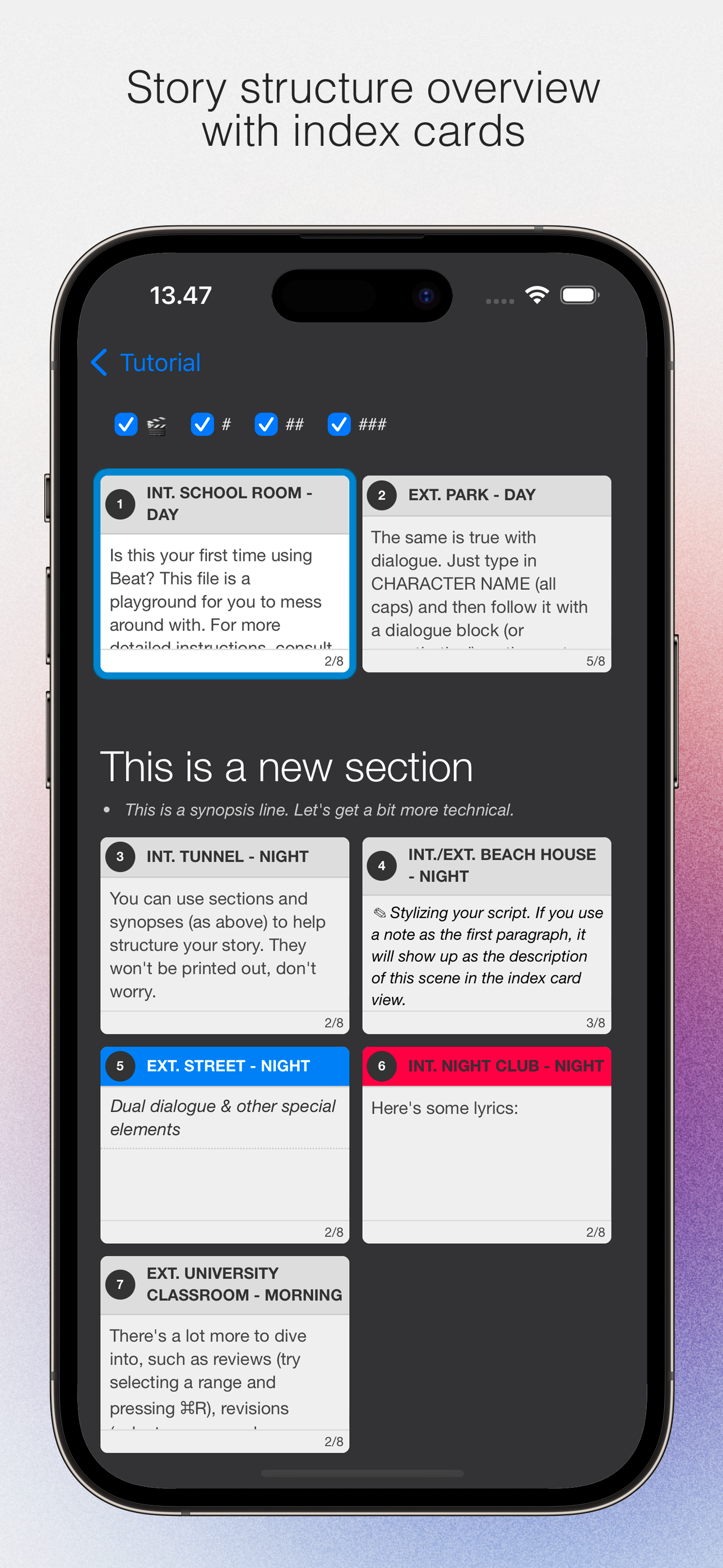
Study the product story and store experience behind the acquisition funnel.



03 / Market context
Keep revenue, downloads and store rankings separate from advertising performance.
Overall, I really like the Beat Script app. It has a lot of great features, and it’s genuinely useful for writing and organizing scripts. That said, there are a few features I wish it had that would make it even stronger. First, I wish it offered more granular note-taking options. Right now, notes apply to the entire script, but it would be incredibly helpful to have notes per paragraph or per section. That way, you could attach specific thoughts, reminders, or revisions directly to the exact part of the script they relate to, which would make organizing ideas and revising much easier. Second, I’d love to see a clearer and more visual organization system that shows hierarchy. It would be great to have a way to see how scripts connect to one another—especially for episodic or chapter-based writing. For example, a hierarchy diagram where scripts are visually linked, with arrows showing that one script is the next chapter or episode after another. Something like a left-to-right flow or branching structure would make it much easier to understand how everything fits together at a glance. Even a toggle that lets you switch between viewing episodes individually or as one connected project would be a big improvement. Another feature I’d really appreciate is more dedicated metadata sections. Just like there’s a notes section, there should also be a separate logline section and a separate synopsis section. This would allow you to keep your logline and synopsis clearly defined and distinct from general notes, while still having them connected to the script itself. That kind of separation would be especially helpful when pitching or revisiting projects later. Aside from these wishes, the app is solid and very enjoyable to use. With a few additions focused on organization, hierarchy, and project-level clarity, it could easily become a top-tier writing tool.
Honestly this is great, lightweight without feeling feature anemic. Feels much less clunky than Final Draft and is straightforward to use. I just need something that lets me do proper screenplay from my iPad Pro and this is it. Only found one bug so far… I can get “Advanced - Invisible Elements” to display # Sections in the Preview (from the eye icon), but when I toggle it on in “create PDF” and the parser doesn’t seem to want to incorporate section markers to .pdf print for some reason (nor does it display in the “Create PDF” preview, despite displaying in the eye icon ribbon preview function). If they can fix this, I’d say 5-stars presently. (Maybe add a recency sorting parameter to the auto complete for scene headings to make it actually useful and less actions / key presses)
Downloaded (beat) on my Mac and was floored. It does everything Highland Pro does but without the awful subscription pricing. When I got to my phone I opened the App Store and searched for it to no avail. Apple has it absolutely *buried* while they (predictably) put up tons of results for subscription apps. Anyway, glad it’s here and glad it’s so good. My need for a phone-based script app is frankly almost nil, but I wanted to pay something to support the developers since the macOS version is free.
An elegant Fountain screenwriting app, created by a screenwriter for screenwriters. The perfect companion for full macOS version of Beat. Beat lets y...


