
Check the acquisition promise
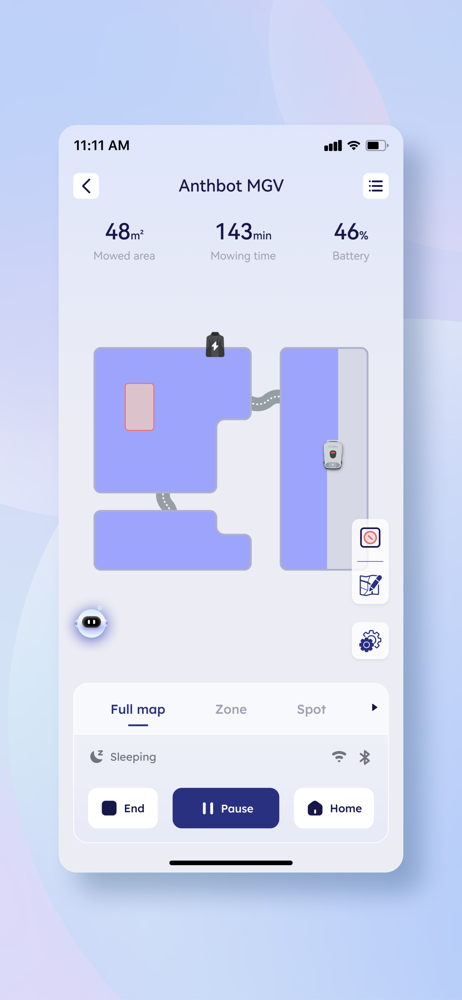
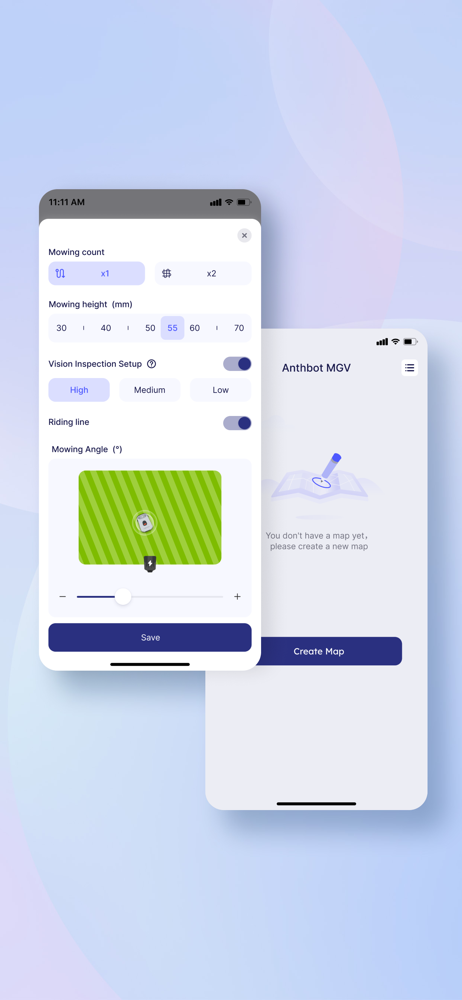
Read the store headline, screenshots and description. What problem is the app promising to solve?
Study the storefront ↗
ANTHBOT (SG) PTE. LTD. · iOS
Explore the ad evidence, study the storefront, and build your next acquisition hypothesis.
01 / Creative research
Read the store headline, screenshots and description. What problem is the app promising to solve?
Study the storefront ↗Explore apps with direct store-link matches. Compare their hooks and formats without assuming the same approach works here.
Browse observed advertisers ↗Store rankings and revenue estimates describe market context. They do not establish ad spend, conversions or ROAS.
Review the market context ↗02 / Storefront & product
Study the product story and store experience behind the acquisition funnel.


03 / Market context
Keep revenue, downloads and store rankings separate from advertising performance.
Bought my robot back in March and it couldn’t finish a single job without getting stuck, now it is a lot more reliable, thank you for the hard work
1- Zone management simply does not work. 2- Will not mow the edges of my lawn even though the surface adjacent to the edge is no higher than the ground 1- Adding a zone creates a rectangular area on the display that cannot be mapped. The instructional video on the website called “Multi-zone mapping” has nothing to do with multiple zones. It is only about expanding the existing map. Impossible to select a zone to mow. You have to mow it all or none. OR you can have fun mowing the rectangular areas you can create with the useless add zoned feature. 2- I have to use my lawnmower to go over the edges? What’s the point?????
The app performs well. I was able to set up my maps easily. Overall, I’m very happy with the Anthbot Genie! Pros: 1/ The U/I is straightforward. I was able to navigate the setup options easily. 2/ When you map a separate area on the map, it’ll remember the path you took to get there. 3/ The app hasn’t crashed. For a brand new app, that’s impressive. 4/ The app provides dimensions when creating zones, which made it easy to break up the map based on how much the mower can handle on one charge. 5/ Each zone can be customized with cutting height and number of passes. 6/ You can create a LOT of zones to customize your mowing routine. Cons: 1/ The app doesn’t allow you to schedule individual zones to be mowed. 2/ You can’t delete a portion of the map. If you make a mistake like I did, you’ll have to delete the whole map and start over. This includes editing paths between mowing areas. 3/ Receiving notifications from the app is inconsistent. I get less than half of them. 4/ (minor) Zones can’t be rotated, making it difficult to break up certain mowing areas that don’t quite fit in the rectangle without overlapping another section of the map.
ANTHBOT (SG) PTE. LTD. is an international robotics company registered in Singapore dedicated to garden maintenance and lawn care.We hope to make ever...


