Check the acquisition promise
Read the store headline, screenshots and description. What problem is the app promising to solve?
Study the storefront ↗
Amcrest · iOS
Explore the ad evidence, study the storefront, and build your next acquisition hypothesis.
01 / Creative research
Read the store headline, screenshots and description. What problem is the app promising to solve?
Study the storefront ↗Explore apps with direct store-link matches. Compare their hooks and formats without assuming the same approach works here.
Browse observed advertisers ↗Store rankings and revenue estimates describe market context. They do not establish ad spend, conversions or ROAS.
Review the market context ↗02 / Storefront & product
Study the product story and store experience behind the acquisition funnel.


03 / Market context
Keep revenue, downloads and store rankings separate from advertising performance.
I bought the Hub and it included 2 cameras and apart I bought 2 more. All very easy to activate and mount them. They look all very good. What I am disappointed in is that in the same application you can add the Cloud Recording but it is fatal and complicated, no matter how many times you go to support, oh you send a ticket to receive help you cannot communicate with anyone. Apparently the easiest thing is to charge you and nothing else. They do not have a package that includes several cameras for one price, but each camera will pay separately. I decided to pay for 2 cameras and that has only happened to charge me but nothing of help and much less I have not been able to activate the Cloud recording for the cameras. Horrible customer support and service. They should be more prepared to help when people call because they just keep escalating the call but no one knows anything for sure, and I still have the problem unsolved. So I’m only giving them 3 ⭐️ because the cameras are good, but the service and support system and charge is not good.
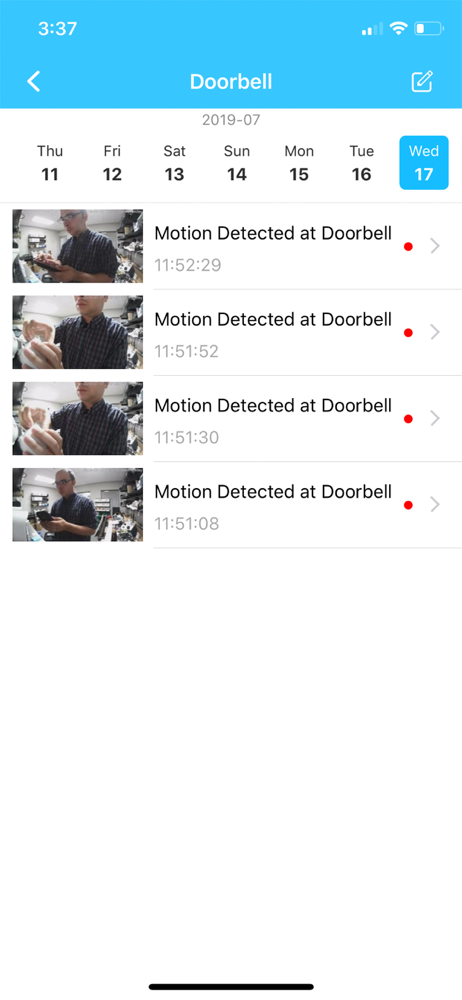
Front door camera When unboxing the door camera I had a great experience, it was packaged like a luxury item. The box was made from smooth to touch and hard material. It’s open nicely and all the component inside was nicely organized and easy to see. The manual was very helpful. Installing it was simple, but you need to specify if the doorbell wire can be mixed matched. After installing my doorbell chime started to make buzzing noise and the little chime included in the box stopped that buzzing noise. When using the app connecting it to the wifi was easy. There are couple of problems with the app, first it was very slow, second it would capture wind and notify me there is movement even tho I put my sensitivity very low, at night this camera doesn’t have the best performance. Also it claims this camera can be used with Alexa but it doesn’t do that well, you can’t pull up the camera on the Alexa product and it won’t tell me about motion detection. You can do much with Alexa for the doorbell. Also I wasnt able to see recorded videos motion detection, I can only see it live which was a bummer. What this camera does good is that it’s very clean in day light. The two way speaking is quick and easy to use. I like how you can take a picture and choose where motion sensors can be triggered. There is a lot of safety pro caution and that gives me a piece of mind. The doorbell work great, it is quick and made with quality material. The app needs to have a Family sharing where you can share your family the account without being logged out and have the same camera on the phone.
Bought the hub and 2 battery cameras. Was pretty easy to setup. Does have some issues with the mic and speakers. Mic on one camera only works about 1 out of every 5 times I’ve enabled and the speaker on the other has a humming sound. Have not powered off by pulling the battery but hope that clears it up. Not a deal breaker cause not real concerned with speaking or hearing so much. Video is real good overall. Now to the app. It works but lacks some common features. Please add the ability to create motion activation zones. Who wants to get 500 alerts a day when a car drive down the road. Also, give me the ability to download a recorded video to my phone or upload to google drive. Seems the only way to do this is by using their cloud service which does have a free option but sounds like they are just trying to force you into a subscription. 3 stars for hardware and app. App alone soft 2. Update: Thanks for the update that allows downloading sd card recordings. Only issue is you have to be on the same WiFi as the hub to download. So you still can’t download while away from your home. One other thing that would be nice is when I get an alert it should tell me which camera the alert is coming from instead of always saying from hub. Maybe there is a way to change this but I’ve been unable to find. Thanks
The Amcrest Smart Home app will allow you to stay connected to all your Smart security devices including our Video Doorbell, Deterrent Camera, and our...