Check the acquisition promise
Read the store headline, screenshots and description. What problem is the app promising to solve?
Study the storefront ↗
alcor, inc. · iOS
Explore the ad evidence, study the storefront, and build your next acquisition hypothesis.
01 / Creative research
Read the store headline, screenshots and description. What problem is the app promising to solve?
Study the storefront ↗Explore apps with direct store-link matches. Compare their hooks and formats without assuming the same approach works here.
Browse observed advertisers ↗Store rankings and revenue estimates describe market context. They do not establish ad spend, conversions or ROAS.
Review the market context ↗02 / Storefront & product
Study the product story and store experience behind the acquisition funnel.


03 / Market context
Keep revenue, downloads and store rankings separate from advertising performance.
iOSの文字編集の使い勝手がだんだん悪くなっていくので導入しました。文字入力メソッドとしての実装は優れたソリューションと思います。 以下要望なのですが、文字列の選択もできるようになりませんか。 選択できたら、コピーボタンとカットボタンも欲しいです。
スムーズに動いています。iPhoneではカーソルの移動を3Dタッチで対応していて、画面のキーボードにはカーソル移動キーがないので、不便を感じていました。
6sなので3Dタッチを使えばカーソルの移動はできるんだけど、指が太いせいか、なかなか思うように動かせていませんでした。 このアプリのおかげで、カーソルの移動がサクサクです✨ 欲を言えば、数字キーをテンキーのような並びにしてもらえると、なお嬉しいです。
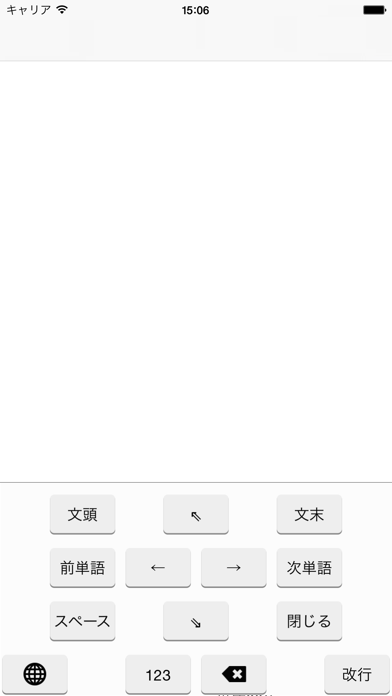
・とにかく左右キーが欲しい! ・長押し虫眼鏡でのカーソル移動が苦手! ・iiの間にカーソルを合わせたい! そんな方々のための、カーソル移動に特化したキーボードです。 【キー】 ・← ・→ ・←削除 ・改行(入力箇所によっては「検索」等になります) ・次のキーボード ・閉じる ・ペースト (ただし、...