Check the acquisition promise
Read the store headline, screenshots and description. What problem is the app promising to solve?
Study the storefront ↗
Ulf Lundgren · iOS
Explore the ad evidence, study the storefront, and build your next acquisition hypothesis.
01 / Creative research
Read the store headline, screenshots and description. What problem is the app promising to solve?
Study the storefront ↗Explore apps with direct store-link matches. Compare their hooks and formats without assuming the same approach works here.
Browse observed advertisers ↗Store rankings and revenue estimates describe market context. They do not establish ad spend, conversions or ROAS.
Review the market context ↗02 / Storefront & product
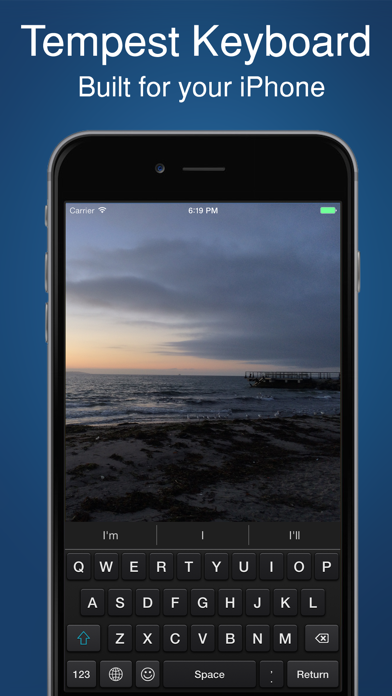
Study the product story and store experience behind the acquisition funnel.



03 / Market context
Keep revenue, downloads and store rankings separate from advertising performance.
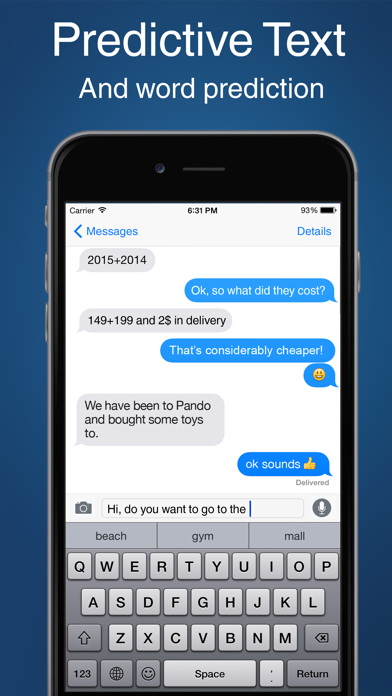
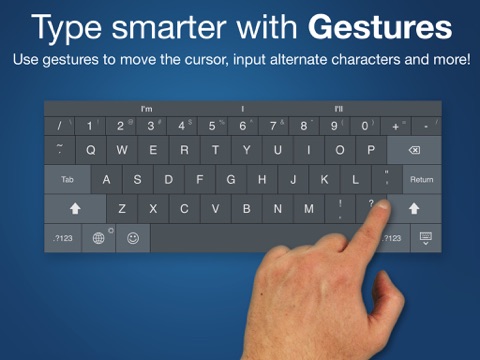
It was useful when I was first learning the Dvorak layout and wanted to not see QWERTY on any of my devices. This review deals with Tempest version 1.9.5: Taps on the keys must be fairly precise — one can easily hit the wrong letter or even no letter at all. This is partly because the tap zone for each key is small and partly because, when using the Dvorak layout, more keys are crammed into the bottom row. I'd prefer to have the Delete key moved to the top row to alleviate this but Tempest doesn't provide that option. Also, auto-correct doesn't work (at least for me) so hyphens and the capital "I" require that extra bit of effort. And if you have "Bold Text" enabled in your device's Settings, be aware that this keyboard ignores it. Lately I flip to Tempest only for the occasional word that needs a case change, as it allows swiping down on the Shift key to cycle through all-lower, all-upper, and initial-cap for the entire word to left of the cursor. It also allows swiping left or right on the spacebar to move the cursor, a useful alternative to dragging it (though my favorite text editors already allow cursor movement via buttons or swipes elsewhere).
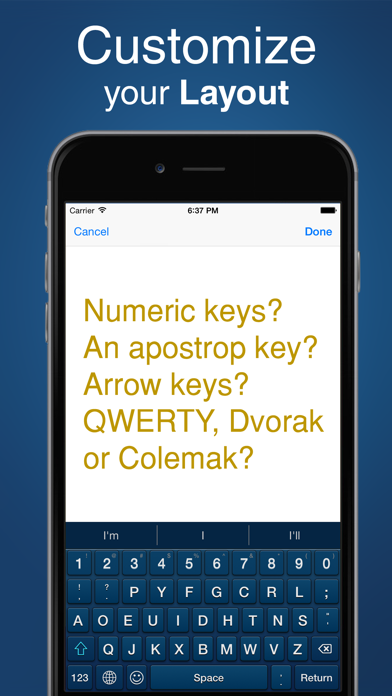
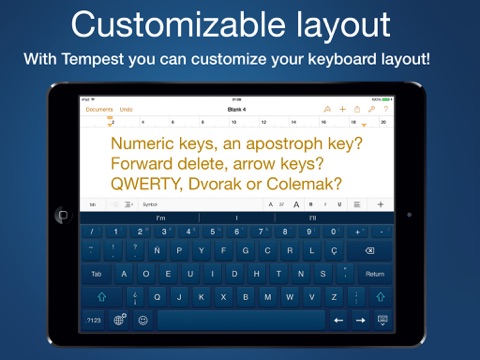
What I wanted was arrowkeys on the iPad keyboard; Thank You for the Left & Right arrowkeys⁏ adding Up & Down arrowkeys would be excellent! Thanks twice for the additional features such as customizing the keys, now I don't have to press the shift key at all with the way I have things customized. This savestime while typing. I utilize the Notes Plus app for writing and typing notes⁏notes this keyboard works flawlessly with that app, and that is a big plus! Not keen on having to allow access to numerous apps and information but unfortunately that seems to be the way of things, allowing Google, Facebook, Twitter to collect more information about you than the federal security agencies do. Add Up/Down arrowkeys, eliminate the need to allow access to private info, and this app will be truly become a ⭐⭐⭐⭐⭐ keyboard app.
I purchased a 6s Plus with the hope it would be big enough to write comfortable in Pages in landscape mode. Unfortunately, the stock keyboard is pretty awkward to use—The edges are taken up by special keys (like copy and paste), pushing the letter keys into the center where they are harder to reach. Tempest Keyboard solves this issue, offering a highly customizable keyboard with both split keyboard and one-handed options. Writing in landscape is much easier with Tempest’s split keyboard, and can be made easier by adding specialized keys such as specific punctuation options. There are a couple of minor problems: For one, while using Tempest, you can’t utilize the 3D Touch cursor trackpad. Another is that in the one-handed keyboard, the entire empty space off to the side is the touch target, so it’s very easy to accidentally move the keyboard to the far side while typing. I wouldn’t be surprised if the first issue is something no third party keyboard will be able to do, and the second seems easily fixable in the future. But for only 99 cents there’s no reason not to get Tempest Keyboard and customize your typing experience to your liking. (Bonus tip: The documentation says to select split or one-handed mode with a long press on the Hide Keyboard key, which is not present in portrait mode. When in portrait mode, it’s a long press on the Return key instead.)
Tempest keyboard does not try to change the way you type, it just let you do it more comfortably. Not everyone uses a keyboards the same way. Tempest...