
Check the acquisition promise
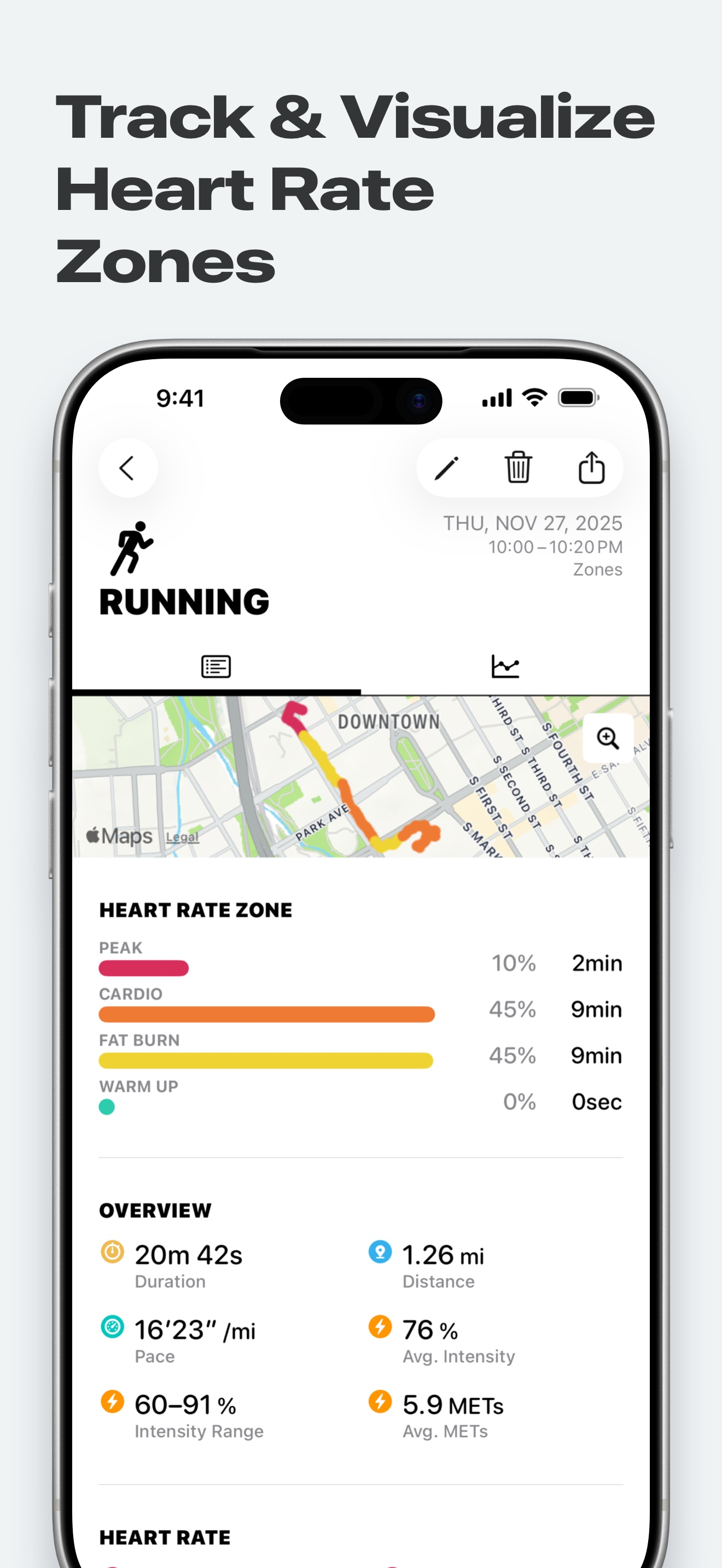
Read the store headline, screenshots and description. What problem is the app promising to solve?
Study the storefront ↗
Flask LLP · iOS
Explore the ad evidence, study the storefront, and build your next acquisition hypothesis.
01 / Creative research
Read the store headline, screenshots and description. What problem is the app promising to solve?
Study the storefront ↗Explore apps with direct store-link matches. Compare their hooks and formats without assuming the same approach works here.
Browse observed advertisers ↗Store rankings and revenue estimates describe market context. They do not establish ad spend, conversions or ROAS.
Review the market context ↗02 / Storefront & product
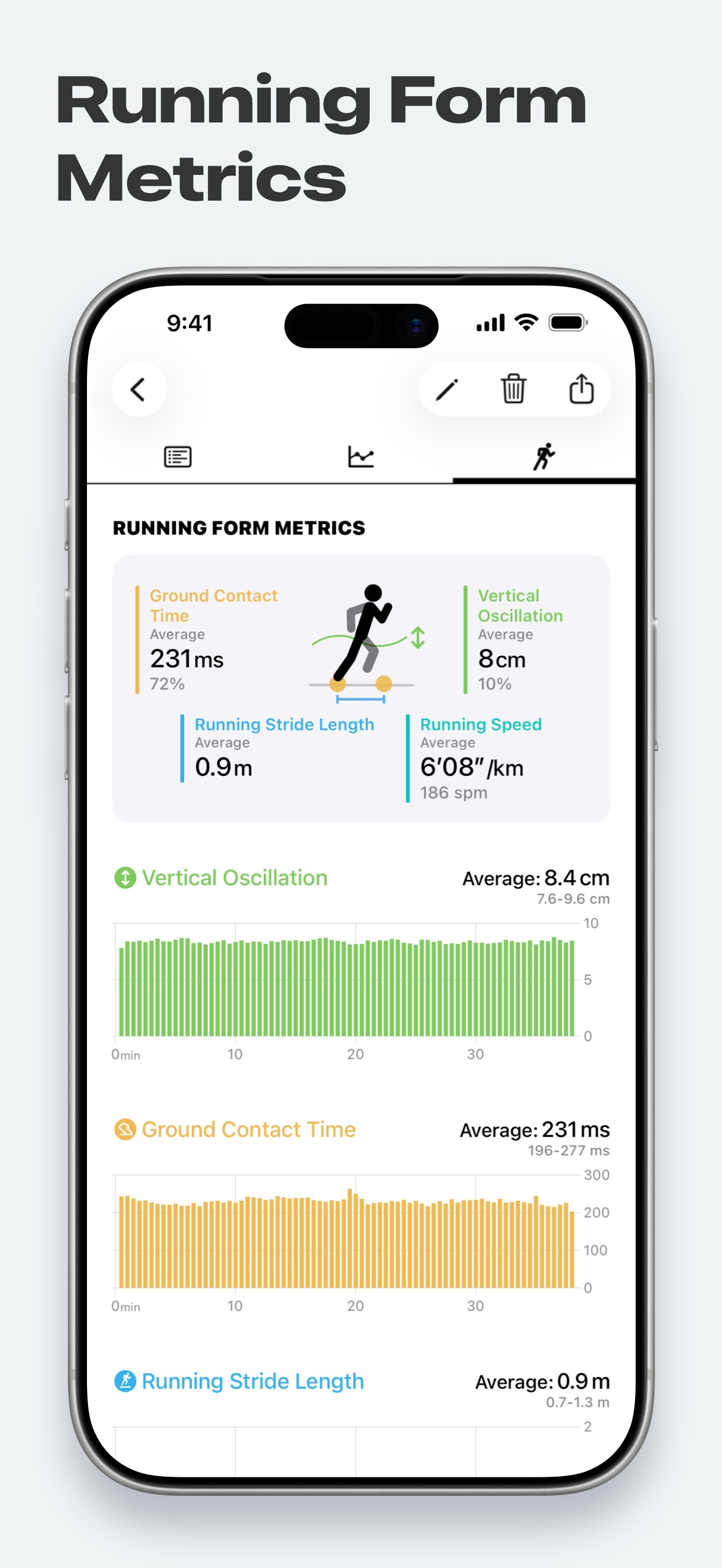
Study the product story and store experience behind the acquisition funnel.




03 / Market context
Keep revenue, downloads and store rankings separate from advertising performance.
I mainly use this app while cycling, so my review is based around that. I enjoy hearing the zone sounds while I’m working out, since I’ve had issues with recording workouts with my watch in the past. Recently, I was 55 min deep into my ride, only to notice that even though the HR zones were still sounding, the ride had paused at 4 min. Joy. Next day, it happened again, but a bit further into the ride. Turns out that if you take a screen shot (of a song that’s playing and you want to remember it, easy enough to do without looking at watch) or tell your Apple Watch to remind you to do something later (best thinking comes while I’m on the bike), it pauses the workout, and you have no real way of knowing unless you are able to really look at your watch while moving (hard to do on moving bike and watch is worn on forearm). The app pauses when you are stopped, which I like, but since I would have to stop to see if the app was recording… You might be thinking “why don’t you hit resume or continue or whatever?” Because there is NO WAY to unpause the workout! So, Zones team, please fix the issue of pausing the app when things like a screen shot are taken or Siri is activated, or at least throw in a “resume” workout option.
This app has really helped me focus in on that missing element of my training and that is what zone I am in. Before I was constantly guessing or trying the do math in my head while also trying to breathe! This app fixed that. It’s important to note at least for me, this app is an addon app. Meaning I start my appple run and when I am finished this app pulls data from my watch and puts its into readable format. I have not played around with just running the app yet but it says it will show you your zone. I use it to look back and say was I running those mile repeats in zone 3 or 4 or was I dogging it. I paid the 5 bucks for the “pro” version and it’s worth every cent. If you are looking for an app to refine your training. Don’t hesitate get this one now !! Also after about 30 workouts I have zero problems with it missing data
Get the most out of your Apple Watch! Zones monitors your exercise intensity and visualize it in meaningful ways. Know your activities and be smart a...


