Check the acquisition promise
Read the store headline, screenshots and description. What problem is the app promising to solve?
Study the storefront ↗
Nikita Kazantsev · iOS
Explore the ad evidence, study the storefront, and build your next acquisition hypothesis.
01 / Creative research
Read the store headline, screenshots and description. What problem is the app promising to solve?
Study the storefront ↗Explore apps with direct store-link matches. Compare their hooks and formats without assuming the same approach works here.
Browse observed advertisers ↗Store rankings and revenue estimates describe market context. They do not establish ad spend, conversions or ROAS.
Review the market context ↗02 / Storefront & product
Study the product story and store experience behind the acquisition funnel.




03 / Market context
Keep revenue, downloads and store rankings separate from advertising performance.
Wonderwake’s alarm app is very easy to use and there lots of alarms to choose from. Ever since I started using it I was actually able to get out of bed and not feel like I just got hit by a truck. The sound and way it wakes you up is better than the rest of the apps because this one automatically does everything and even sets up a backup alarm for you if you sleep through the first on. Compared to others where you have to manually do everything else, Wonderwake is the clear winner in the alarm app category.
I love the whole concept of Wonderwake, the lovely wake up sounds, 7-song choice, the inspirational quotes and weather, and wanted to make this my go-to alarm but sadly it doesn’t function the way I need it to. I can’t set multiple alarms for different days, only one. It takes more work to turn off the alarm: tap on the lock screen, then hold down the button while it cycles off, instead of a simple swipe like Apple clock. For the alarm to work, it has to be running in the background which drains the battery on my small old iPhone. If I force quit to prevent that, then I have to remember the next evening to turn it back on so it will wake me next morning. How do I change alarm tones? There seems to be no menu where I can do that beyond the initial set up. Guess I’ll go back to the clunky unattractive Apple clock where none of this happens.
I would like to share my thoughts on the Wonderwake app. The feature that allows for a custom sleep duration is excellent, as it provides satisfying vibration feedback at the set time. The gentle wake-up mechanism is particularly impressive, ensuring a pleasant start to the day. Additionally, the "nudge" feature is helpful for those mornings when the alarm may not suffice. I primarily use the "surroundings" alarm sound, which is quite effective, but I appreciate the extensive library of melodies available for variety. Overall, Wonderwake has significantly changed my perception of alarms for the better.
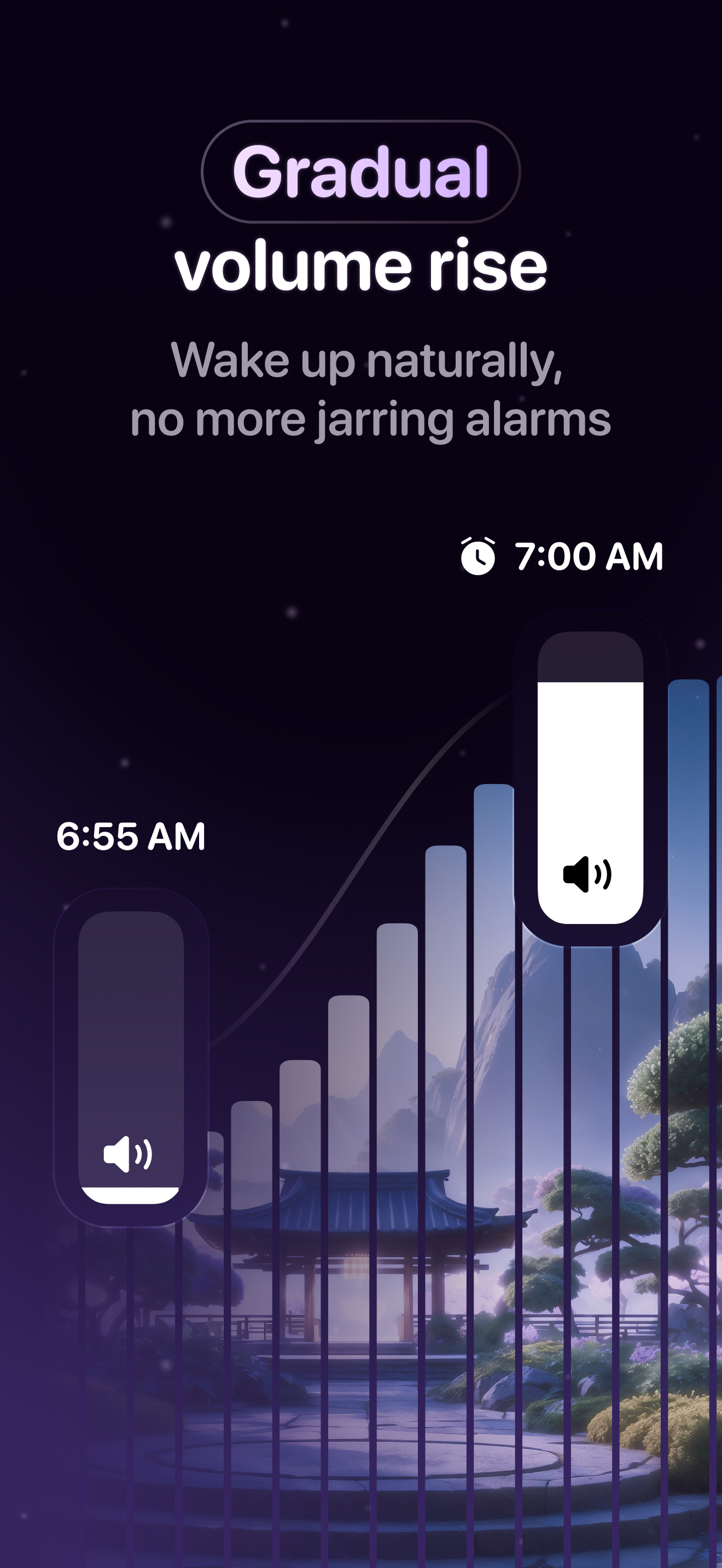
Wake up without the jolt. Wonderwake is a gentle alarm clock built for better sleep and a slower rise - fade-in nature sounds, no cortisol spike, no p...
| Name | Price | Type |
|---|---|---|
| Wonderwake+ | $2.99 | One-time |
| Wonderwake+ Month | $2.99 | Monthly |
| Wonderwake Monthly | $5.99 | Monthly |
| Wonderwake+ Year | $17.99 | Yearly |
| Wonderwake+ Discounted | $17.99 | One-time |
| Wonderwake Yearly Discounted 2 | $17.99 | Yearly |
| Wonderwake Yearly Discounted | $23.99 | Yearly |
| Wonderwake Yearly | $35.99 | Yearly |
| Wonderwake Yearly | $35.99 | Yearly |
| Wonderwake Lifetime | $59.99 | One-time |