Check the acquisition promise
Read the store headline, screenshots and description. What problem is the app promising to solve?
Study the storefront ↗
Vitaliy Alekseev · iOS
Explore the ad evidence, study the storefront, and build your next acquisition hypothesis.
01 / Creative research
Read the store headline, screenshots and description. What problem is the app promising to solve?
Study the storefront ↗Explore apps with direct store-link matches. Compare their hooks and formats without assuming the same approach works here.
Browse observed advertisers ↗Store rankings and revenue estimates describe market context. They do not establish ad spend, conversions or ROAS.
Review the market context ↗02 / Storefront & product
Study the product story and store experience behind the acquisition funnel.



03 / Market context
Keep revenue, downloads and store rankings separate from advertising performance.
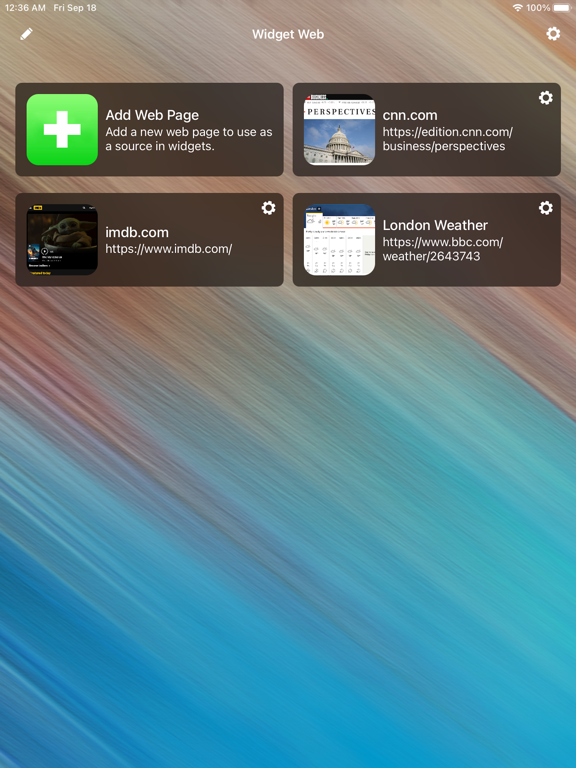
I find this app immensely useful for creating Home Screen widgets that show me updated information about what is most important to me. For example, I have three widgets set up on my home screen for weather, allergy conditions and a work-related dashboard. On another home screen, I have a full screen of widgets from various news sources that allow me to check headlines at a glance and click through to open the full webpages. The developer has been extremely responsive to feature requests submitted from within the app. One feature that I requested, Dark Mode, has been implemented and I’m very happy with the improved aesthetic. If you’re looking for a way to add customized widgets to your iOS device, I would highly recommend trying this app.
I’ve used this tool mainly to create weather related widgets. Compared to all the others I’ve tried, this one has easily risen to the top. A few items on my wish list that would really set this app apart from all the others: - Adding the larger 4x2 widget size iOS 15 now supports - Backing up saved widgets to allow them to be imported between devices - Ability to group widgets in categories - Option to adjust the browser font size that is used to view the web site. This would be TREMENDOUSLY helpful with reflowing text on sites that have text stretched across the screen that you are trying to make fit in the fixed widget frame size and still allow one to read the text.
Update: thank you for the response I will send a video. It seems after I edit the widget a few times after I set the crop and just update then save the lines go away. But it only happens when I try to adjust the crop arrows and then save. If I immediately update it it again and don’t touch the crop arrows the lines go away. For some reason the crop feature just duplicates over and over and the crop lines are showing on the widget. Otherwise I would buy this app.
• View websites in a widget on the iOS home screen and lock screen. • To navigate, tap on web page links in the iOS widget. • Use special JS-Widgets w...
| Name | Price | Type |
|---|---|---|
| Super PRO (Quarterly) | $1.99 | Quarterly |
| PRO Version | $4.99 | One-time |