Check the acquisition promise
Read the store headline, screenshots and description. What problem is the app promising to solve?
Study the storefront ↗
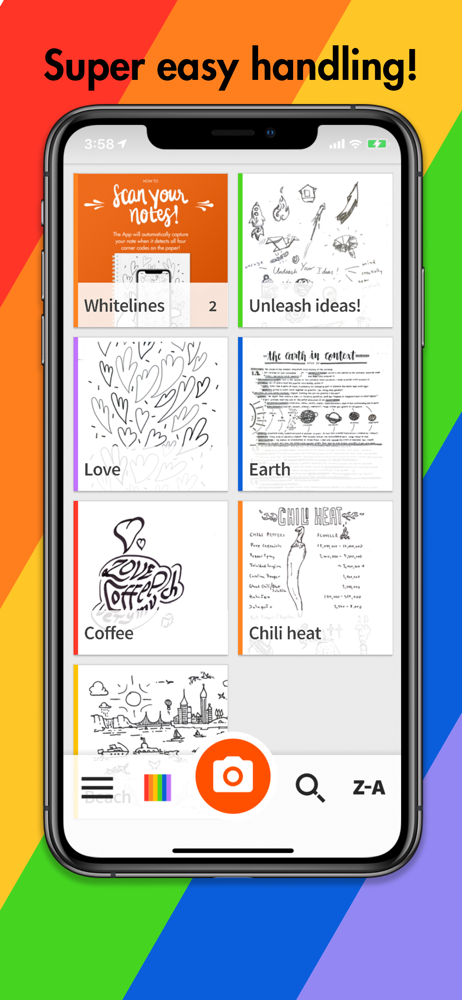
Whitelines · iOS
Explore the ad evidence, study the storefront, and build your next acquisition hypothesis.
01 / Creative research
Read the store headline, screenshots and description. What problem is the app promising to solve?
Study the storefront ↗Explore apps with direct store-link matches. Compare their hooks and formats without assuming the same approach works here.
Browse observed advertisers ↗Store rankings and revenue estimates describe market context. They do not establish ad spend, conversions or ROAS.
Review the market context ↗02 / Storefront & product
Study the product story and store experience behind the acquisition funnel.




03 / Market context
Keep revenue, downloads and store rankings separate from advertising performance.
While I love the app it is extremely frustrating to keep pressing the flash and get no response until the tenth time and then to hope and pray that the On will work and I won’t have to again click the flash ten times. Would have been nice if there was a setting that allows me to just keep the camera flash on every time I take a picture.
Firstly, I love Whitelines notebooks. They’re absolutely great for taking notes: good quality, nice paper. My issue is simply with the new update to the app. I was using my notebooks for my hw: scanning it, then uploading directly to google classroom which made things incredibly easy. However the new update is has screwed up the scanning capabilities of this app. It takes an incredibly long time to recognize my nb page (when before it took mere seconds), and even when it does so, it doesn’t recognize the edges of the paper correctly, and scans it as a photo instead of the cleaned up, white background pages it had before. I can get it to scan like the old way, only after several attempts, and a very long time holding my phone absolutely still, parallel to the page, even though before this update it had no trouble identifying the pager margins correctly and scanning my notes beautifully. The old scanning features were fine!
First, I have to caveat that this review is about the app only. The Whitelines paper is an absolute joy, hands down my favorite paper to use. But about the app... 1. I use the Engineering Pad paper. Anything I write outside of the grid is not captured by the app when you scan it. It's just truncated. This is silly; the app sees the registration marks, so it should be able to capture the page boundaries, not just the limitations of the margins. 2. Whatever GUI kit the app uses, it's horrible. It looks and feels absolutely nothing like an iOS app, at all. Illogical icons, icon placement, lack of options, ... it makes no sense. 3. The paper has preprinted boxes for email, Dropbox, and Evernote. But I can't find any way to configure them to do anything. At all. 4. If you click on "organize...", and don't know what you're doing, you can easily split apart multi page PDF scans, and lose the renamed filename (which is one of the few organization pieces of information you were able to provide). Great paper. Useless app. The company ought to work with or partner with Rocketbook. I know it's a different philosophy, but at least Rocketbook's app is functional, and able to configure destinations and organize scans semi-intelligently.
Use Whitelines App when you want to: ・Capture your notes. ・Save your notes. ・Share your notes on Social Media, email, etc. ・Continue to work and edit...