Check the acquisition promise
Read the store headline, screenshots and description. What problem is the app promising to solve?
Study the storefront ↗
Bret Lester · iOS
Explore the ad evidence, study the storefront, and build your next acquisition hypothesis.
01 / Creative research
Read the store headline, screenshots and description. What problem is the app promising to solve?
Study the storefront ↗Explore apps with direct store-link matches. Compare their hooks and formats without assuming the same approach works here.
Browse observed advertisers ↗Store rankings and revenue estimates describe market context. They do not establish ad spend, conversions or ROAS.
Review the market context ↗02 / Storefront & product
Study the product story and store experience behind the acquisition funnel.




03 / Market context
Keep revenue, downloads and store rankings separate from advertising performance.
Loving this app, my go to app for downloading/reading web novels currently but I am curious if there’s any way to reset save data on pages I’ve already read. For example, I’m currently re-reading a novel I’ve previously read on this app and whenever I go to a chapter I’ve already read, it loads at the bottom so I have to scroll all the way back to the top which get’s rather annoying considering this novel has hundreds of chapters/pages to read. I’ve already tried clearing cache & history but that didn’t seem to do the trick. Any help would be much appreciated!!
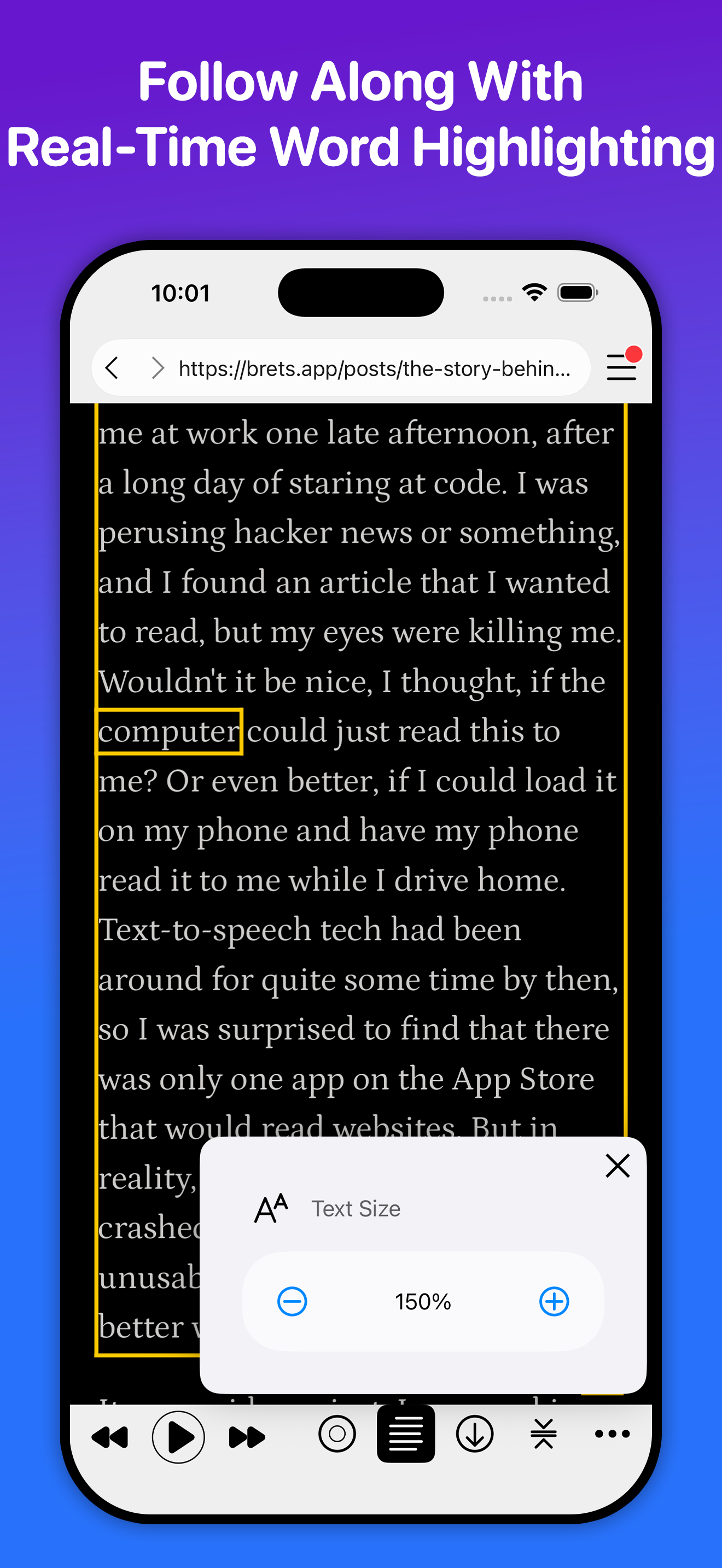
I save so much time being able to multitask with this tool! I can research information on any website and most of the time we out loud can read it to me. Allowing me to get additional task completed. Also I lose my patience when trying to read written words and usually get headaches whenever my brain feels like I’ve been reading to much. Headaches are most like caused from bending my neck to look down and read text from website articles on my phone or tablet. So web out loud is literally saving me from my neck pain too! WebOutLoud allows me to read or aka listen to more articles than what my own reading speed is, this allows me to get more done. It is so very easy to use also! I simply share and open the webpage I’m reading into WebOutLoud and hit play. So there is no copy, cut and pasting into another app that will read text for me. It’s much more simple just click one icon and open that webpage up in WebOutLoud. Very useful, time saving app! I love it!
Update: The issues with the ads and login have been resolved, no more problems there. Just the random lagging or stopping still occurs fairly often. Thank u for all your hard work! —— I’m paying for the annual basic subscription for no ads, however it has suddenly started giving me ads even though I have 2 months left. Don’t like that there is no place within the app itself to review my subscription status/features, except for when an ad appears, there should be a dedicated option in the main menu where I can do this. Also reporting a problem through the app requires logging in, but trying to log in causes an error. Also frequently having issues where the reader will just randomly stop reading.
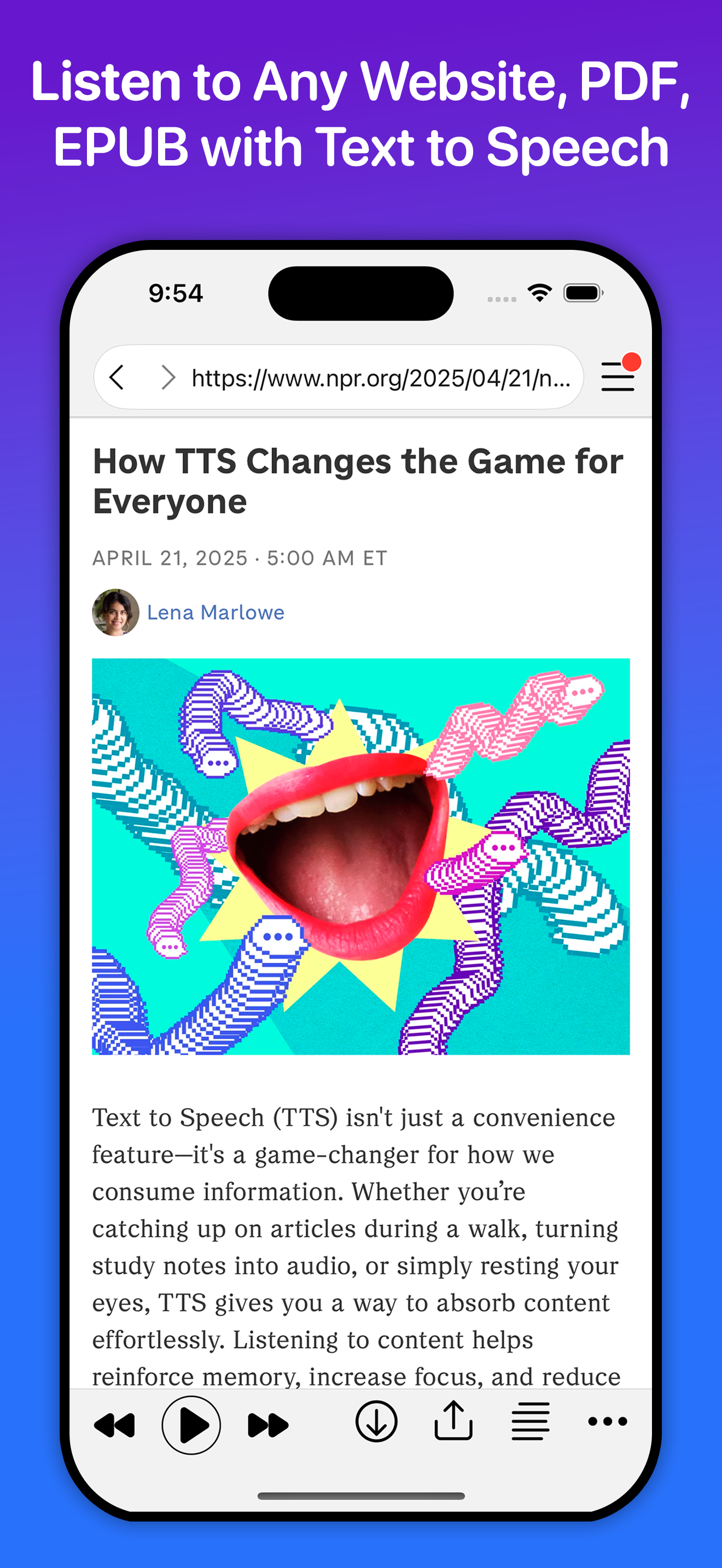
Listen to websites, PDFs, EPUBs, any text using text to speech. Perfect for Web Novels & Fanfiction. Includes premium voices from Amazon Polly, Goog...
| Name | Price | Type |
|---|---|---|
| WebOutLoud Basic Monthly | $2.99 | Monthly |
| WebOutLoud Premium (Weekly) | $9.99 | Weekly |
| WebOutLoud Premium (Weekly) | $9.99 | Weekly |
| WebOutLoud Basic Annual | $12.99 | Yearly |
| WebOutLoud Premium (Monthly) | $29.99 | Monthly |
| WebOutLoud Premium (Monthly) | $29.99 | Monthly |
| 1 Million Premium Characters | $39.99 | One-time |
| WebOutLoud Premium Yearly | $119.99 | Yearly |
| WebOutLoud Premium Yearly | $119.99 | Yearly |