Check the acquisition promise
Read the store headline, screenshots and description. What problem is the app promising to solve?
Study the storefront ↗
HeartyTech Co., Ltd · iOS
Explore the ad evidence, study the storefront, and build your next acquisition hypothesis.
01 / Creative research
Read the store headline, screenshots and description. What problem is the app promising to solve?
Study the storefront ↗Explore apps with direct store-link matches. Compare their hooks and formats without assuming the same approach works here.
Browse observed advertisers ↗Store rankings and revenue estimates describe market context. They do not establish ad spend, conversions or ROAS.
Review the market context ↗02 / Storefront & product
Study the product story and store experience behind the acquisition funnel.


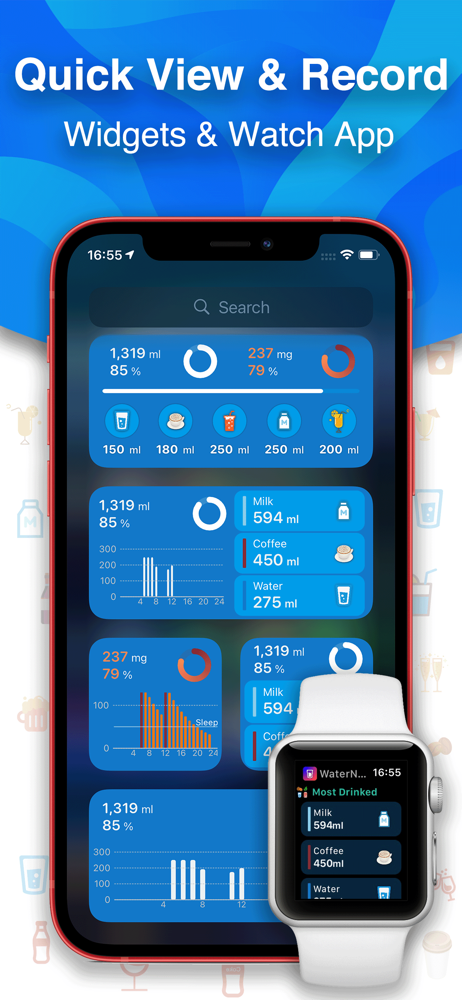

03 / Market context
Keep revenue, downloads and store rankings separate from advertising performance.
The only unfortunate thing about this app. Is that my other apps that read the information that this app puts off to Apple health as only water. No matter if it's soda, alcohol, milk or whatever excluding caffeine "Coffee". However the integration with the Hearty app is top notch! I just wish there was a way to either turn off the other drinks individually from sending that information as Water as I can do with caffeine. "Reading and writing." And Or as possibly giving them labels so on other the apps they read them it's identified as instead of everything is just water. Such as the other apps identify what app is sending the information using the apps name, but not actually a classification of the individual drink. Unfortunately the caffeine also comes up as water, when read by the other apps if you don't turn it off in this app as well, but at least you have the option to turn off the reading and writing on the caffeine.
Is a step up, with much more features for a modicum price. Miss the simplicity of my older water taking app, but it was missing too many (minor) features that this app really covers. Only bug is that entering my actual weight does not work; keep imputing it on the main welcome page when you first download it (or after deleting it and redownloading again), and once you get pass that page, I can not find a way to tweak the weight (sex can be switched with almost a snap of the fingers over and over again, and I can’t find a true “user section” either, but, eh),… will wait for future updates/fixes
As a new user the most valuable tool to get me to like an app like this is Edit and Delete. I haven’t found either option in this app. Once you make an entry you can’t fix or delete it. Example, I added the two cups of coffee I had in the morning after I got into bed to read that night. I didn’t know yet that I could have edited the time but only before I pressed enter. I tried to delete them so I could re-enter with the right data (because it makes a difference I think in how they account for how much caffeine you’re drinking at night). No bueno. Not possible (or is that option hidden?) Also, I try to drink 8 glasses of water (64 oz) and changed what I thought was the default, but it’s still showing up as 45 oz. What’s with that? Aside from that it seems like a good app. The data connects with other health apps. Very cool. You just have to remember to make your entry when you drink your choice of fluid. In short, the jury is still out on its usefulness for me.
Powerful smart water reminder! - Intelligent dynamic planning of drinking water goals - Smart drinking water reminder - Caffeine metabolism tracking,...
| Name | Price | Type |
|---|---|---|
| Full Version | $3.99 | One-time |
| Full Version | $3.99 | One-time |