Check the acquisition promise
Read the store headline, screenshots and description. What problem is the app promising to solve?
Study the storefront ↗
That Peachey Thing · iOS
Explore the ad evidence, study the storefront, and build your next acquisition hypothesis.
01 / Creative research
Read the store headline, screenshots and description. What problem is the app promising to solve?
Study the storefront ↗Explore apps with direct store-link matches. Compare their hooks and formats without assuming the same approach works here.
Browse observed advertisers ↗Store rankings and revenue estimates describe market context. They do not establish ad spend, conversions or ROAS.
Review the market context ↗02 / Storefront & product
Study the product story and store experience behind the acquisition funnel.


03 / Market context
Keep revenue, downloads and store rankings separate from advertising performance.
I’ve been using this app for several years and now with the updates it’s even better. I like setting a reminder for myself, save my favorite verses, and now I can ask the app questions about what the Bible says about certain topics!
My only reason for downloading the app was for the AI assistance look up. I’m sure it works fine for everything else given the other reviews. But considering I have a problem with the only reason I downloaded it, I can’t give it more than one star. Attempted to use the GPT look up. I get the notice that in order to use it I need to support the app. It does give the option to either give money or watch an ad, which is great since I’m not handing over money at first until I see if I even like what I’m using. So I watched the ad. The problem is that after watching the ad I have no ability to interact with the GPT window. The area you type in just disappears. Tried swiping, tapping, and everything else to interact with the chat bot and could not pull up the keyboard to type anything. Left the GPT chat tab, came back to it, and once again I have to support or watch an ad. I give it another go thinking maybe it was a bug. Nope, still can’t type after watching the ad. So good job, you got two ad views out of me, hope it was a good payout. I deleted the app after that.
This app truly helps me prepare for my day every single day. I need inspiration from the word of God before I go out into the world. One of my favorite things about this app is the “favorite” option, where you can favorite a verse to look at later. I’ve tried many verse apps and this is the only one I’ll use. Simple but great! Not repetitive either...
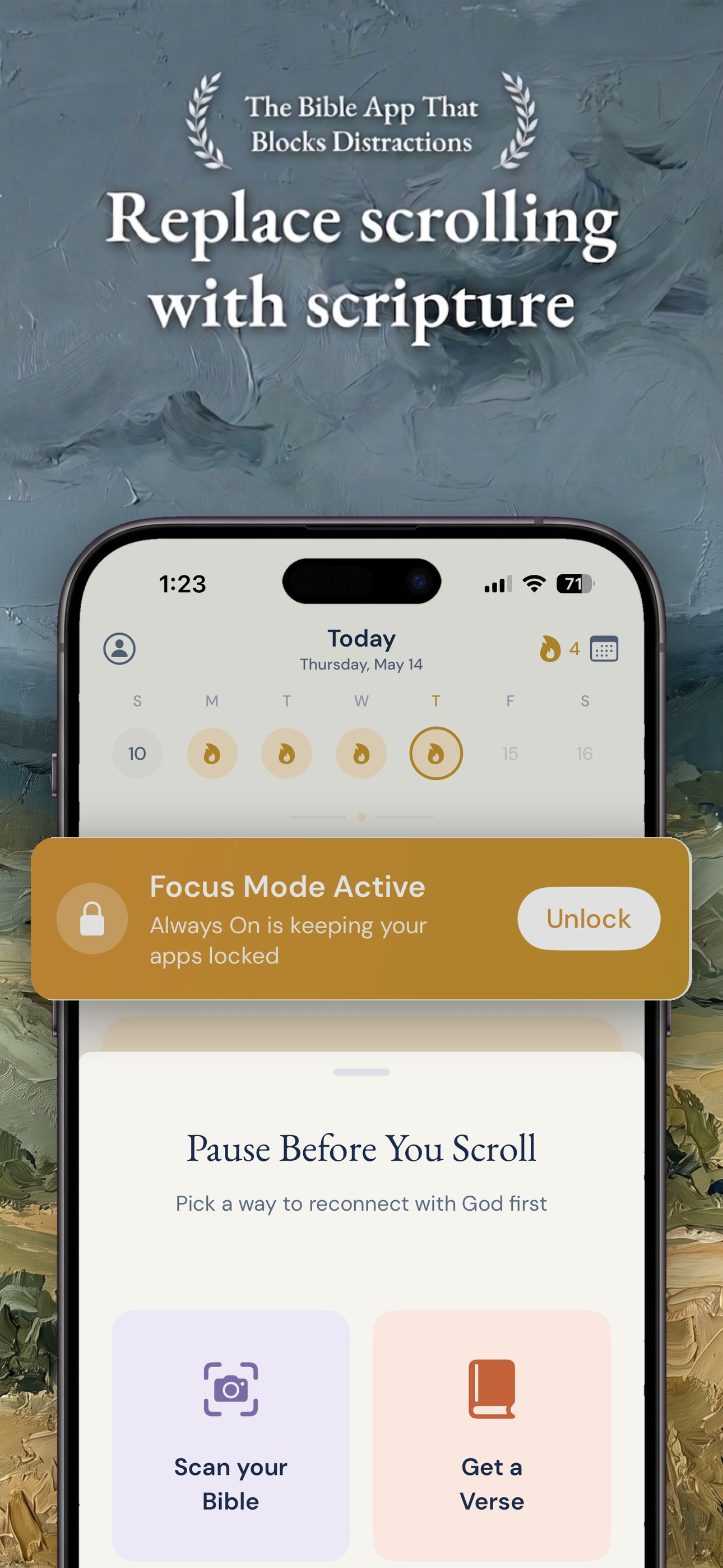
Block the apps that drain your day. Replace them with the Word that fills your soul. Verse Alert is a Bible app for Christians who want to spend less...
| Name | Price | Type |
|---|---|---|
| 1 Month - Verses Subscription | $0.99 | Monthly |
| Monthly VerseGPT Access | $0.99 | Monthly |
| Remove Ads | $1.99 | One-time |
| VerseAlert - Premium (1 Week) | $1.99 | Weekly |
| Unlock All Verses | $2.99 | One-time |
| 1 Year - Verses Subscription | $9.99 | Yearly |
| Annual VerseGPT Access | $9.99 | Yearly |
| VerseAlert - Premium (1 Year) | $19.99 | Yearly |
| VerseAlert - Premium (1 Year) | $39.99 | Yearly |
| VerseAlert - Premium (1 Year) | $49.99 | Yearly |