Check the acquisition promise
Read the store headline, screenshots and description. What problem is the app promising to solve?
Study the storefront ↗
Julian Beck · iOS
Explore the ad evidence, study the storefront, and build your next acquisition hypothesis.
01 / Creative research
Read the store headline, screenshots and description. What problem is the app promising to solve?
Study the storefront ↗Explore apps with direct store-link matches. Compare their hooks and formats without assuming the same approach works here.
Browse observed advertisers ↗Store rankings and revenue estimates describe market context. They do not establish ad spend, conversions or ROAS.
Review the market context ↗02 / Storefront & product
Study the product story and store experience behind the acquisition funnel.



03 / Market context
Keep revenue, downloads and store rankings separate from advertising performance.
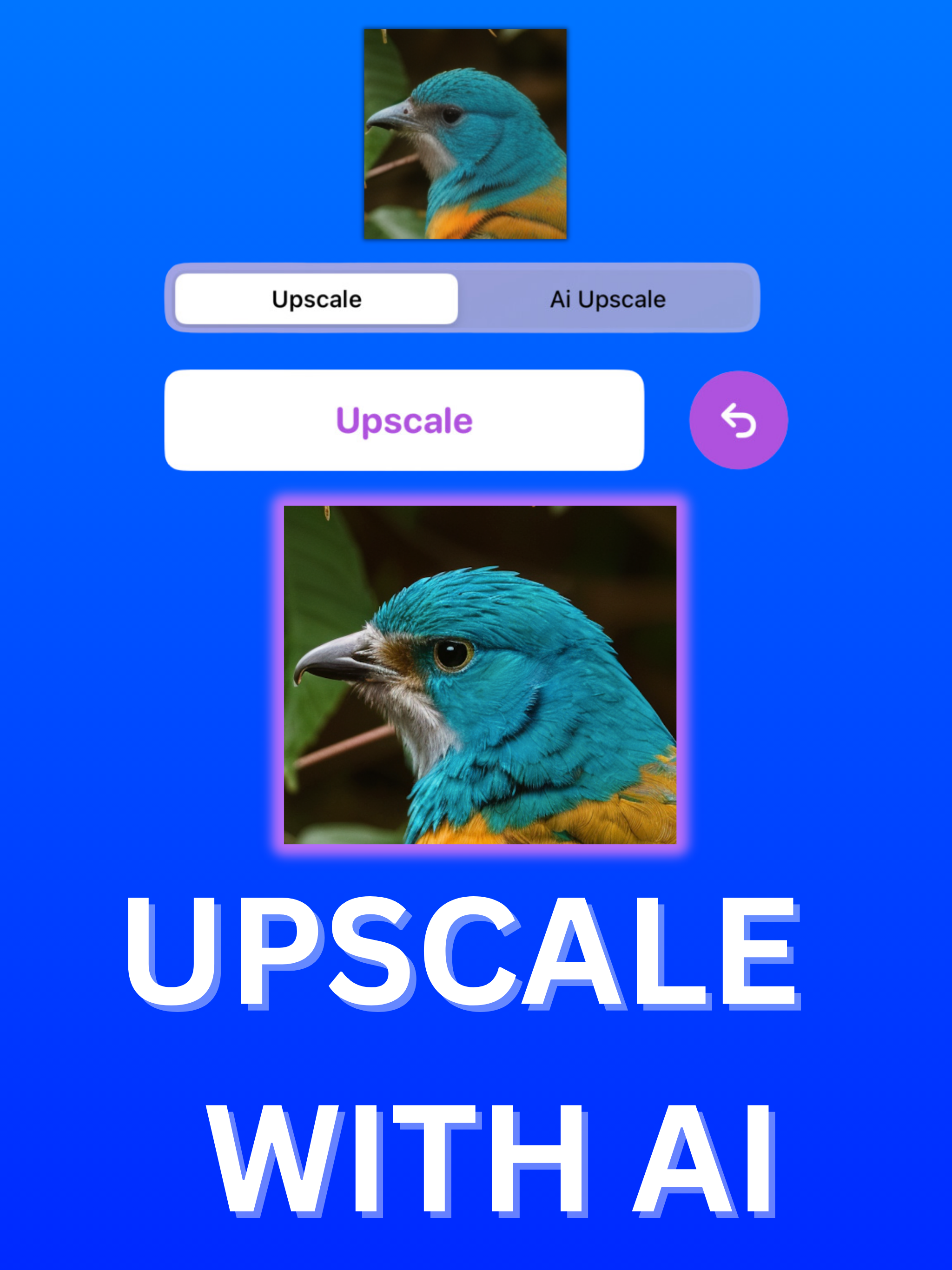
So this is will be comprehensive review for the developer and also the users who are curious on how the app performs, ultimately I will only knock 1 star because it does deliver in certain areas that is 5 star worthy, but not all. I’ll start with the Pros. Pros - the AI Upscale mode is probably the best I’ve ever used when it to images of nature, animals, and some texts graphics. It essentially it does what Magnific AI does by upscaling the image but changing the image to its own creative input like making a ps2 picture look real. However with Upscaling AI since their isn’t input functionality so it will upscale it but do very little changing, keeping the image maybe 96-98% the same with some tiny tweaks. This is a cool unique hybrid approach because you get the benefits of some added realism and better textures, but keep the image the same. I’m surprised more AI companies haven’t used this approach because some people just want to upscale the image not change it, and it doesn’t give you the “plastic” look, it just makes the image look more real and highly detailed. Cons - starting with the basic upscale mode it’s very generic, their are plenty of apps out right now that can do a better job, it gives you the classic “plastic” look which modern upscale models have drastically improved on, so for me I didn’t use this feature much, Next the AI upscale mode, like I said before when it comes to nature it hits it out of the park, beats or is on par with any top of the line paid AI model available on the market today. But when it comes to humans, people, Anime, electronics, cars and anything other then nature it is a completely misses the mark, With people the AI will completely removes and annihilates any detail like stains, skin texture details, shadows, clothing texture details and replace it with a plastic smooth texture similar to its basic upscale mode, but not as drastic. It does upscale the image with a higher resolution version of the person, but it’s in smooth plastic format so it won’t be appealing. I was surprised how the AI interacts with faces as well, completely butchers the whole face, annihilates all the details in the face and at times makes faces look like it has a make up on with a glow to it. In conclusion I think the AI upscale model can be improved by either tweaking it to perform better with textures that aren’t just natural sources or perhaps implementing anther mode that is more traditional that has those inputs functions to avoid or at the very least manage the plastic, smooth results that it currently produces.
Keep going and make the App better. Hope you add creativity level to select the amount of details and make the image better.
Transform your blurry, low-resolution photos into stunning, high-definition images with UpscaleAI. Our cutting-edge AI technology breathes new life in...
| Name | Price | Type |
|---|---|---|
| Pro (Weekly) | $7.99 | Weekly |
| Unlock Pro (Annual) | $22.99 | Yearly |