Check the acquisition promise
Read the store headline, screenshots and description. What problem is the app promising to solve?
Study the storefront ↗
Marko Radakovic · iOS
Explore the ad evidence, study the storefront, and build your next acquisition hypothesis.
01 / Creative research
Read the store headline, screenshots and description. What problem is the app promising to solve?
Study the storefront ↗Explore apps with direct store-link matches. Compare their hooks and formats without assuming the same approach works here.
Browse observed advertisers ↗Store rankings and revenue estimates describe market context. They do not establish ad spend, conversions or ROAS.
Review the market context ↗02 / Storefront & product
Study the product story and store experience behind the acquisition funnel.



03 / Market context
Keep revenue, downloads and store rankings separate from advertising performance.
I’ve been using this app for quite a while and it’s great. Typically what happens is I actually end up taking control of some of the settings while I’m in bed as I’m going to sleep on my Apple Watch. It’s amazingly good. I had trouble because one of my thermostats the battery ran out or stopped charging very well so I had to replace the thermostat and there was some settings that required multiple steps. I sent an email to the developer he reached out to me with detailed instructions which have completely solve the problem which I would not have been able to determine on my own. I really do appreciate all of the help. I think that before anybody write a bad review you should reach out to the developer he seems to be incredibly helpful. And I think that when you have issues it’s likely more a function of googles nest thermostat and it is with this application and reaching out to him seems to be very beneficial
I started with a couple of Nest Thermostats in my home, but after Google stopped authorizing keys for new app integrations & a need to access with some new software, decided to use Ecobee for the rest of my house & will eventually replace Existing Nest with Ecobee. Unfortunately, I can not find any way to link Ecobee account to the app. I’ve searched the developers website and find plenty of information on linking to Nest, but not a word on Ecobee. If you are not supporting Ecobee, then remove it from the app name. UNFORTUNATELY, while the developer states that I only need to add the thermostats to my HomeKit configuration, then connect through the app, it doesn’t work. I already had all of my thermostats connected to HomeKit. I connected to HomeKit, when I installed each Thermostat. (They all show up in the Home app, along with the remote sensors) The ThermoWatch app doesn’t give me an option of connecting to my HomeKit Devices, the closest option is to Authorize my AppleTV (HomeKit Hub). That doesn’t work either. Those instructions refer to connecting to a Nest Thermostat. Running the AppleTV app, when selecting this option on the phone, doesn’t do anything at all.
The app is great! The app is very functional and gives me a great status view and control of my two Nest Thermostats! Some of my favorite features are: 1) the iOS widget provides me a fast way to control the temp, home/away status, humidity, and ambient temperature for my upstairs and downstairs thermostats. 2) Apple Watch widget gives me the same control as the iOS widget but it also has a GREAT complication showing me the cool/heat status, on/off status, ambient temperature and humidity. [the Nest Watch app doesn’t have this]. 3) tvOS app also gives me all the above control on my AppleTV [the Nest TV app doesn’t have this-in fact, you can’t control your thermostats on the AppleTV Nest app. It’s only for the Nest Cam]. With all that said, I’ve reached out to the developer a few times to provide suggestions and issues and they have been VERY responsive! I would recommend this to anyone who wants a really cool control and UI for their Nest Thermostats.
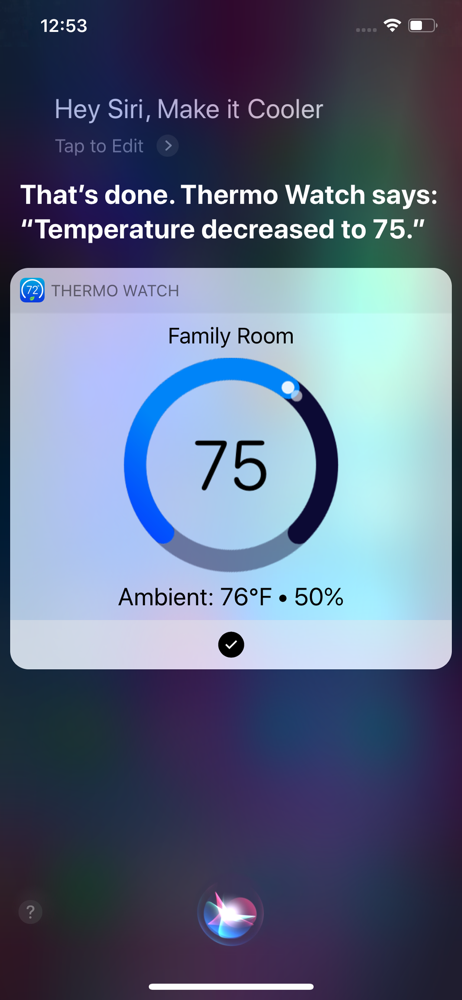
Apple Watch, Nest Thermostat, and Siri. Together at last. * The app has Siri Voice shortcuts for seamless Siri control of your Nest, from the iPhone,...
| Name | Price | Type |
|---|---|---|
| Generous Tip | $0.99 | One-time |
| Big Tip | $2.99 | One-time |
| Massive Tip | $4.99 | One-time |