Check the acquisition promise
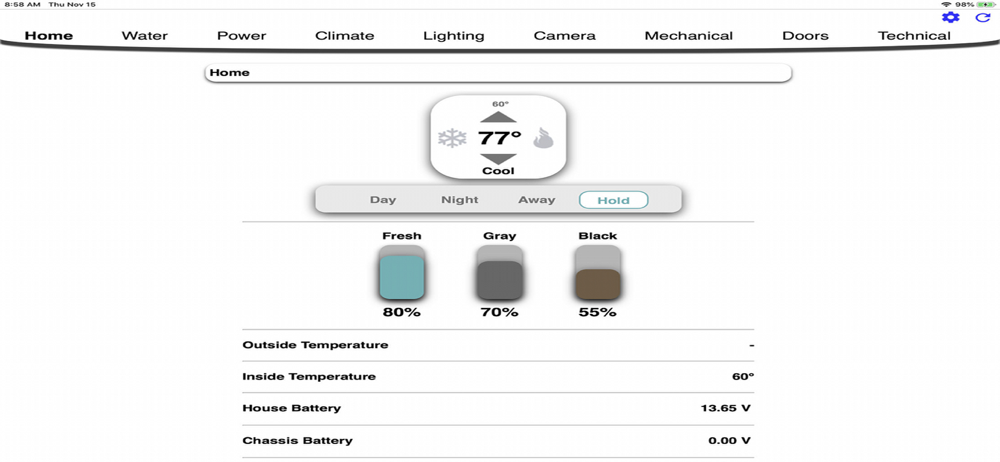
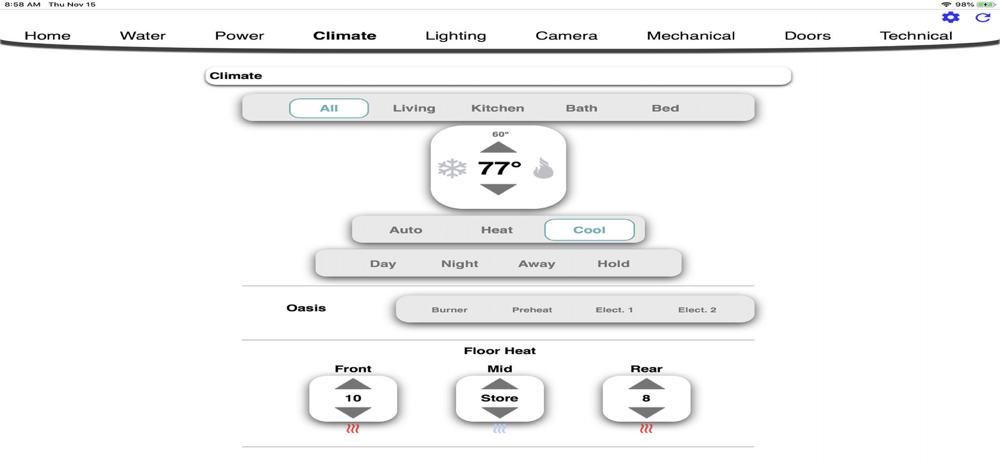
Read the store headline, screenshots and description. What problem is the app promising to solve?
Study the storefront ↗
SilverLeaf Electronics · iOS
Explore the ad evidence, study the storefront, and build your next acquisition hypothesis.
01 / Creative research
Read the store headline, screenshots and description. What problem is the app promising to solve?
Study the storefront ↗Explore apps with direct store-link matches. Compare their hooks and formats without assuming the same approach works here.
Browse observed advertisers ↗Store rankings and revenue estimates describe market context. They do not establish ad spend, conversions or ROAS.
Review the market context ↗02 / Storefront & product
Study the product story and store experience behind the acquisition funnel.


03 / Market context
Keep revenue, downloads and store rankings separate from advertising performance.
The app worked three times when I first downloaded it in my driveway while testing it. Total garbage. All I get is a white screen and that is when it actually connects. How is this type of app so hard to get right. Seems pretty basic.
This latest update just broke my connection to my Dometic control panels. Beware.
This app rarely works. Often it will have trouble finding the RV even though I am connected to the RV’s WiFi. Then when it does connect, it will either hang or be on a screen that isn’t even the right detail. The past week, when it does finally load, it has been on the AC/Heat screen and has said it was on and was set to a temp but it isn’t on. Then I can’t switch it to any other screen. Also, often it will have the wrong info about the tanks. What is the point of it if it doesn’t work often and often doesn’t have the correct info.
System Control is a web browser-based application to support Wifi communication with LR devices from SilverLeaf Electronics, Inc. The LR implements a...