Check the acquisition promise
Read the store headline, screenshots and description. What problem is the app promising to solve?
Study the storefront ↗
PTI Security Systems · iOS
Explore the ad evidence, study the storefront, and build your next acquisition hypothesis.
01 / Creative research
Read the store headline, screenshots and description. What problem is the app promising to solve?
Study the storefront ↗Explore apps with direct store-link matches. Compare their hooks and formats without assuming the same approach works here.
Browse observed advertisers ↗Store rankings and revenue estimates describe market context. They do not establish ad spend, conversions or ROAS.
Review the market context ↗02 / Storefront & product
Study the product story and store experience behind the acquisition funnel.


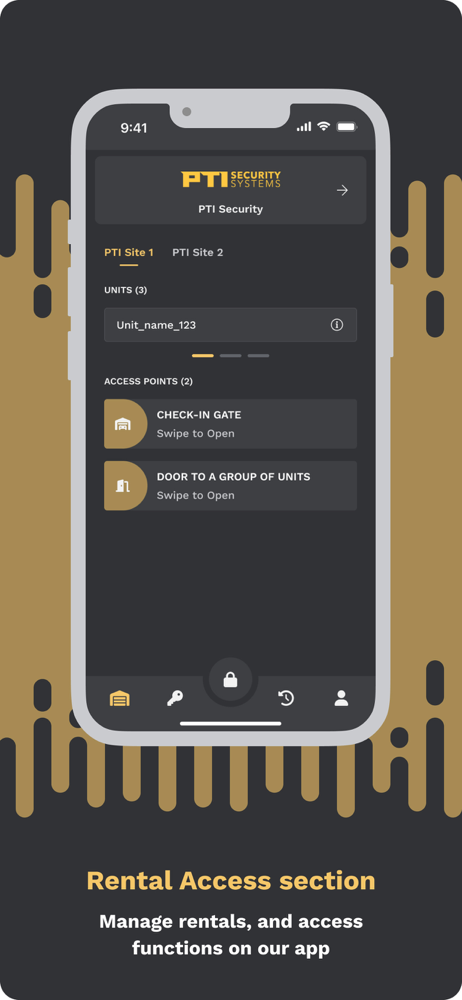


03 / Market context
Keep revenue, downloads and store rankings separate from advertising performance.
App never opens on the first time, always have to close it out and reopen it for it to work.
My access points don’t show up. A fix that I have found is to completely delete the app and re download it from the App Store then re login and hope you remember the password you used. I believe the issue I have found is that whenever I restart my phone the access points are no longer available when I go to use the app. It’s honestly quite a hassle to have to go the facility office for them to create a ticket and maybe fix the issue. It’s a real shame to have to go from a perfectly working app to one that barely works at best.
This app tracks your location even after you think you’ve stopped using it. The app seems to trick the iPhone into thinking the app is for navigation. That way it can keep tracking your location long after you’ve left the storage facility. Really creepy. Update based on the developer response: the developer response is misleading. Geofencing on iOS is event-driven and does not produce the continuous blue navigation arrow I saw in the Dynamic Island hours after leaving the facility. That indicator means the app is using continuous location updates, likely via the location background mode meant for navigation apps. That is not geofencing, and citing legitimate proximity features does not explain sustained tracking long after I had left the geofenced area. Either be straight about which iOS APIs the app actually uses, or stop using ‘geofencing’ as cover for something more aggressive.
PTI Security System’s state-of-the-art mobile application is revolutionizing self-storage access. This cutting-edge solution ensures seamless and secu...