Check the acquisition promise
Read the store headline, screenshots and description. What problem is the app promising to solve?
Study the storefront ↗
Neat Software Co. · iOS
Explore the ad evidence, study the storefront, and build your next acquisition hypothesis.
01 / Creative research
Read the store headline, screenshots and description. What problem is the app promising to solve?
Study the storefront ↗Explore apps with direct store-link matches. Compare their hooks and formats without assuming the same approach works here.
Browse observed advertisers ↗Store rankings and revenue estimates describe market context. They do not establish ad spend, conversions or ROAS.
Review the market context ↗02 / Storefront & product
Study the product story and store experience behind the acquisition funnel.


03 / Market context
Keep revenue, downloads and store rankings separate from advertising performance.
This app works great with my adhd. i occasionally just open my phone and swipe between my home screens but then i see my little to-do list there and it reminds me i have things to do. i could not recommend it enough. only issue i have with this app is that it doesn’t have an option for bulleted lists and you kinda gotta work with hyphens and numbered lists but its weird to work that around. worlds amazing otherwise.
Once you set up the widget and select the note it displays, All you have to do is click the note widget and it pulls up the note ready to edit and draw/write your note. You don’t have to do the extra click to select to edit the note once the app opens up like most of these apps do. It also updates the widget note display as well after you save and exit the app. One app was ALMOST on par with jot but the display of the note did not update with changes on the widget. The only reason I’m giving 3 stares is because the widget is too small to read what I write. They only have the smallest (app) size, and the next size above that one. They don’t have the extra large widget size, which would be useful.
Does everything it is supposed to. Very useful. What bothers me is you can only use text or handwriting, not both(alternating back and forth)on the same note. When I type and want to add something with Apple Pencil and switch modes the typing disappears and vice versa. It will return when I go back to the original mode. If there is a setting I am not aware of that allows both modes to alternate, please put it in a tutorial. Also could you add a clear button to the typing mode as well. Thanks!
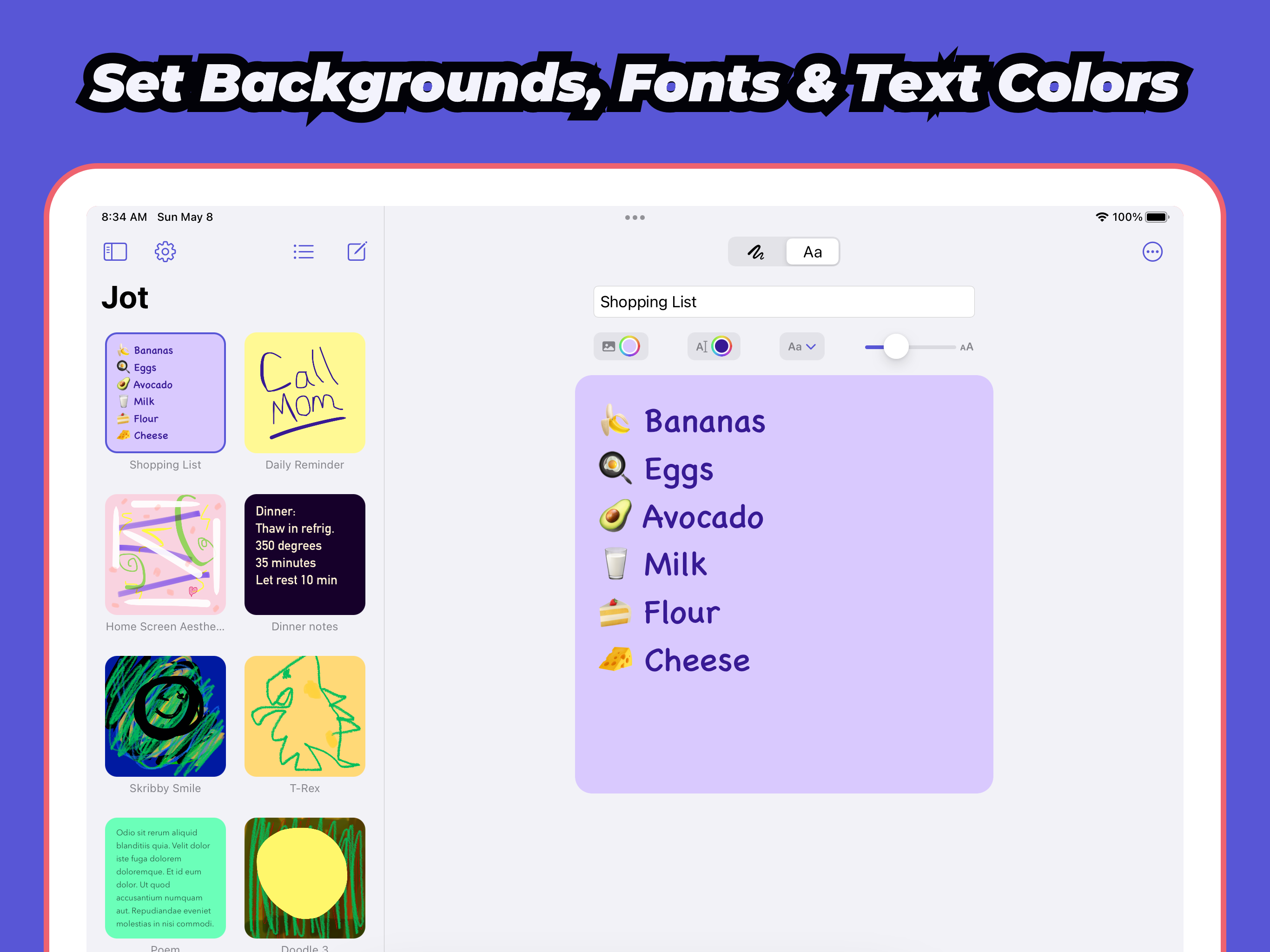
Quickly create & edit notes and drawings to display as widgets on your home screen & lock screen. Draw with Apple Pencil, your finger, or use the keyb...
| Name | Price | Type |
|---|---|---|
| Jot Pro: Lifetime | $6.99 | One-time |
| Jot Pro: Lifetime | $9.99 | One-time |