Check the acquisition promise
Read the store headline, screenshots and description. What problem is the app promising to solve?
Study the storefront ↗
晨 李 · iOS
Explore the ad evidence, study the storefront, and build your next acquisition hypothesis.
01 / Creative research
Read the store headline, screenshots and description. What problem is the app promising to solve?
Study the storefront ↗Explore apps with direct store-link matches. Compare their hooks and formats without assuming the same approach works here.
Browse observed advertisers ↗Store rankings and revenue estimates describe market context. They do not establish ad spend, conversions or ROAS.
Review the market context ↗02 / Storefront & product
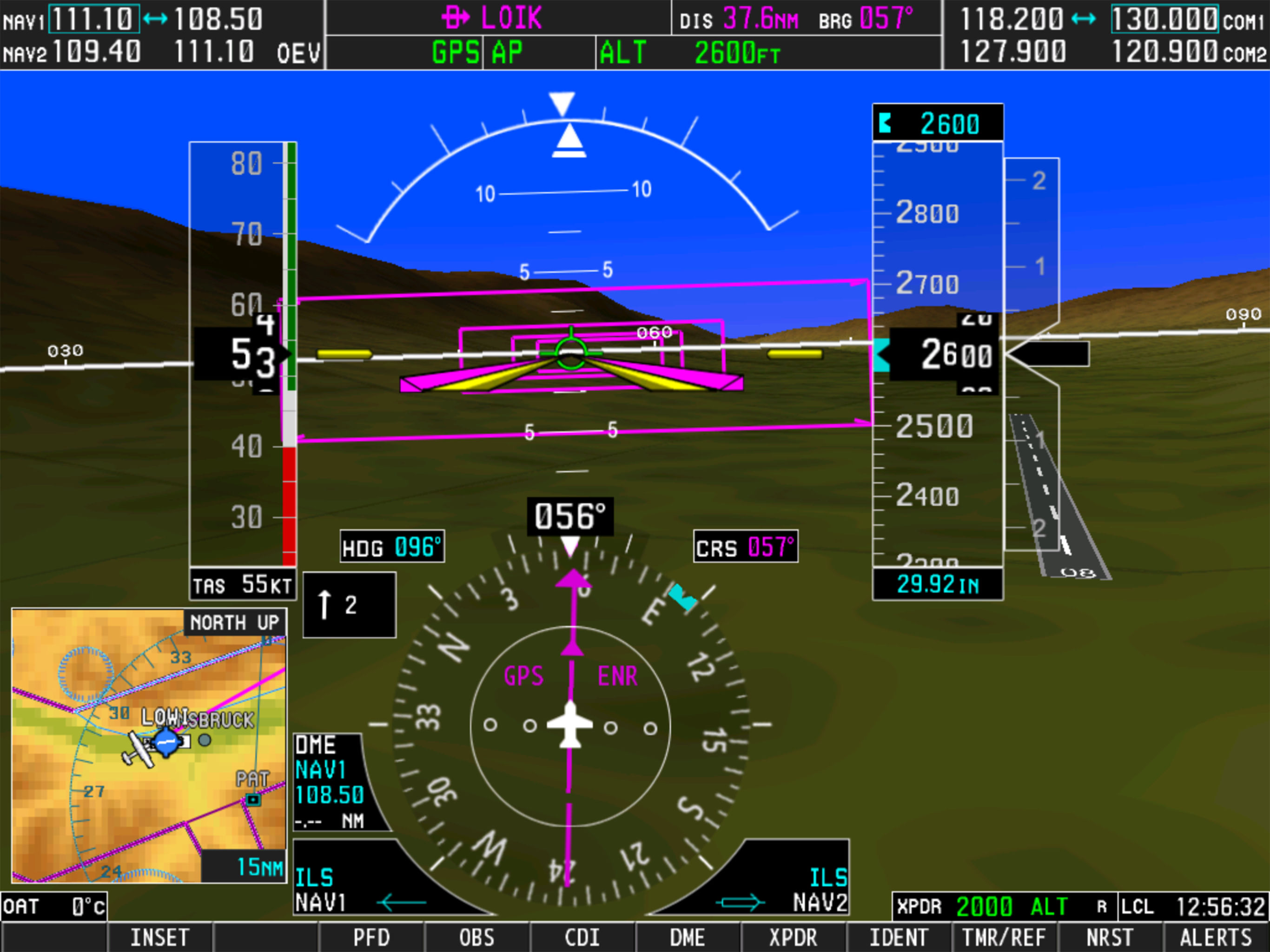
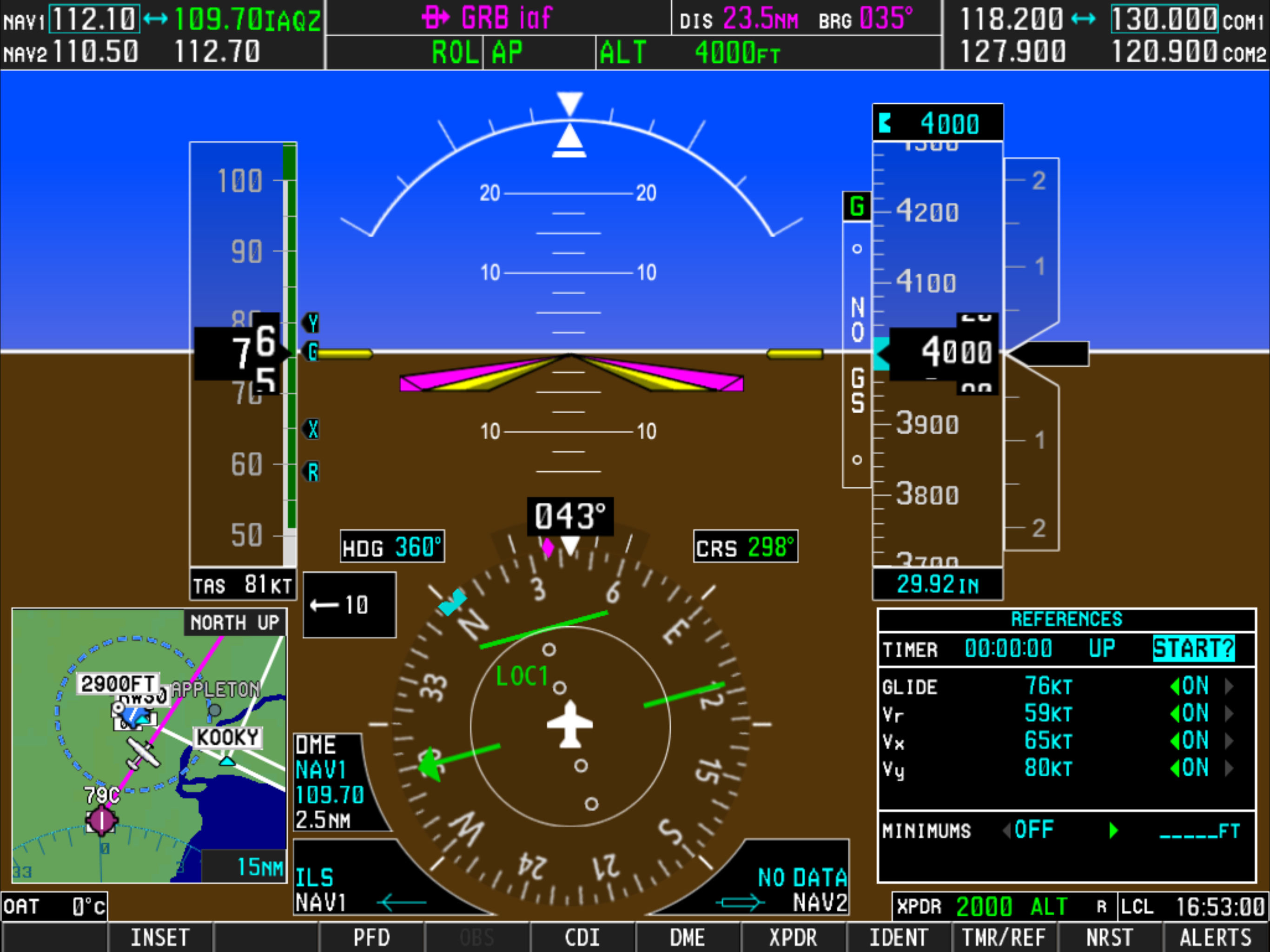
Study the product story and store experience behind the acquisition funnel.



03 / Market context
Keep revenue, downloads and store rankings separate from advertising performance.
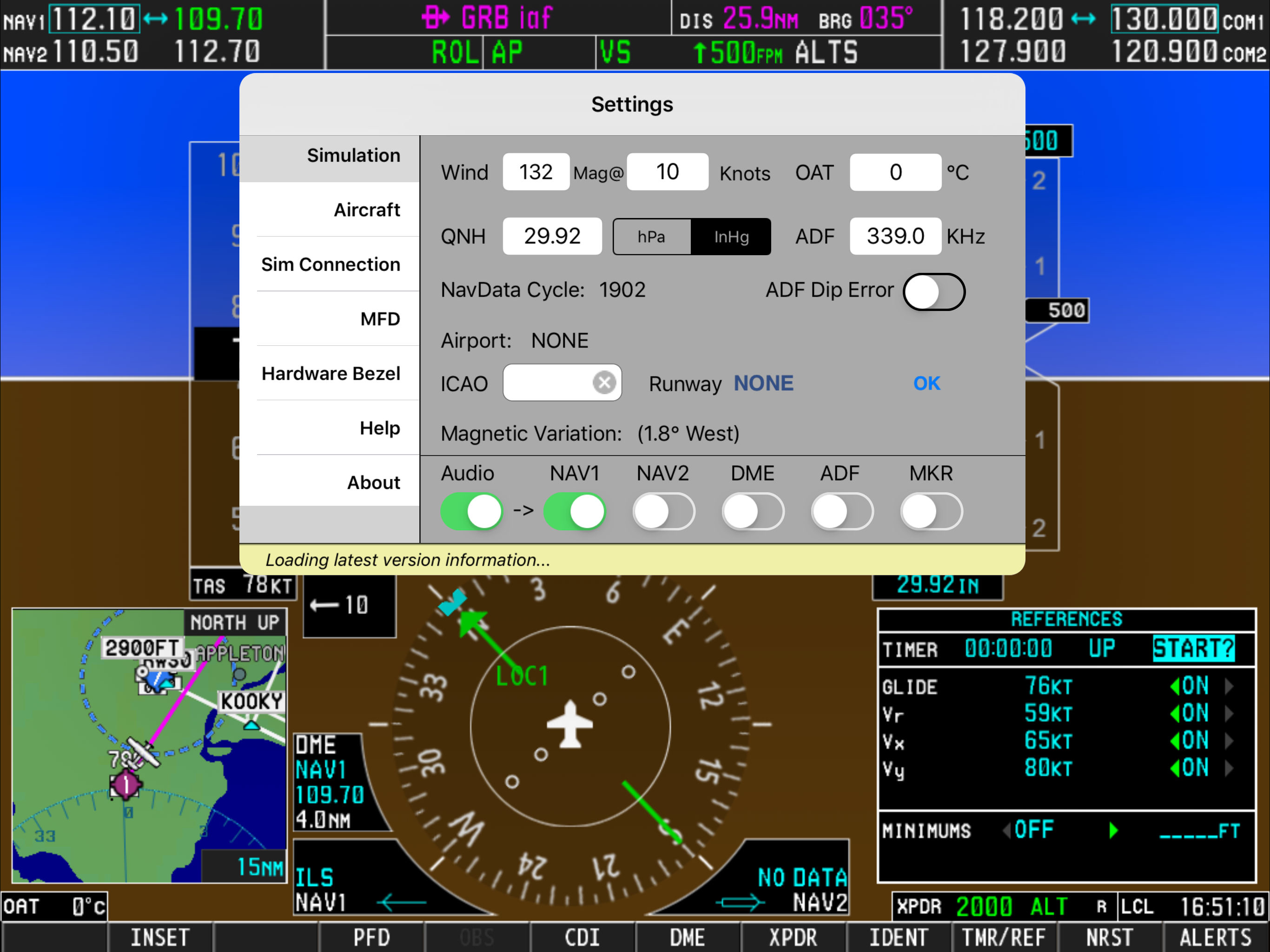
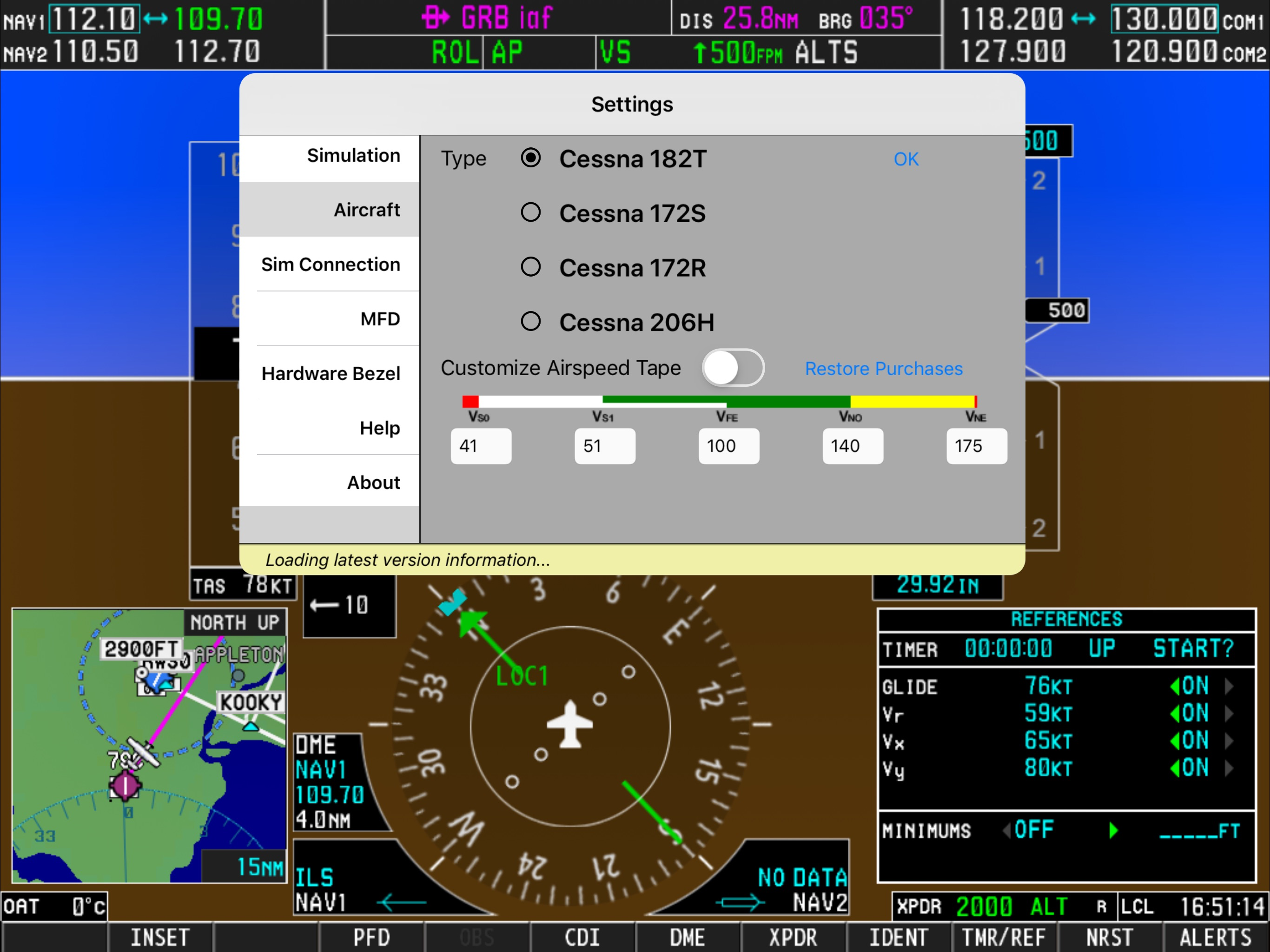
This iPad app is a remarkable implementation of the G1000 functionality. I’m using it with X-Plane and as a standalone trainer. Since I’m flying a lot in European Airspace, the fact that this app only supports altimeter settings in IN and not in hPA is annoying. The developer had the idea to support that functionality since it is in the settings, but the app ignores the setting. It also does not matter if you have an X-Plane aircraft showing QHN in hPA; It does not cause this iPad app to switch. The app also supports custom profiles as in-app purchases, but the settings UI has a defect, so you can only select the bottom four profiles since the settings screen does not scroll up. Like I said in the beginning, overall a great app, but I wish Simionic would pay more attention to smaller bugs, since those add up and weigh on the overall perception of a quality product.
This is an excellent APP that allows you to become familiar with GPS navigation. I run X Plane 11 on a Mac. Be advised that a bridge plugin is needed for the app to connect to the computer running the simulator. This PFD simulator works great with the companion MFD. Be advised that 2 iPads are needed to use the MFD as the PFD sends info to the MFD. Now a question. Is there any way to load a flight plan into the PFD so that you don’t have to manually enter your flight plan? I create flight plans in Little NavMap and save them to my computer so that if I want to fly the same plan, I just have to load it into the PFD in the sim. It would be great if you could load your plan into the app PFD as manipulating the controls are a bit difficult. Failing that, it’s easier to program the PFD in the simulator, so I would assume that this flight plan information would show up in the apps, but it appears that that is not the case.
This app is great. Having flown with the G1000 in a Cessna 172, I can say that this app (both the PFD and MFD versions) closely mimic the real thing. You can pair it with X-plane over a network. It has at time been glitchy, but it’s good to see that some of those bugs are getting worked out. I wish that flight plans were saved, so that if the app crashed, or you had to pair the MFD with the PFD, your flight plan wouldn’t get wiped out. But with that being said, I did email the developer about an issue and got a response back within a day. Seemed like they really wanted to help. All things considered, this is an essential app. I use it regularly. It helped me prepare for my instrument checkride. Most (not all) of the functionality is the same as a real G1000. Even with what it lacks though, it’s far better than the G1000 in X-plane (which is next to worthless).
Check out this video: https://www.youtube.com/watch?v=3xePnu3MsBQ IMPORTANT NOTICE: 1. This app emulates G1000 PFD functionalities only. It does not...
| Name | Price | Type |
|---|---|---|
| Aircraft Customization | $1.99 | One-time |
| Beechcraft Baron G58 | $1.99 | One-time |
| Synthetic Vision | $5.99 | One-time |