Check the acquisition promise
Read the store headline, screenshots and description. What problem is the app promising to solve?
Study the storefront ↗
205L Studio · iOS
Explore the ad evidence, study the storefront, and build your next acquisition hypothesis.
01 / Creative research
Read the store headline, screenshots and description. What problem is the app promising to solve?
Study the storefront ↗Explore apps with direct store-link matches. Compare their hooks and formats without assuming the same approach works here.
Browse observed advertisers ↗Store rankings and revenue estimates describe market context. They do not establish ad spend, conversions or ROAS.
Review the market context ↗02 / Storefront & product
Study the product story and store experience behind the acquisition funnel.




03 / Market context
Keep revenue, downloads and store rankings separate from advertising performance.
Simply an incredible app that I not only use daily, but endorse often publicly. The only things that I would strive to change/add…1) a small in-game timer would be nice (many round robin games are timed and it would be great to see remaining time), 2) disable the Watch crown rotation for scoring (swipe is easier and the crown often gets inadvertently rotated during play), 3) adding microphone control to be able to quickly change player names. I set mine up as my wife and I playing my brother/sister in law. In open play we change partners and opponents every game. It works if I am playing a male and female as I just use my preset brother/sister in laws names, but when 2 opponents of the same gender play me, it gets difficult. It would be nice to long press an existing name and be able to replace it with “hat” or “bald” or “tall”…, 4) would be great to have a “default” setup option. My everyday routine is to start a game and tap each of the 4 players from my list (one at a time). I ALWAYS adjust from this starting spot. The app itself is amazing and has been on my wrist for 450 hours of play in the last year…players with me love it. I frequently screencast the score to my iPad mounted on a ½ court fence.
This thing does it all, feature rich! Incorporates health features. Had to get my coworkers on this app as well. Nothing but great things from this app! No complaints at all. Amazing job! Update: 1. So a few of us have been talking about this app and would it be possible to add games won under each player under the manage players section? 2.Can you add heart rate possibly in the corner on the Apple Watch version? 3. Is it at all possible to share the score board on to someone else’s iPad? This would be a cool option but not needed 4. Where do I donate? I’ve use this app every time I go out and play. You deserve something from me!
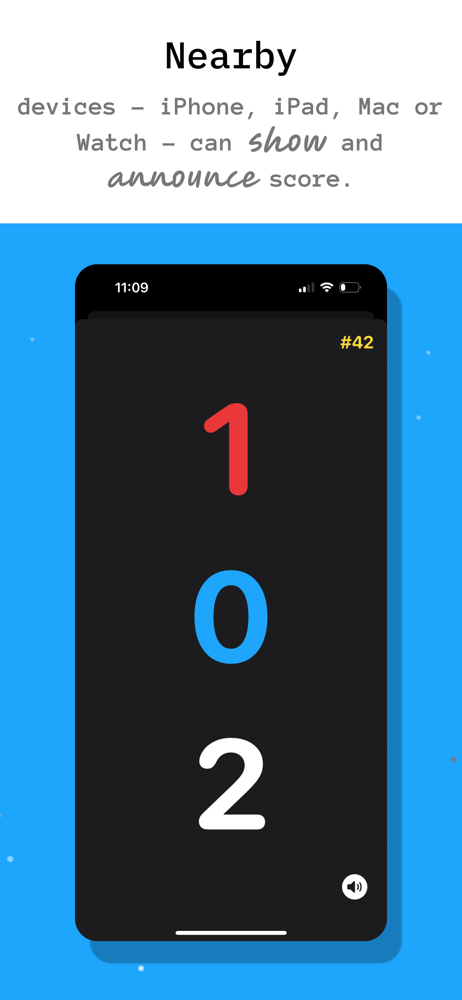
As a beginner, it's so nice to be able to keep track of the score and the player positions during games. I was a little self-conscious at first and didn't have the announcements on but had several other players say that they liked hearing the score from my watch. I accidentally left it set so that my phone also called the score from my bag on the fence and people said they liked hearing the score while waiting. *** My only complaint, and it's a minor one, is that sometimes, when I have accidentally awarded the final point of a game, it goes to the "Finish" screen even though I immediately try to undo. A "Go Back" option there would be nice.*** So I managed to scroll down on the “Finish” screen and there are indeed other options below the finish button, including undo. I’m 100% satisfied with the app.
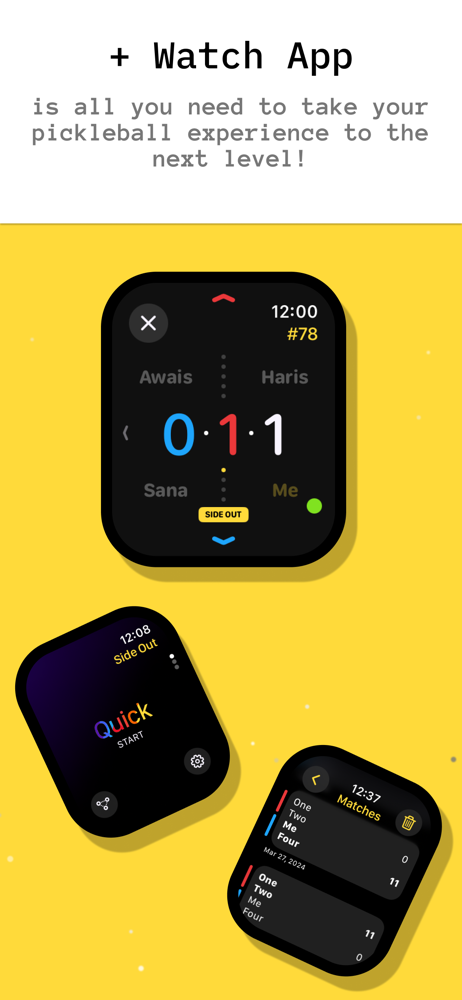
Track Pickleball scores hands-free on your Apple Watch. Simple swipes keep score while you play—no phone fumbling. See scores, serving order, and play...