
Check the acquisition promise
Read the store headline, screenshots and description. What problem is the app promising to solve?
Study the storefront ↗
Tran Duy · iOS
Explore the ad evidence, study the storefront, and build your next acquisition hypothesis.
01 / Creative research
Read the store headline, screenshots and description. What problem is the app promising to solve?
Study the storefront ↗Explore apps with direct store-link matches. Compare their hooks and formats without assuming the same approach works here.
Browse observed advertisers ↗Store rankings and revenue estimates describe market context. They do not establish ad spend, conversions or ROAS.
Review the market context ↗02 / Storefront & product
Study the product story and store experience behind the acquisition funnel.




03 / Market context
Keep revenue, downloads and store rankings separate from advertising performance.
If you are an engineer, scientist, or STEM student NCalcFx I believe this to be the best calculator in the App Store. It’s a joy to work with beautiful tools and that is what this app is — especially if you’re ever used Casio scientific calculators. It has one flaw I don’t like — the 1/x key should work immediately on the last answer (=single key press) but NCalc takes 3 key presses to do that. maybe it could be fixed in a future version. Another wish list item would be to improve the cut and paste functionality of the SOLVE function so continue with the answer — currently the cut/paste grabs an entire object which cannot be smashed into parts so you have to resort to typing each numeral of the answer across manually (unless there’s some trick I haven’t found). These small quirks only stand out because the overall design is so balanced and clean. This calculator is a pleasure to use, I was very glad to pay for the pro version in order to support this kind of craftsmanship. Download the free version and see if you like it as much as I do.
Just buy it if you're in a field like math or engineering and you need a solid calculator. Here's what I like: (1) It handles symbolic manipulations very well (2) Reliable outputs and stable performance (3) Lots of useful mathematical functions (4) Layout and buttons work exactly like a regular calculator, and some people may not like that, but I like the simplicity Here's what I don't like: (1) The icon is incomprehensive. It's way too busy looking. I have it on my dock and it's annoying me everyday. (2) Cannot use finger to move cursor around. You can tap on a location, but it's not accurate enough to get you to where you need in the expression. I want to be able to use the magnifier to move around. Currently, I have to use either the arrow keys or external keyboard to move around the expression, which is fine since that's how regular calculators work. But I think it would be more convenient to use the magnifier. (3) For some weird reason, why you start up the app, the edit screen will resume with the last expression you worked out. That means when you open the app, and you start typing in a new expression, it will add to the last expression rather than start a new expression. It's really annoying, because I have to exit the previous expression before I can type a new calculation every time I open the app.
Edit: ⭐️ I’m downgrading to 1 star. Even after giving a 5-star review under duress, I continue to receive pop up notices asking for a 5-star review. Edit: ⭐️⭐️⭐️ I have given this 5 stars only because it is incredibly obnoxious to have to have to click away the pop up asking for a 5-star review (see below) every other time I open the app. I paid for premium so I wouldn’t have to deal with distractions from using the calculator when I need it. The calculator itself is excellent. It’s too bad the developers marketing strategy isn’t. Original review: Overall NCalc is a very good calculator app, especially if you are used to Casio’s scientific calculator layout. I’m giving it 4 stars rather than 5 for two reasons. First, the layout of the arrow buttons doesn’t match the Casio, and irrespective of that, it’s just not very intuitive. The up and down buttons are side-by-side instead of stacked, so I really have to pay extra attention when using them. It’s a little thing, but it’s distracting and a bit irritating. Second is the fact that even with the paid version, half the time I open the app it’s to a pop up asking for a 5-star rating, which I have to close before I can use the calculator. It’s almost as obnoxious as the ads were in the free version. I understand why the developers want (good) ratings, but they should be incentivizing users to willingly rate rather than punishing us for not rating.
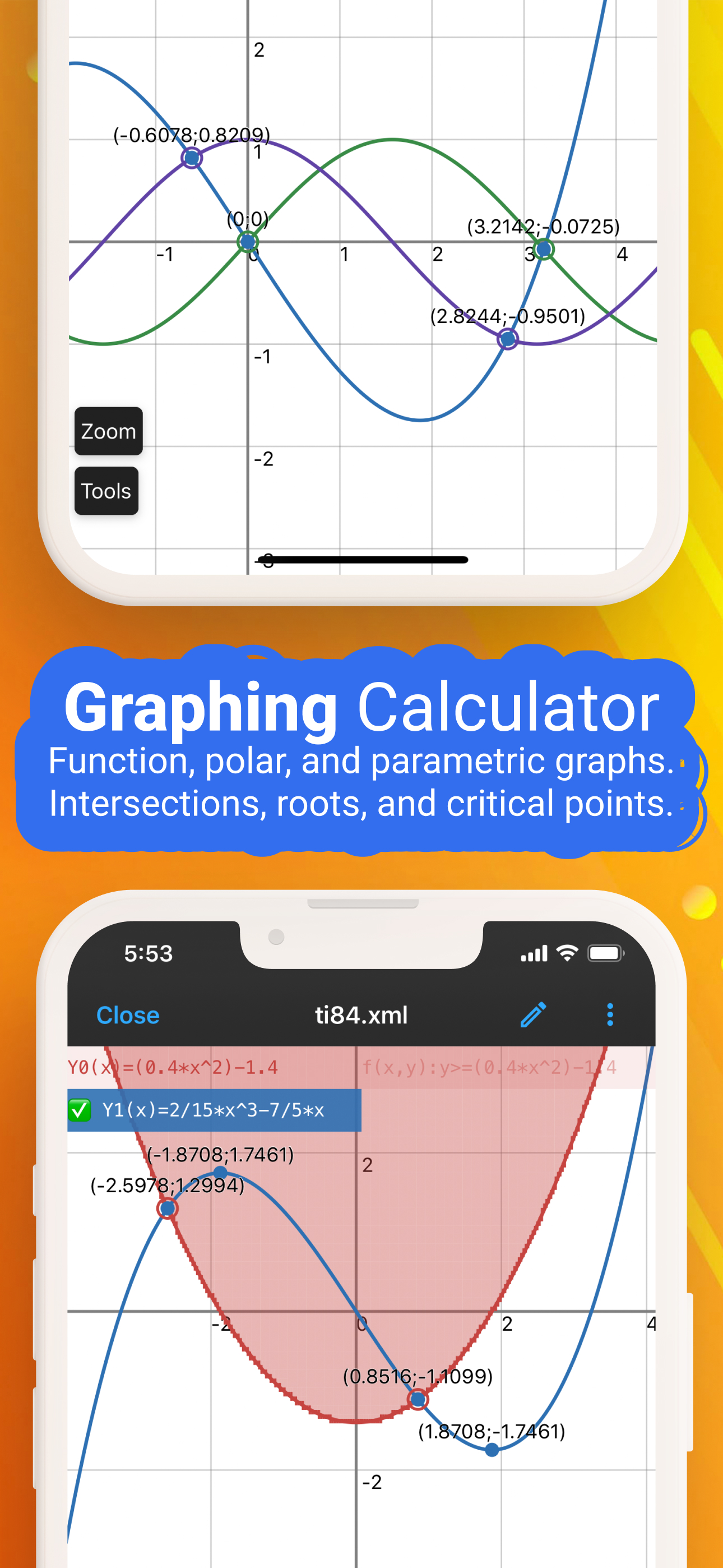
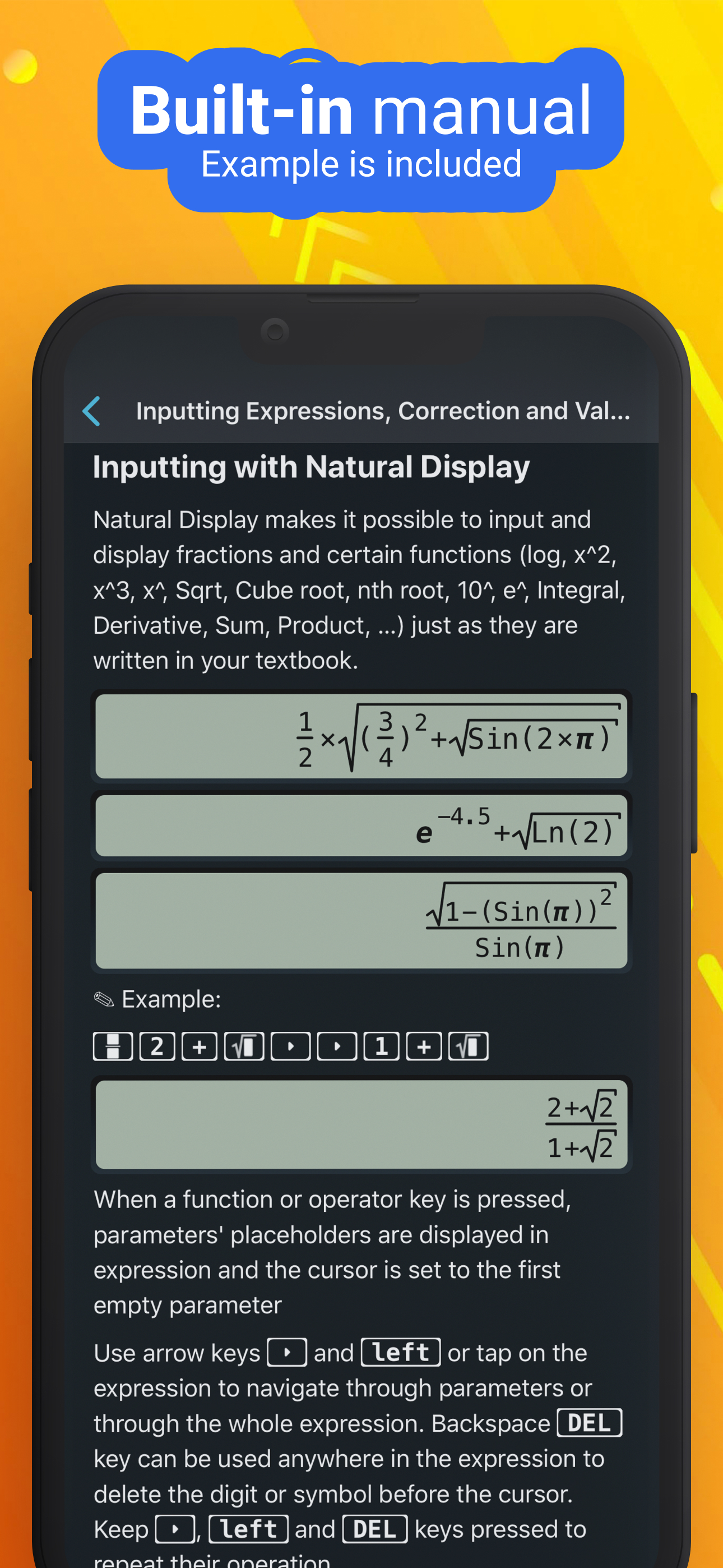
NCalc — Powerful Scientific Calculator, Graphing, and Converter NCalc combines a natural-display scientific calculator, advanced math tools, a full g...
| Name | Price | Type |
|---|---|---|
| Calculator month subscription | $1.99 | Monthly |
| Calculator yearly subscription | $3.99 | Yearly |
| Calculator Premium | $5.99 | One-time |
| Calculator Pro | $5.99 | One-time |


