
Check the acquisition promise
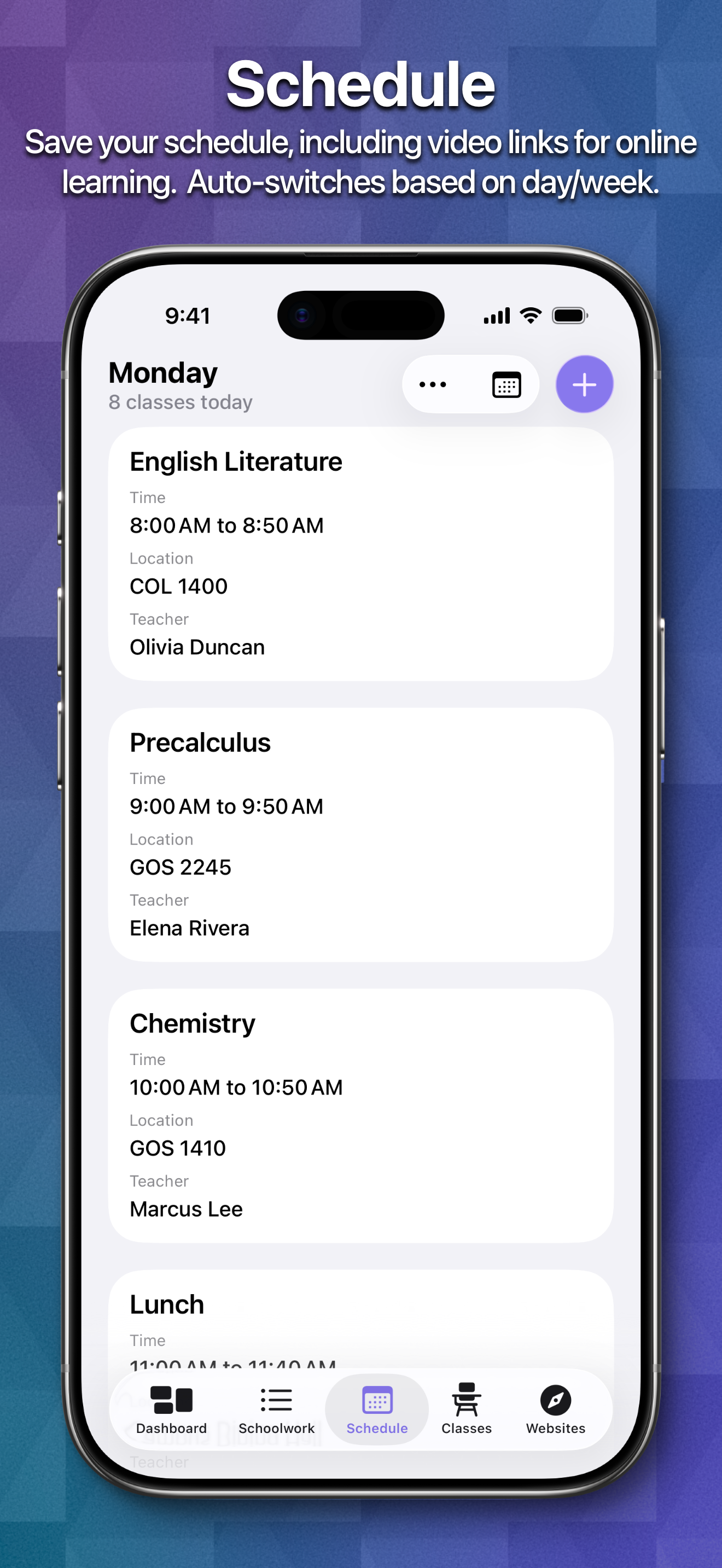
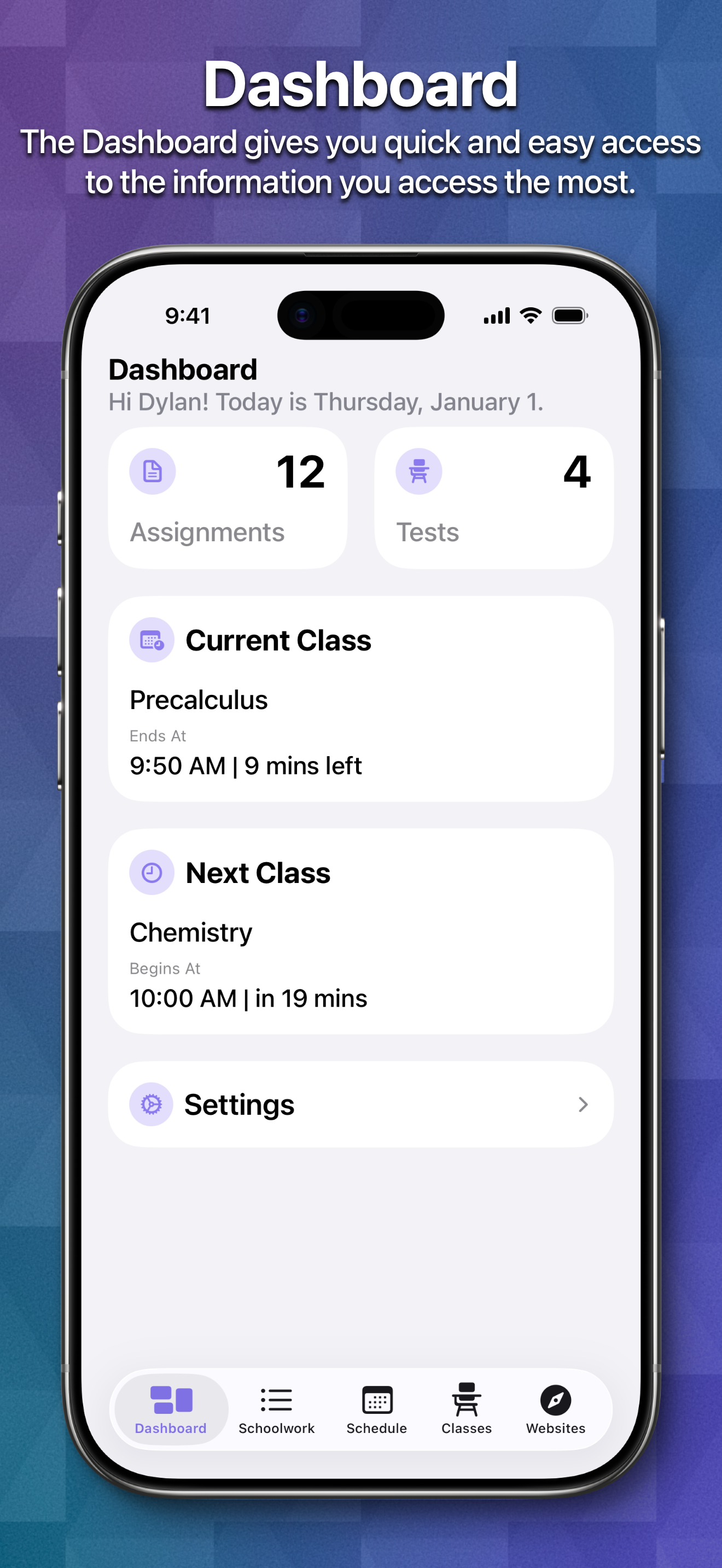
Read the store headline, screenshots and description. What problem is the app promising to solve?
Study the storefront ↗
Sun Apps, LLC · iOS
Explore the ad evidence, study the storefront, and build your next acquisition hypothesis.
01 / Creative research
Read the store headline, screenshots and description. What problem is the app promising to solve?
Study the storefront ↗Explore apps with direct store-link matches. Compare their hooks and formats without assuming the same approach works here.
Browse observed advertisers ↗Store rankings and revenue estimates describe market context. They do not establish ad spend, conversions or ROAS.
Review the market context ↗02 / Storefront & product
Study the product story and store experience behind the acquisition funnel.




03 / Market context
Keep revenue, downloads and store rankings separate from advertising performance.
I. Am. In. A. Romantic. Relationship. With. This. App. This is definitely the best planner for school, especially for people on a budget, or who don’t like to spend on apps. Although, it would be easy to leave a tip to this amazing developer! Thank you so much! This is like, my *counting in fingers and toes* 12th app of its kind to be downloaded on my iPad. It’s however, the only one that’s survived my onslaught of criticism. Mostly for being insanely pricey. What is up with that?! This app has amazing features. I discovered it today, and will use it for my upcoming school year and homework and test schedule. I am especially happy about the watch version, as I can’t bring my iPad to school 😂. I plan to extensively use the schedule feature, as my new science teacher is rumored to lock kids out of the classroom if they are late. I can never seem to remember to use an agenda, so this comes in handy when I forget some specific terms of an assignment. Only suggestions are that this app can use other learning tool apps, like canvas or seesaw. I know it would be hard, but it would be really helpful for younger kids who use this app! Thanks so much for your creation of this wonderful planner and schedule app!! P.S I give 6/5 stars ⭐️⭐️⭐️⭐️⭐️⭐️⭐️⭐️⭐️⭐️⭐️
Hii! This app is great for organizing your schoolwork, homework, schedule, classes, etc. and is pretty easy to navigate. However, some schools like mine don’t allow phones to be used during the school day and that stops me from using the app to its full potential. If that wasn’t a rule I’m sure it would change my school life and organization completely, but moving on, I do have an Apple Watch. The school doesn’t really have a problem with those which is why i was disappointed when I realized this app doesn’t have widgets/stuff like that for Apple Watches. On the Apple Watch, there’s a calendar widget that shows my next events on the calendar app, that I put on my MODULAR watch face (I’m not sure if the widget works on different ones because modular has the most widget options I think) so that I could just look at my watch and there was my next class. However, sometimes the schedule messes up/is on the wrong day since the calendar app wasn’t made for interchangeable school schedules. That’s why I was so excited when I saw that this school app had an option for multiple school day schedules. Basically what I’m saying is, is that it would be awesome if this app had a feature where you could add a widget to your Apple Watch wallpaper/face saying the next class you have. I wish I could add a photo to this review showing what I mean with the calendar widget, but I’m not sure if I can. If this feature does get implemented into the app I’d be so happy! Thank you :)
I was using myHomework and decided to try School Assistant. My experience with School Assistant for the past few weeks has been great and I haven’t had any problems. I love the look and feel of the app and the lack of ads. But I’m missing some features coming from using myHomework. I wish you didn’t have to input your classes in the Schedule tab separately from the classes in the Schoolwork tab. I miss being able to see when assignments are due by looking at a calendar. I could tap May 20th and see what assignments are due that day. I also think there needs to be a “Completed Assignments” section. While I don’t think it should keep completed assignments forever, there should be some amount of backlog. I also think we should be able to sort assignments by due date/time and by class. I usually have to manually order them to the closest date or time. I think other assignment categories would be helpful. Perhaps for projects and papers. I’d also like to see a widget that combines the Schoolwork Amount and Next Class Widget. I also think other combinations are would be great. Lastly, I’d like to see other integrations besides Google Classroom, like Canvas for instance. Despite all of this, I’m going to continue to use this app over its competitors. Keep up the good work.
School Assistant by Sun Apps is a simple but powerful school planner app. It allows you to quickly and easily keep track of your homework and tests, m...
| Name | Price | Type |
|---|---|---|
| Tip Jar – $0.99 | $0.99 | One-time |
| Tip Jar – $1.99 | $1.99 | One-time |
| Tip Jar – $2.99 | $2.99 | One-time |
| Tip Jar – $3.99 | $3.99 | One-time |
| Tip Jar – $4.99 | $4.99 | One-time |


