
Check the acquisition promise
Read the store headline, screenshots and description. What problem is the app promising to solve?
Study the storefront ↗
Scanner App PDF Tool · iOS
Explore the ad evidence, study the storefront, and build your next acquisition hypothesis.
01 / Creative research
Read the store headline, screenshots and description. What problem is the app promising to solve?
Study the storefront ↗Explore apps with direct store-link matches. Compare their hooks and formats without assuming the same approach works here.
Browse observed advertisers ↗Store rankings and revenue estimates describe market context. They do not establish ad spend, conversions or ROAS.
Review the market context ↗02 / Storefront & product
Study the product story and store experience behind the acquisition funnel.



03 / Market context
Keep revenue, downloads and store rankings separate from advertising performance.
My encounter with Scan shot app revealed a troubling pattern of fraud. Despite unsubscribing, the app continued charging my account without authorization. Attempts to reach customer support were futile, with no resolution in sight. Scanshot's disregard for user rights and lack of accountability highlight its unethical practices. I urge caution to prospective users; don't fall victim to its deceitful tactics. The convenience it offers is overshadowed by the risk of being ensnared in a cycle of unauthorized charges and futile refund requests. Until Scanshot addresses these issues and demonstrates a commitment to rectifying its deceptive practices, I cannot in good conscience recommend it. I urgently request that you investigate this matter and promptly refund the unauthorized charges. Failure to address this matter in a timely manner will compel me to escalate this complaint to relevant consumer protection authorities and explore further legal options.
It’s a great app, but you need to add a better way for users to cancel their subscriptions other than going to their App Store profiles. If you can add an option to buy subscriptions within the script, you can have a link where people can cancel directly within the script. There’s going to be a nice chunk of people who won’t figure out how to do it otherwise, thus your being able to make a profit off their ignorance. I think this is why you had it set up that way. If that’s the case, what you’re doing is wrong. Integrity is everything. I’ve installed many apps; their reviews usually don’t have people complaining about not knowing how to cancel. (Edit: I had already canceled the subscription prior to making this post, but I had to scroll through the comments on this page for the tutorial. Thanks.)
I downloaded this for a picture to text converter. However, this app requires you to pay to access that feature. Just an FYI for people on IOS devices: If you go to you files app, click the the three dots to open a menu , click snap documents, and then take a pic of what you want converted into a PDF, it does is for you and has worked well every single time for me! There is no need for an app, so even though O should have read the details of this one more clearly, I was very very surprised that the only accessible feature was something I can already do without the app.
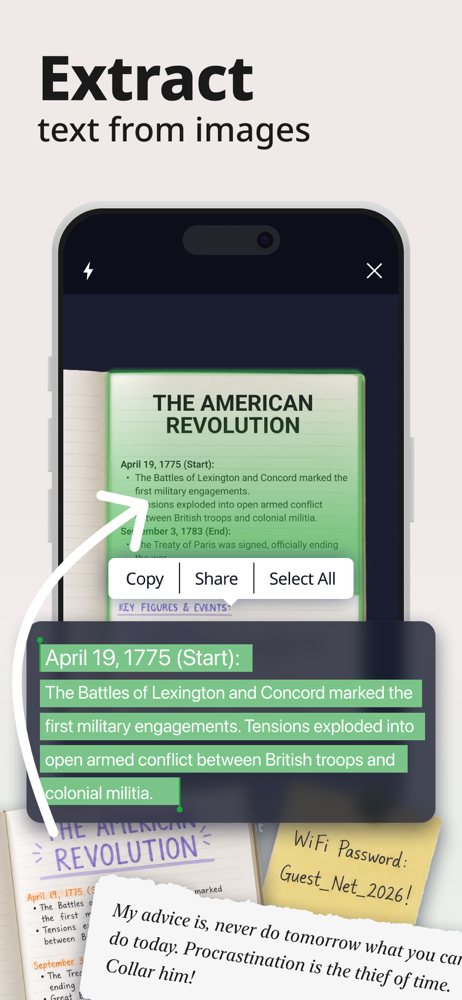
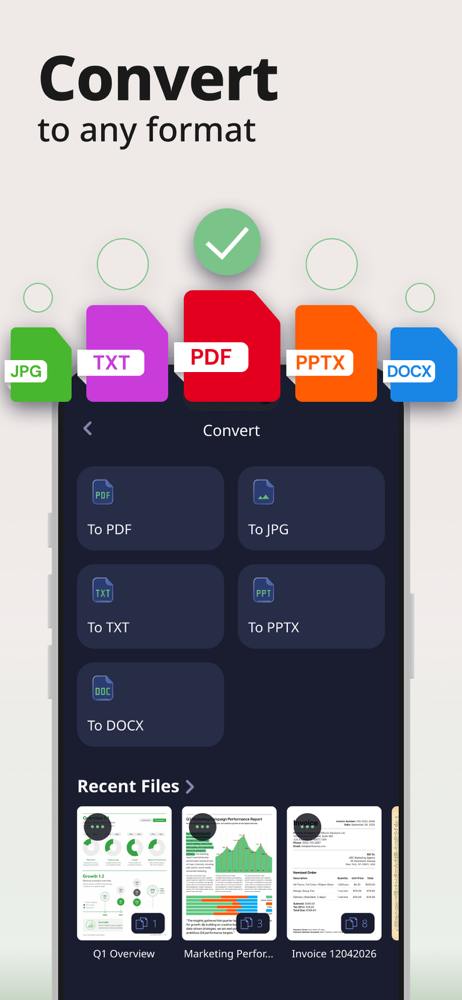
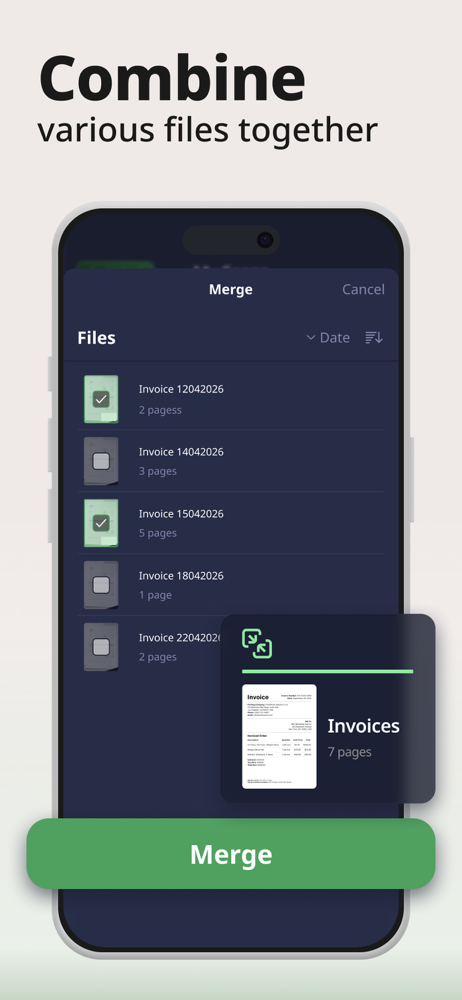
Scan Shot turns your phone into a powerful digital office! Scan, sign and export any document to PDF, JPG, DOCX, PPTX and TXT format. Save time and...
| Name | Price | Type |
|---|---|---|
| 1 Month Complete | $4.99 | Monthly |
| 1 Month Plan | $6.99 | Monthly |
| 1 Week Ultimate | $6.99 | Weekly |
| 1 Week Express: Free Week | $6.99 | Weekly |
| 1 Week Premium | $6.99 | Weekly |
| 1 Week Ultimate Lite | $6.99 | Weekly |
| 1 Week Express | $7.99 | Weekly |
| 1 Week Extended | $9.99 | Weekly |
| 1 Week Advanced | $9.99 | Weekly |
| 1 Week Elite | $9.99 | Weekly |


