
Check the acquisition promise
Read the store headline, screenshots and description. What problem is the app promising to solve?
Study the storefront ↗
RxPhoto · iOS
Explore the ad evidence, study the storefront, and build your next acquisition hypothesis.
01 / Creative research
Read the store headline, screenshots and description. What problem is the app promising to solve?
Study the storefront ↗Explore apps with direct store-link matches. Compare their hooks and formats without assuming the same approach works here.
Browse observed advertisers ↗Store rankings and revenue estimates describe market context. They do not establish ad spend, conversions or ROAS.
Review the market context ↗02 / Storefront & product
Study the product story and store experience behind the acquisition funnel.
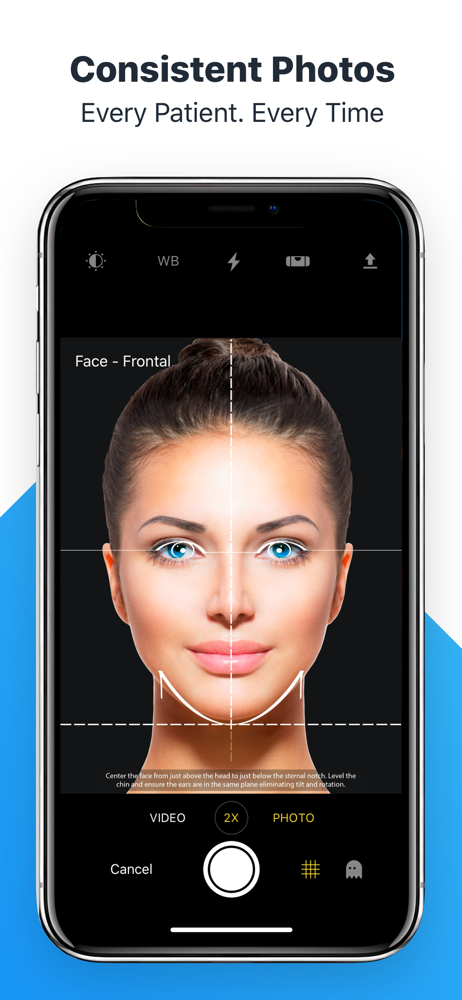
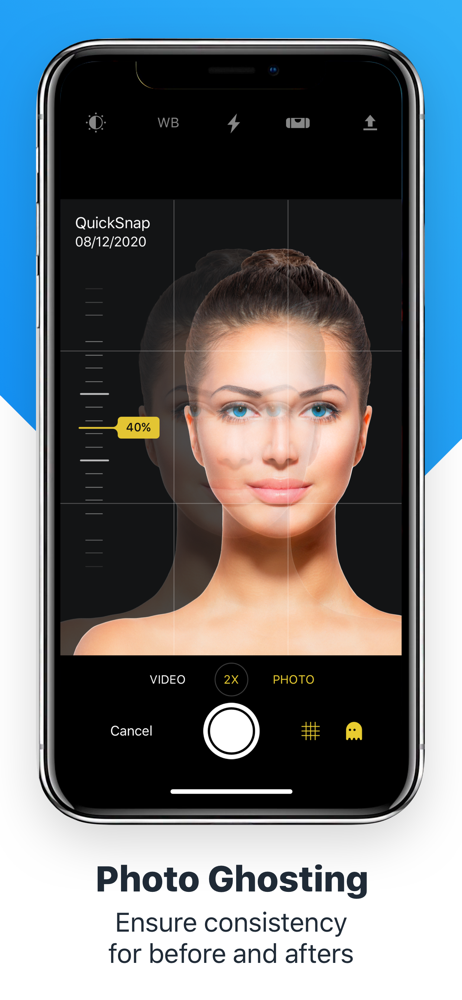


03 / Market context
Keep revenue, downloads and store rankings separate from advertising performance.
I just bought the latest iPad Pro with an M5 processor. I use iPads to take pictures of my patients, a vital component of my MedSpa, and I noticed that it made each patient appear as if they had rosacea because it added a pink tint to every photo. When I tried taking photos in the iPad’s Apple camera, this tint did not appear; the tint only appears when I take photos through RxPhoto. I tried taking photos through RxPhoto in different rooms, with different lights, and with different people, and for every situation, there was the same result - even patients with more yellow skin tones began appearing pink. I do not know how to resolve this issue, as I have already adjusted my iPad’s camera settings and spoke with customer support twice, and the issue persists. I may be left adjusting the white balance setting in the app for every patient every time I take a photo. It is frustrating to finally have such incredible technology with crisp, clear images, only for the app to discolor them.
The app is user friendly, easy to figure out and use. Main issue is taking pictures within the App. Bought the latest iPad and still poor picture quality. Now I have to take pictures on a regular iPad camera, then upload it. Pictures can make or break my business, and sacrificing it for poor picture quality is unacceptable. If the picture quality was good, then this platform is 5 stars to me. Also patients have difficulty filling out forms, they get errors and glitches.
We have been in business for 6 years. I would spend hours each week downloading and categorizing pictures by patient. It was time consuming and not easily done. If a patient wanted to see their pictures, I would have to put a document together and print it. With RxPhoto, it’s all on our iPads and my phone. I just take it into any room and show the patient. I have tags set up for photo release and treatments. It’s easy to show our pre and post pictures to new patients. You can also print pictures from it. For those that say pictures are inconsistent or blurry, I’ll bet it’s user error. Start by cleaning the lens periodically. The ghosting mode allows you to get a picture in exactly the same position as the last. Comparison pictures look awesome. Our patients love using the slider comparison tool to reveal their after pictures. Having it on my phone is super helpful when you are out of the office and you have to deal with a patient. First, you can see who it is and then review their pictures from anywhere. Using RxPhoto saves me at least 40 hours a more in busy work. I would highly recommend it to anyone doing aesthetics! This is best money we spend every month (and it’s cheap!).
RxPhoto helps medical providers create a repeatable patient experience improving patient outcomes and client retention. Capture standardized and consi...