
Check the acquisition promise
Read the store headline, screenshots and description. What problem is the app promising to solve?
Study the storefront ↗
AppWrapp · iOS
Explore the ad evidence, study the storefront, and build your next acquisition hypothesis.
01 / Creative research
Read the store headline, screenshots and description. What problem is the app promising to solve?
Study the storefront ↗Explore apps with direct store-link matches. Compare their hooks and formats without assuming the same approach works here.
Browse observed advertisers ↗Store rankings and revenue estimates describe market context. They do not establish ad spend, conversions or ROAS.
Review the market context ↗02 / Storefront & product
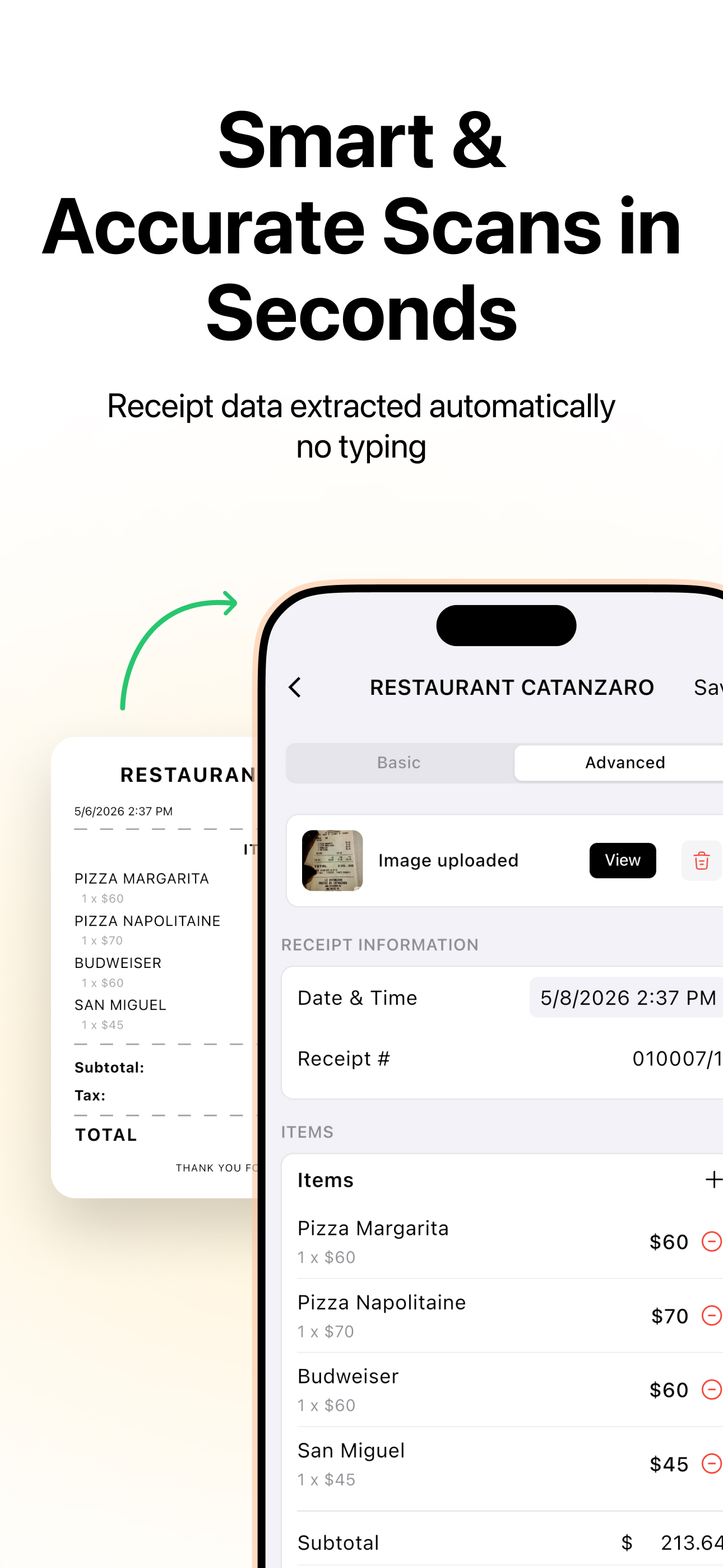
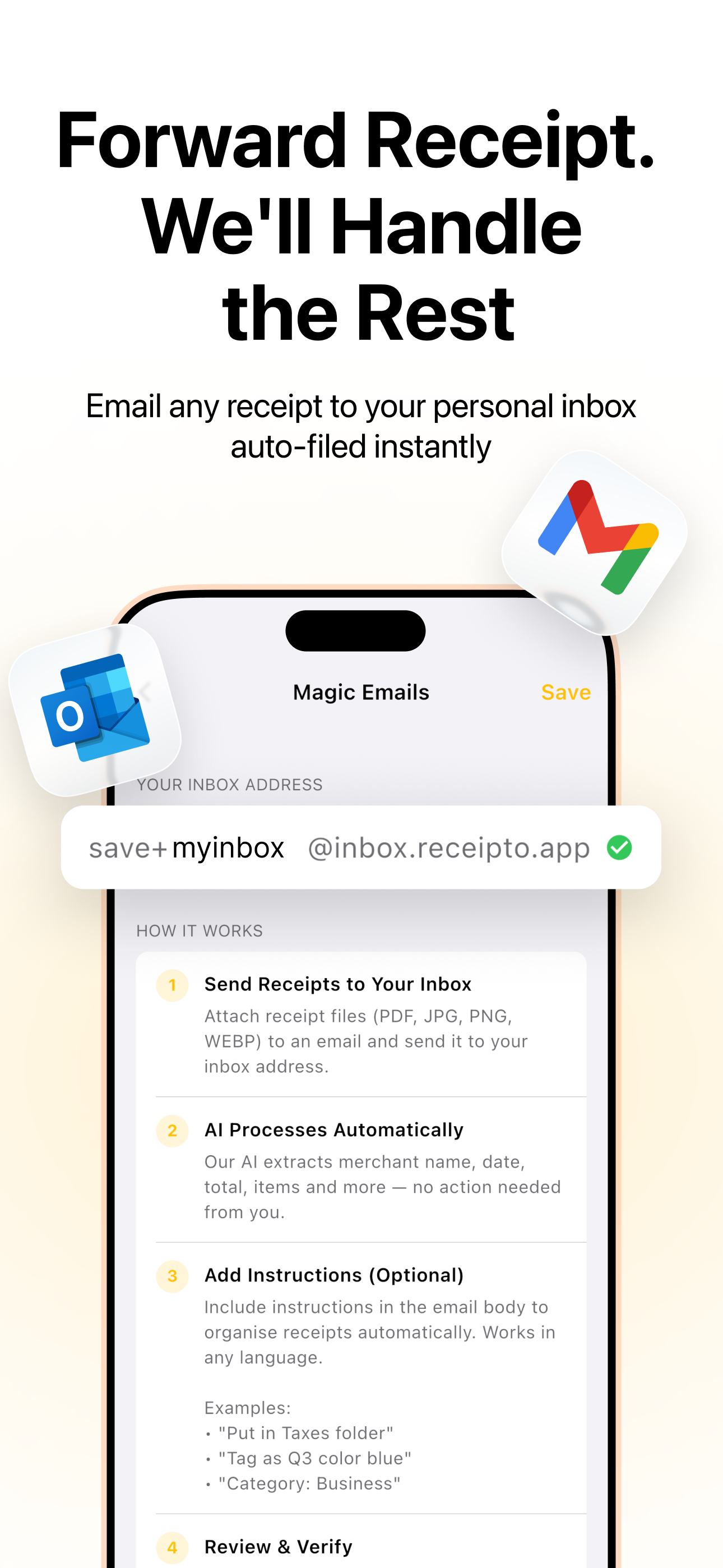
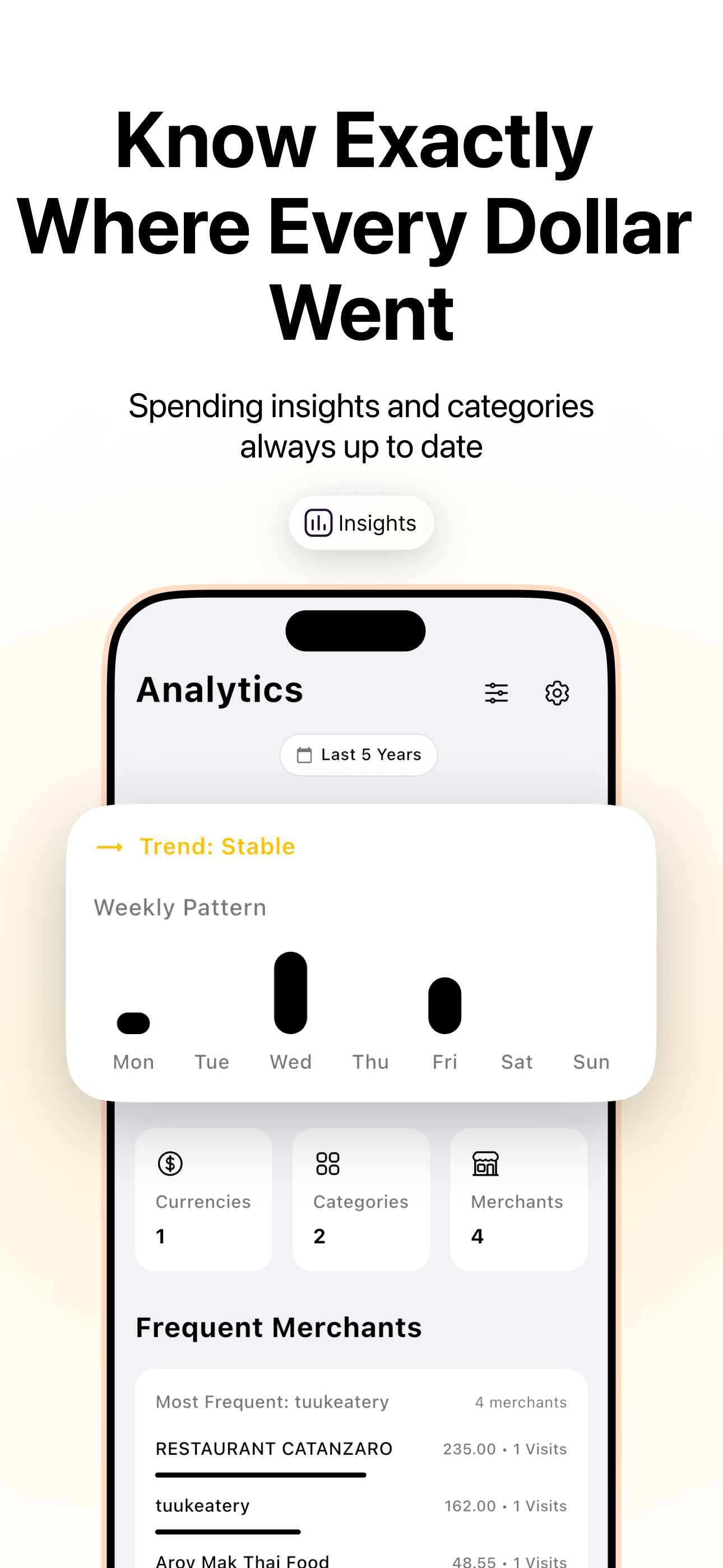
Study the product story and store experience behind the acquisition funnel.



03 / Market context
Keep revenue, downloads and store rankings separate from advertising performance.
I love this app, but sometimes, though it says “receipt saved successfully,” I can’t find that receipt again. I’m not sure why, and the scans seem to be excellent, thorough, and accurate, I can’t find them ever again after hitting “save”. Update: the “missing” receipts have been showing up, but sometimes it’s not until the following day or maybe longer. It’s only annoying if I’ve scanned the same receipt twice and then have to delete the duplicate. I’m still saving receipts to be sure they are scanned, but it’s still a very helpful app that will definitely come in handy for my itemized tax deductions next year.
Brand new to the App and the customer service response times and clarity of helping were very impressive. I confidently upgraded to Pro after knowing this is the support that will be offered.
Based on the other review saying their lifetime was removed, I checked mine and there was nowhere in settings showing my app was lifetime, although I had enabled it previously, on August 18th. (Where do we look to see if we have the pro or lite version?) I deleted the app and reinstalled it, and navigated to the 0.00 lifetime offer again (since there was a free lifetime offer running, I figured I could just get it again and not have to worry) and tapped it to get it again in case it was not enabled. Instead of being able to continue, the screen turned BLACK and I could not proceed in the app at all. I then deleted the app AGAIN, and tried a second time. Same exact bug! (Does this mean lifetime is already active?!?) There should really be an easy to view location in the settings that says “lifetime enabled” or something to that effect, because having to guess what each app company’s procedure for lifetime offers is inconsistent and an impossible task. Can you please let me know what I need to do to ensure that my lifetime offer is registered and where to look on my end to confirm this?
Take control of your finances with Receipto, the intuitive AI-powered receipt scanner and expense manager for iOS. Whether you're a small business own...
| Name | Price | Type |
|---|---|---|
| Pro Weekly | $7.99 | Weekly |
| Pro Weekly Trial | $7.99 | Weekly |
| Pro Monthly | $11.99 | Monthly |
| Pro Yearly Trial | $89.99 | Yearly |
| Yearly Pro | $99.00 | Yearly |
| Lifetime pro | $299.00 | One-time |


