Check the acquisition promise
Read the store headline, screenshots and description. What problem is the app promising to solve?
Study the storefront ↗
Yoshinosuke Nagaya · iOS
Explore the ad evidence, study the storefront, and build your next acquisition hypothesis.
01 / Creative research
Read the store headline, screenshots and description. What problem is the app promising to solve?
Study the storefront ↗Explore apps with direct store-link matches. Compare their hooks and formats without assuming the same approach works here.
Browse observed advertisers ↗Store rankings and revenue estimates describe market context. They do not establish ad spend, conversions or ROAS.
Review the market context ↗02 / Storefront & product
Study the product story and store experience behind the acquisition funnel.
03 / Market context
Keep revenue, downloads and store rankings separate from advertising performance.
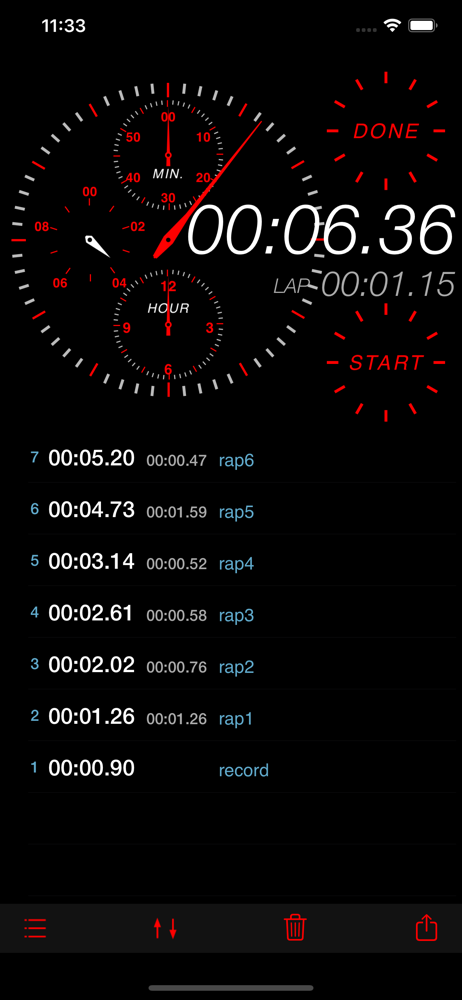
I was using the built-in iPhone stopwatch but became annoyed over time that I couldn't easily export my lap times and would lose each set upon the next run. I selected this app largely on the strength of the beauty of the interface. I searched through the stopwatch apps and were struck by their ugliness. There is little else to distinguish stopwatches except whether they offer lap times / split times and whether they store the information so you can export it. I spend so much time looking at it each week that I thought I might as well have one I enjoy looking at. Upon use, I was pleasantly surprised at a couple of aspects not mentioned in the developer description. One was that I don't have to email the results after every run. If I stop and start again, the data saved includes one column that keeps numbering from the previous trial and another column that begins numbering again for the new trial. That's quite handy! The other plus is that, unlike the built-in stopwatch, this is designed in (for me, at least) an intuitive manner. Once I press the "start" button, the digital and analog readouts become active and the upper button takes on the label "lap" while the lower button takes on the label "stop". If I press "stop," that button changes back to "start" but the lap button changes to "done." If I select done, the indicators all reset to zero and any further activity restarts the numbering of the laps for the current trial at 1, while leaving the total laps as is (until I delete them). Update: the developer long ago fixed the issues I mentioned when I first wrote this!
The time data is recorded nicely, but it simply does not email the data. Don't buy it. I will gladly change my review if the flaw is fixed.
"Rec StopWatch" is a stopwatch application can also manage measured records. Labels can be set to the measured time, for example, this application res...