Check the acquisition promise
Read the store headline, screenshots and description. What problem is the app promising to solve?
Study the storefront ↗
皓 李 · iOS
Explore the ad evidence, study the storefront, and build your next acquisition hypothesis.
01 / Creative research
Read the store headline, screenshots and description. What problem is the app promising to solve?
Study the storefront ↗Explore apps with direct store-link matches. Compare their hooks and formats without assuming the same approach works here.
Browse observed advertisers ↗Store rankings and revenue estimates describe market context. They do not establish ad spend, conversions or ROAS.
Review the market context ↗02 / Storefront & product
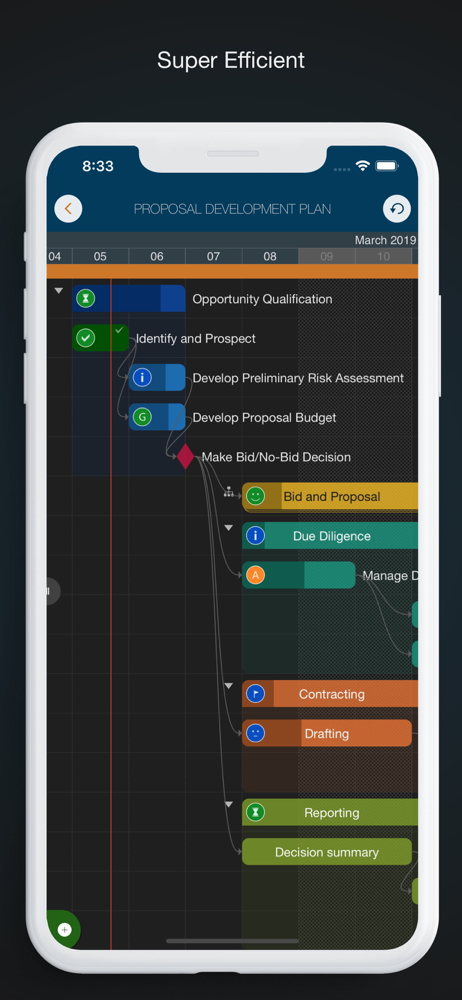
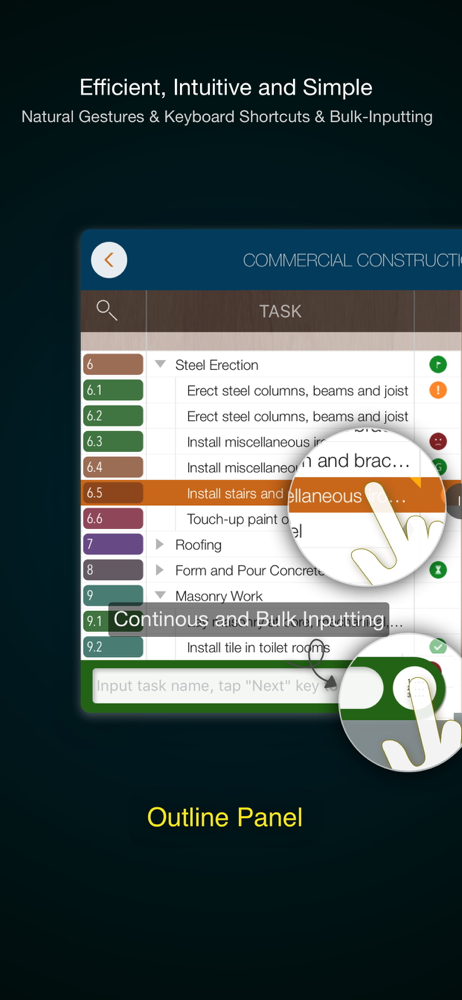
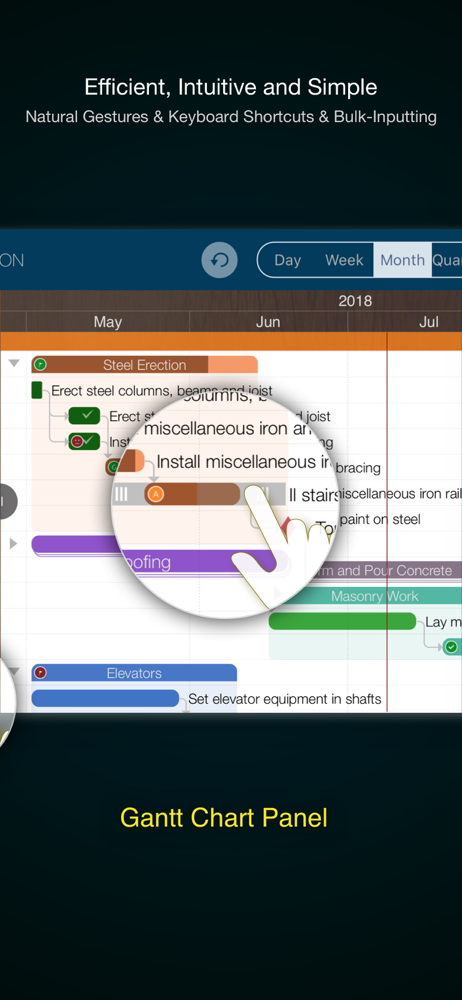
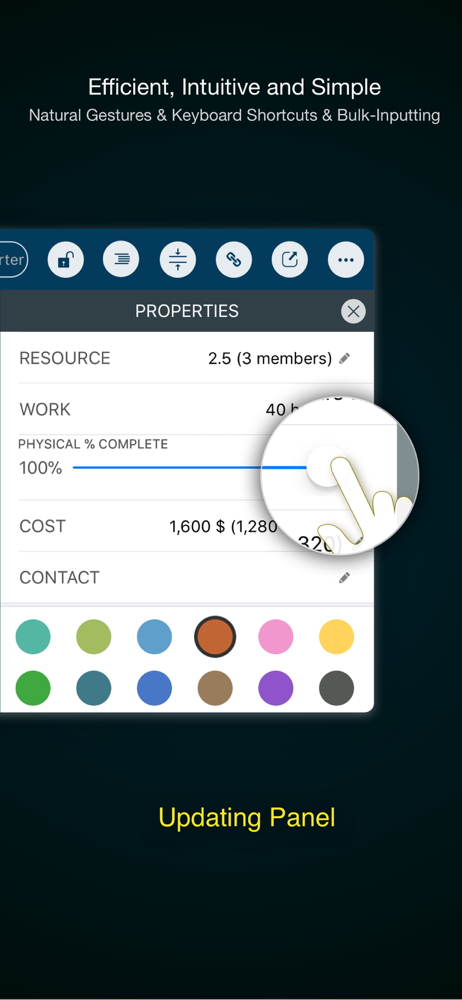
Study the product story and store experience behind the acquisition funnel.


03 / Market context
Keep revenue, downloads and store rankings separate from advertising performance.
Would have been five star if has syncing. When you create a file. That file is in the local app of that device. It’s not synced to another device. Not in iCloud either. You have to export it into iCloud manually. And then you think the changes would just reflect in the iCloud file right? Nope. The iCloud file is a copy of the in-app file. So when you open the file in iCloud on another device, it would be the version of the file at the moment you exported it. And you would have two copies on two separate devices. Sounds confusion right? Because it is. It’s basically the same saving and syncing mechanism from early 2010s, but without the save button beyond export. Workaround for syncing: 1. Make sure you export the file to iCloud when you done working or viewing a project on each device, and export the file to replace the old file. 2. Close the app after you have exported, as your edit won’t then be saved on the iCloud copy. 3. When you open that file on another device, it creates a local in-app file. You are no longer working with the iCloud file. So export and replace the iCloud file afterwards, and close the in-app file, so that you don’t accidentally mistaken it as the newest version when you have worked on another copy of the file on another device. In 2026, this is still how the “syncing” mechanism of this works. Tell me if I’m missing anything. I assume it’s not a difficult fix, to just have one source of truth. Otherwise the app has been great. But the lack of syncing, or even saving creates too much risk in the PM work.
It’s rare for an app of this quality to be available for a 1-time purchase. It’s absolutely worth the plunge. Gantt charts can be quite complex, so it’s remarkable how intuitive this app makes managing them, particularly with how small my phone’s screen is compared to an iPad. I am a market research professional and have been using the app every day for a year as a personal tracker for the status of survey fieldwork. I can’t speak to any collaboration features or the desktop app, but for my purposes, it gets a strong recommendation.
Update: the developer responded with inane cut-and-paste. Clearly my review is titled to acknowledge the issue. My point is that I am certain most serious users are iPad, and Apple store shows your iPhone version first or only. My review stands because you dont have the integrity to boldly say this is this the wrong version for iPad. I purchased this APP for my iPad and the first thing that I noticed is that the APP is not only optimized for iPhone, but that if you do not own an iPhone, the APP will still run on your iPad, but it will be cumbersome and difficult to use. Personally, I always carry my iPad with me. The thought of trying to use Gantt charts on a tiny phone screen is really anathema. What real function could you hope to gain? Now that I am an older gent, I don’t use my phone for any financial or business inquiry. All of that is done on my iPad where data can be displayed in a functional fashion. To me this version, is a total gimmick. If you see it first on the search list on Apple store, keep scrolling down, they have a superior iPad version that is twice the price, but actually works the way that the iPhone promises but does not deliver. If you accidentally purchase this version this version and want to upgrade to the iPad version, there is no Customer Service or Support. The seller is unresponsive. Their site says that you can purchase both, but no refunds. I have tried, but in the long run, I paid almost $30 for the iPad version. I like it, it works great. STAY AWAY from this version. Please.
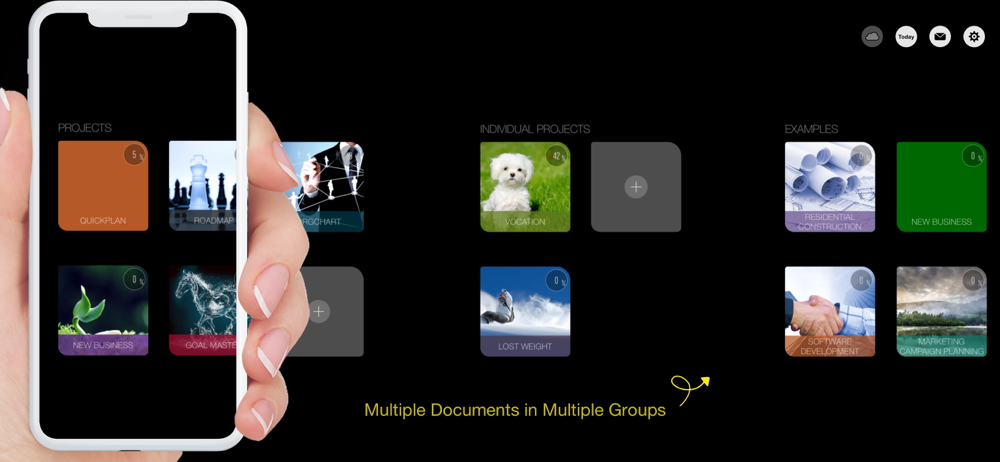
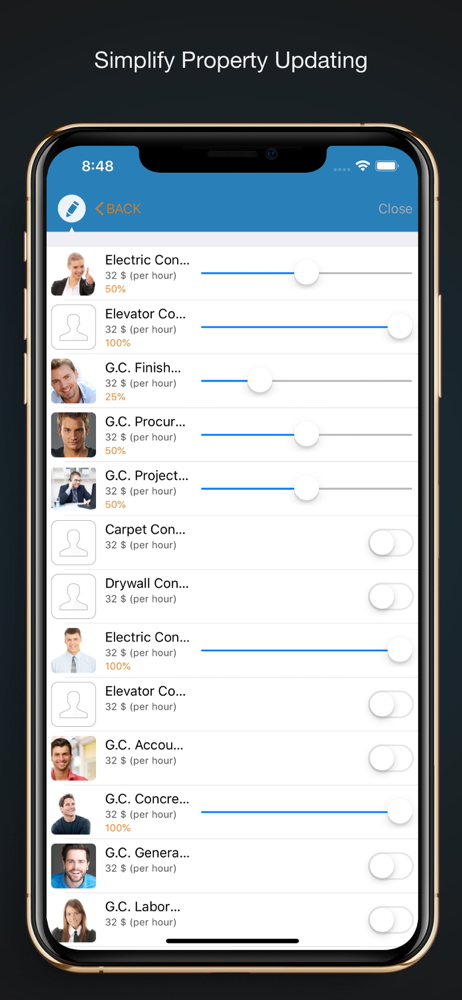
Project management with natural gestures on the Gantt chart designed for small touchscreens. Sync projects across multiple devices, and share projects...