Check the acquisition promise
Read the store headline, screenshots and description. What problem is the app promising to solve?
Study the storefront ↗
Panic, Inc. · iOS
Explore the ad evidence, study the storefront, and build your next acquisition hypothesis.
01 / Creative research
Read the store headline, screenshots and description. What problem is the app promising to solve?
Study the storefront ↗Explore apps with direct store-link matches. Compare their hooks and formats without assuming the same approach works here.
Browse observed advertisers ↗Store rankings and revenue estimates describe market context. They do not establish ad spend, conversions or ROAS.
Review the market context ↗02 / Storefront & product
Study the product story and store experience behind the acquisition funnel.




03 / Market context
Keep revenue, downloads and store rankings separate from advertising performance.
I’ve been using Panic apps since 2005, and they continue to deliver some great tools on macOS. Prompt is fast and straight-forward (clips are by far my favorite feature); exactly what you want in a terminal app. When paired with Transmit 5, it becomes an incredibly effective workflow for remote work. Between the two, you get a seamless combination of SSH access and file management that covers the majority of needs without unnecessary complexity and at a very good price point IMO. Rarely have I ever needed to reach out to support, but recently I did have an issue which was sent up and addressed within a couple of days. Very ‘prompt’ and responsive turn-around from their support in Portland, OR.
Prompt 3 is a great terminal emulator, and it’s earned a spot on my iPad dock. I’ve been using terminal programs for decades, starting with X windows, and this is the best one I’ve used on iOS. Support for Eternal Terminal and mosh is great (and not common in other emulators), as is syncing profiles via iCloud. I don’t plan to use my iPhone as a terminal a lot, but being able to do small things with it without setting everything up again is nice. It supports themes and lets you customize colors and fonts, definitely useful on iPad. Also handles SSH keys well. Logging of ssh sessions and terminal logs (both optional) let me debug connections if needed and remember what I did - essential for sysadmin. Being able to run on Mac (for no added cost!) is also nice, since it means one set of profiles across all my systems. Not sure how it compares to iTerm, but I’ll find out.
Let me start by saying I love Panic apps. I got into coding way back in the early days of Coda and have since tried all the different apps. On iPadOS, Prompt truly shines as the best option so I was excited to see it appear on the Mac. I have hope that it will continue to develop into a robust Terminal replacement but it desparately needs modern features like copy on select, split panes, configurable one-click copy, ssh-agent integration, and a bug fix to stop the app from crashing when the Mac goes to sleep. Happy to augment my worflows with Prompt but iTerm2 is more feature rich as of now. That said, Mac still lacks a terminal app that is comparable to Windows Terminal (one of the few things I miss about developing on Windows).
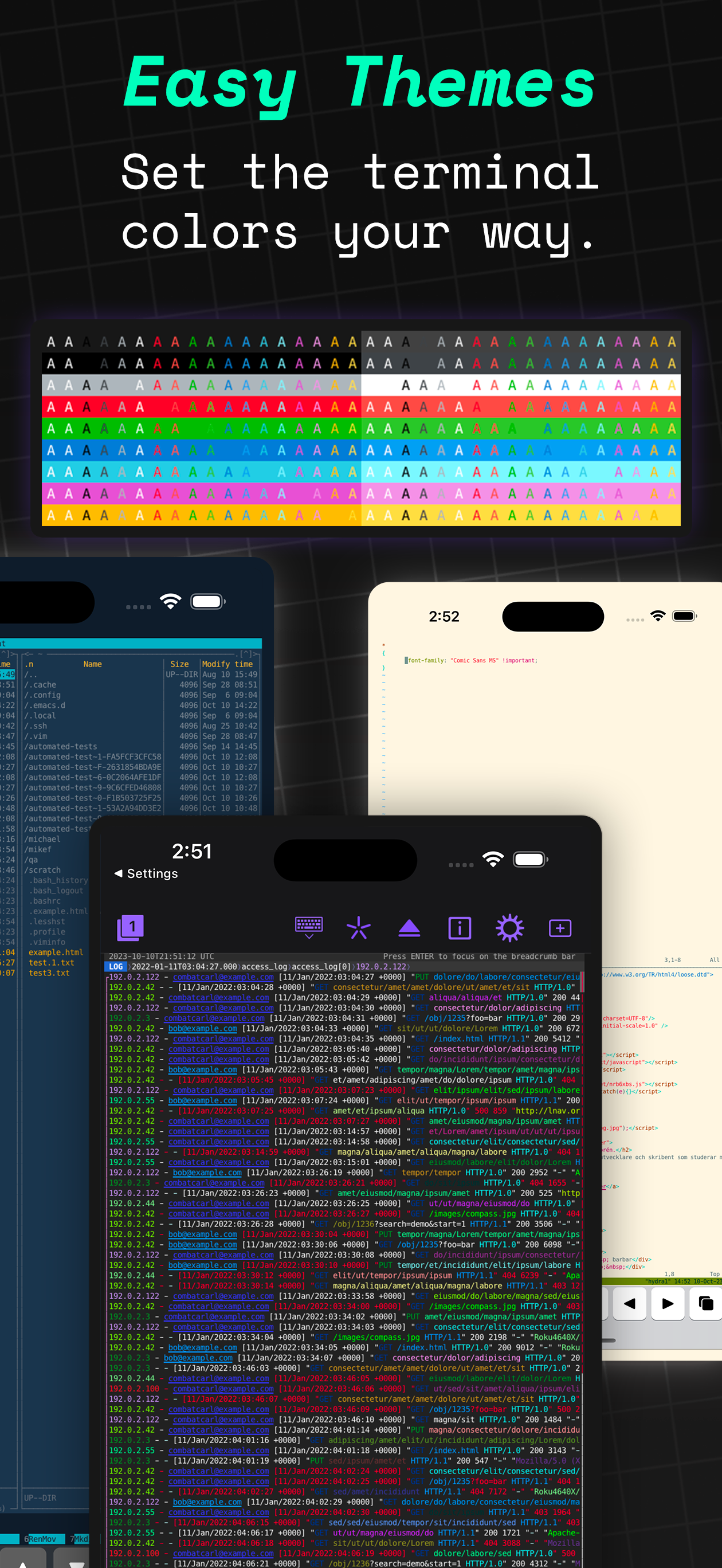
Prompt 3 is our #1 fully-native terminal emulator for Mac, iPhone, iPad, and now, Apple Vision Pro! Yes, with one purchase, you get four platforms....
| Name | Price | Type |
|---|---|---|
| Prompt 3 iOS + Mac (Annual) | $9.99 | Yearly |
| Prompt 3 One Time | $49.99 | One-time |