
Check the acquisition promise
Read the store headline, screenshots and description. What problem is the app promising to solve?
Study the storefront ↗
Chad Pickard · iOS
Explore the ad evidence, study the storefront, and build your next acquisition hypothesis.
01 / Creative research
Read the store headline, screenshots and description. What problem is the app promising to solve?
Study the storefront ↗Explore apps with direct store-link matches. Compare their hooks and formats without assuming the same approach works here.
Browse observed advertisers ↗Store rankings and revenue estimates describe market context. They do not establish ad spend, conversions or ROAS.
Review the market context ↗02 / Storefront & product
Study the product story and store experience behind the acquisition funnel.




03 / Market context
Keep revenue, downloads and store rankings separate from advertising performance.
I left a review last week saying this could be a 5 star if it had a memo aside from a payee line and a running balance below each transaction. After I did an update today they added exactly what I said wow. Please add an all account overview as an option to see the whole accounts on the front page. Thanks!!!!
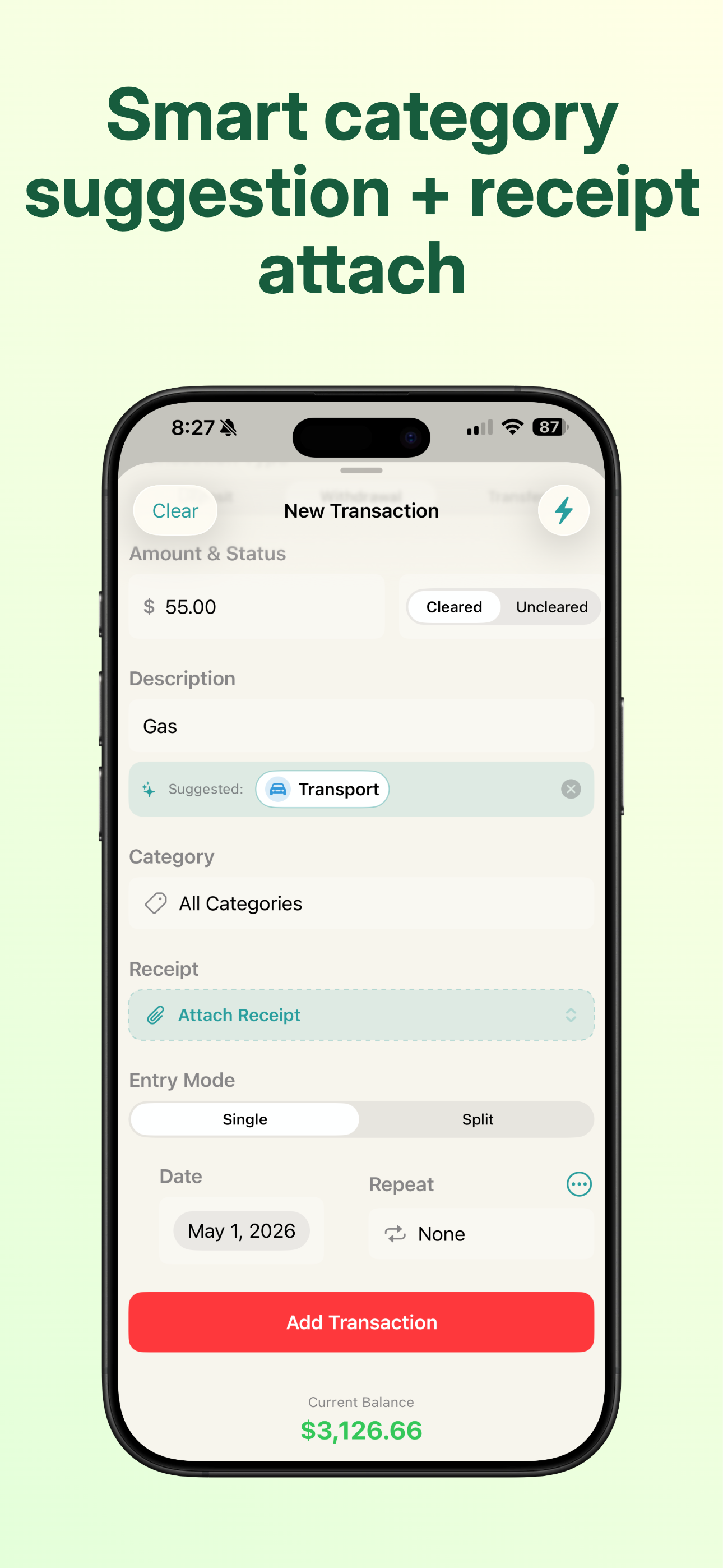
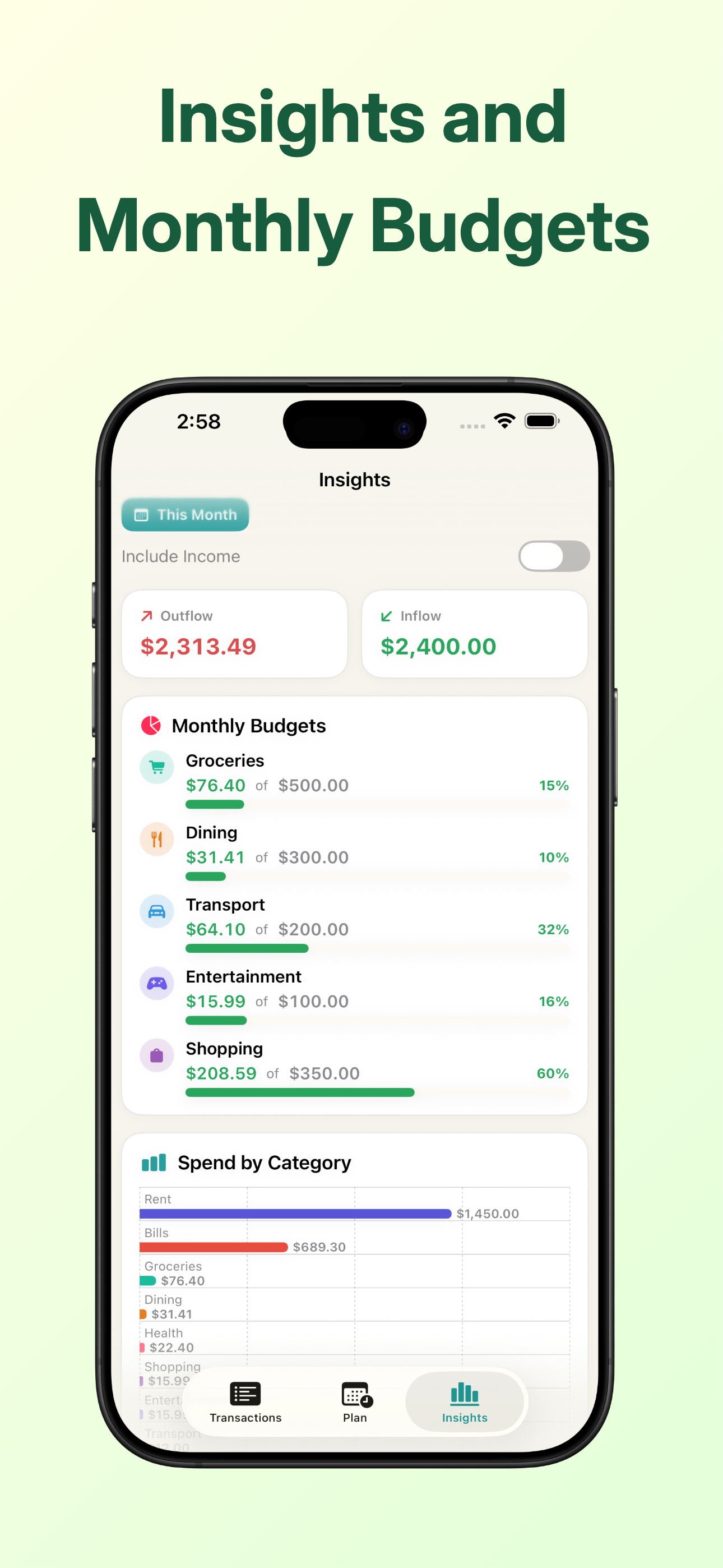
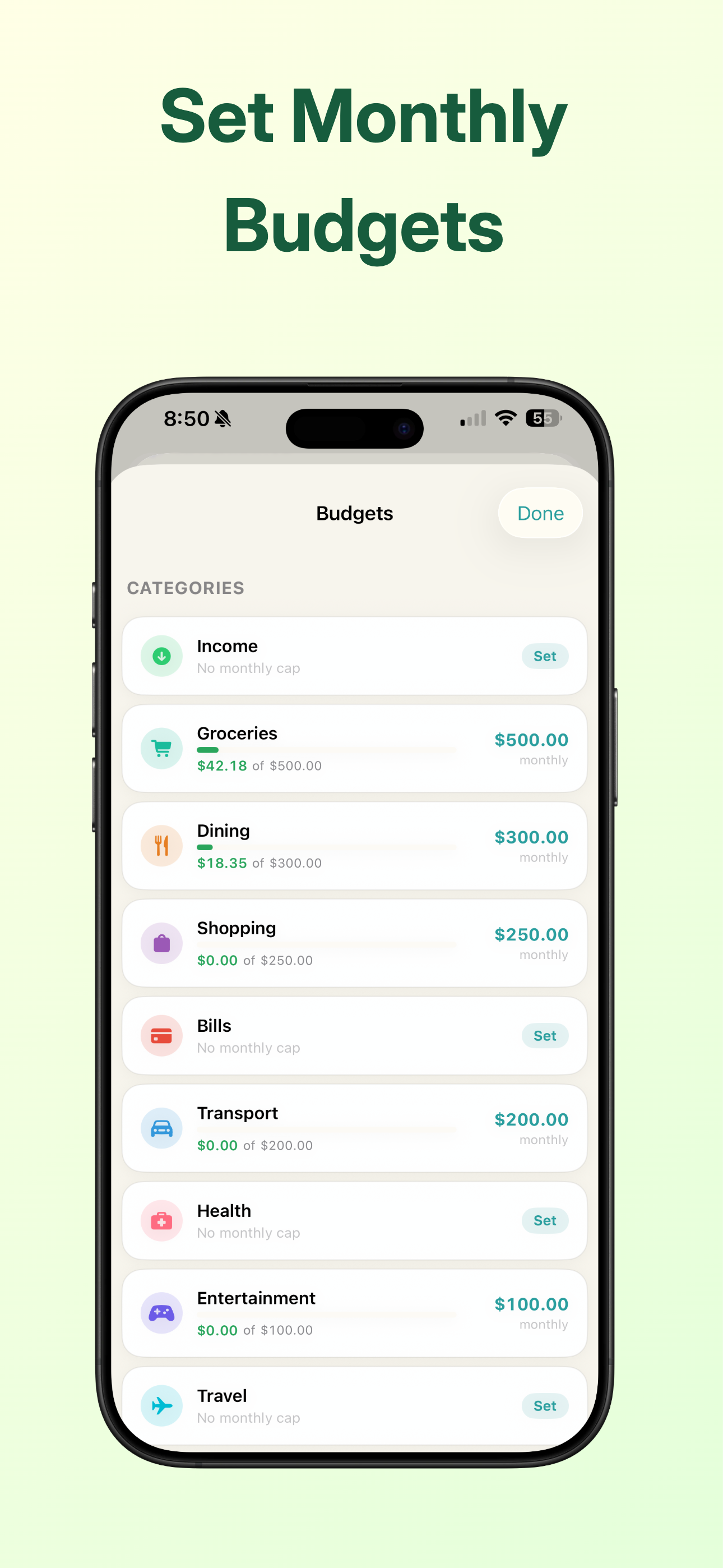
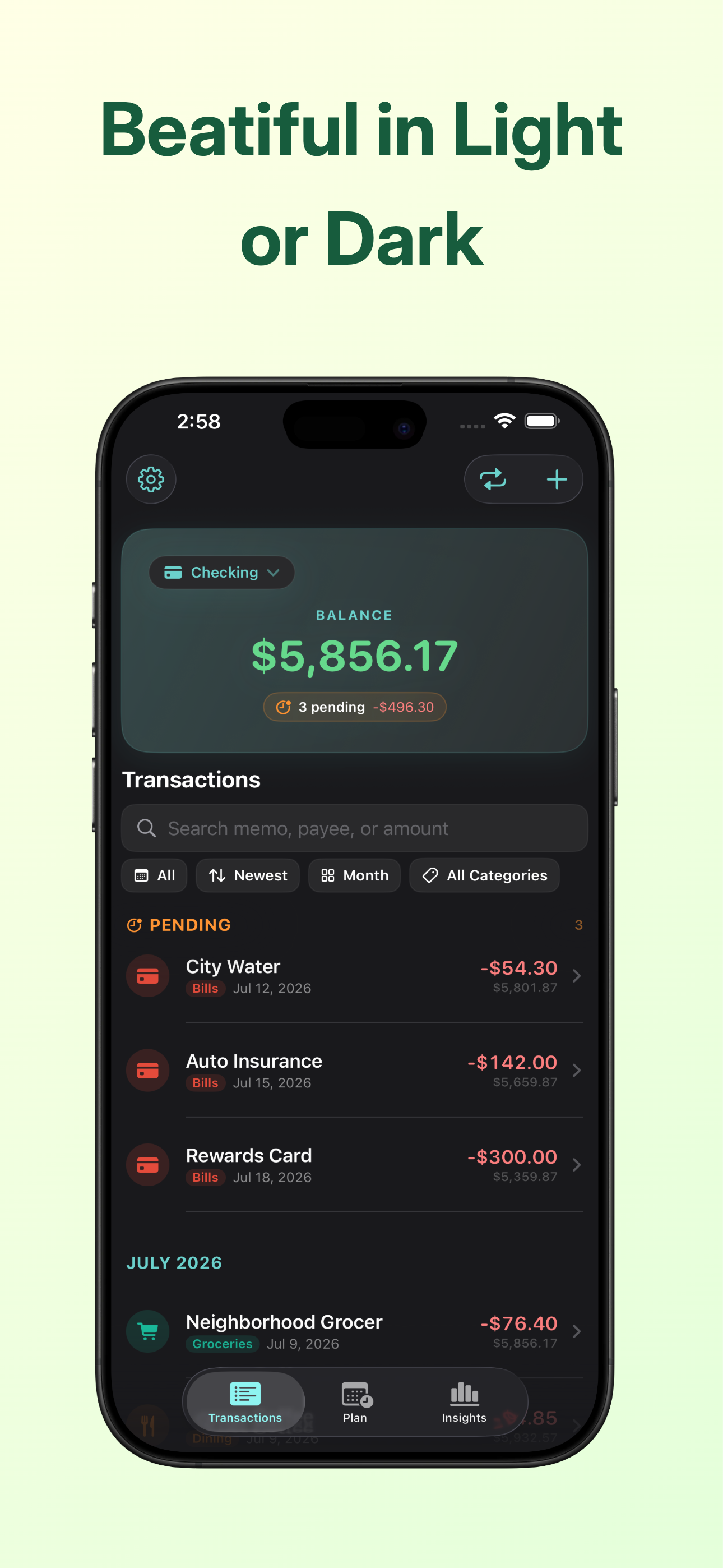
App version 3.02. I’m using it on my iPad and like it a lot. I’m really happy I found it. It looks nice, handles all the basics and critical functions really well, and has a set of advanced features for those who need them. It’s not a subscription. I decided to write a thorough review because this is a fresh, new app with only a few reviews - a hidden gem in the rubble of the App Store. I have used or tried several checkbook register apps over the last couple years. This is the best functioning / best looking/ most intuitive / easiest/ I’ve found. It deserves to be recognized. The app is updated often, which indicates the developer is very active, responsive to users, and that this is a new app, less than a year old. That’s a good sign. The developer has other apps too. I tested/played with the free version for a few hours, including a trial run using six weeks of my actual checkbook transactions, followed by a successful reconciliation to my actual bank balance. I happily paid for the app. Since then, I have been it using as my goto checkbook register and reconcile app. Like most people, my checkbook register is fairly complex, including ACH Debits and Deposits, Electronic payments, Transfers, and some paper checks. Many are recurring transactions that it handles perfectly. Here is how it works: The Transactions screen: The app opens to the ‘Transactions’ screen. It looks like a checkbook register. It a very nice design, and shows recent transactions, with all transaction history just a scroll up, or scroll down. The transaction stack can also be sorted by newest, oldest, $ amount. The information on the transactions screen is everything that’s needed for a register, including a checkmark if the transaction has cleared. You clear/unclear a transaction in its sub-screen (a page that appears by transaction touch). The sub-screen holds all of the transaction’s details and can be easily edited. Note that on the transaction’s screen, recurring transactions appear automatically & reliably according to your specification. Setting up recurring transactions and editing them is easy. That’s not usually the case in other apps I’ve used. Buttons make it easy to switch to a weekly, monthly or yearly view of transactions. At the top of the transaction register is a header. It’s a status summary box which includes the current account balance, cleared and uncleared totals and the reconcile button. And, for paid apps, access to additional accounts is located there. Adding transactions: New transactions are easily added by touching the app’s “+” button. (Widget link too). You fill out new transaction details in a drop down box, and if it’s recurring (by week, month, etc,) that’s where you indicate that. There’s a switch for ‘cleared’ or ‘uncleared’. When you ‘clear’ a transaction, it auto creates a check mark on the register screen. You can select a pre-loaded category such as “Grocery” or you can create your own categories which is what I do. An example of a transaction in a created category might be: “Haircut Joe”, appearing in a category called “Payments By Paper Check”. That information, $ amount, cleared status, and highlighting icons, will appear on the transaction page along with your other transactions. Each transaction (when touched) opens up to its own page showing all of its details. That’s also where you can change any transaction’s status to recurring if needed, or edit the $ amount, date, etc. Transactions can be deleted on the register screen with a finger swipe left. Recurring transactions: Works great. Very easy to set up. Editing is easy (and that’s a big deal). It’s absolutely the best rendition of recurring transactions I’ve tried or used. Categories: The app comes with some categories (such as ‘Entertainment’) or you can create your own. They’re easy to edit/manage. The management of categories, and category editing is easier with this app than others. And… a big plus - it’s easy to pull up all of the transactions in any one category, by using a button on the transactions page. That can be really helpful. Reconcile to Bank Statement: The reconcile button is in the account’s status box at the top of the transaction register screen. The cleared and uncleared totals are there too in app version 3.02. To reconcile, touch “Reconcile”, A drop down box appears. You enter your end of month bank statement balance and the app calculates if your transaction register matches your bank statement. It also shows all the info available to help you figure out why it does or does not balance. That’s a critical feature done very well in this app that I’ve had trouble with In other apps. Insights screen: It is a smartly designed graphics screen, a button touch away from the transactions screen. Your expenses and income are summed up by category using bar charts. Inflow and outflow is shown graphically too. It can be set to show yearly, monthly, weekly, or even “all transactions”. It’s especially useful if you set up your transaction categories thoughtfully - and it’s pretty. Monthly Budget: You can set a budget value for each category and follow your progress graphically on the ‘Insights’ page. It’s easy to set up and use. It’s another indication of how thoughtfully this app is designed to focus on checkbook finances and bank statement reconciliation. Other good things: Attachments - The app assists you in adding a receipt image to a transaction’s details page A useful widget Advanced features including CSV export functions (pro version for some of the advanced features) Siri access to transaction addition Various helpful automations within the app A one time purchase - Yay
Love this app, it’s great and easy to use. This helps me track my spending without a lot of work, very convenient.
Pocket Register is your no-frills check register, right in your pocket. Whether you're managing your main account, a cash stash, or a side budget, Poc...
| Name | Price | Type |
|---|---|---|
| Small Thanks Tip | $0.99 | One-time |
| Medium Thanks Tip | $2.99 | One-time |
| Big Thanks Tip | $4.99 | One-time |
| Pocket Register Pro | $9.99 | One-time |


