Check the acquisition promise
Read the store headline, screenshots and description. What problem is the app promising to solve?
Study the storefront ↗
Teacher Innovations, Inc. · iOS
Explore the ad evidence, study the storefront, and build your next acquisition hypothesis.
01 / Creative research
Read the store headline, screenshots and description. What problem is the app promising to solve?
Study the storefront ↗Explore apps with direct store-link matches. Compare their hooks and formats without assuming the same approach works here.
Browse observed advertisers ↗Store rankings and revenue estimates describe market context. They do not establish ad spend, conversions or ROAS.
Review the market context ↗02 / Storefront & product
Study the product story and store experience behind the acquisition funnel.




03 / Market context
Keep revenue, downloads and store rankings separate from advertising performance.
I love Planbook, and I have been relying heavily on it for organizing and writing my plans, so when I heard that there was an app, I was extremely excited. For the first several months that I had the app, it was very convenient to bring my iPad different places with me and work on plans without having to be in front of my desktop computer. However, for the last several weeks, the app has been glitching and not opening. I’ll go to click on the app to open it, and the screen will go black before immediately taking me back to my home screen. It is very frustrating, because now when I want to work on my plans, it has to be in a particular place instead of having the convenience of taking the app with me.
I have always created my own lesson plan template, so I was hesitant when I began using planbook. I wasn’t sure I would actually use it. However , it is so easy and helpful that I don’t ever want to go back to creating my own! I love being able to make my own sections and then only using the ones that apply to that lesson. The other ones don’t show up, which makes it very visually pleasing. Moving lessons is so easy also! I love how easy it is to plan (or brainstorm) on the go, when I’m sitting at my daughter’s sports game or waiting in line. Then later I can go back later and beef up the lesson. It has saved me a lot of time! It has synced easily on all my devices and it’s easy to print a copy of my plans to have on hand for a sub. Love Planbook!
I’ve been using the app and web version for several years. Once in a long while, I can no longer connect to my lesson plans during teaching time unfortunately. It is not due to internet issue from work place. I even tested out using my Verizon’s internet data as a hotspot. On March 6, it happened again where I cannot access my lesson plans and again I verified that it’s not the internet issue at work. I called their support number. The automated message said something to an extent that if you need an immediate or quick assistant is to email them. I emailed them asking if their server was down. As of this review (March 8), I still haven’t heard back from them. However, with that said, I was able to connect back to my lesson plans later that same day. Again, I like using their planbook. I’ve been using it for 4 years now but poor service support when you need to get a hold of them.
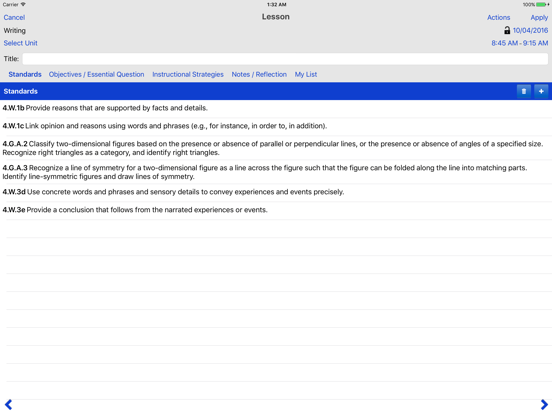
Planbook.com app is an automated teacher lesson planner that makes managing your plans easier, faster, and more functional than a physical paper/penci...
| Name | Price | Type |
|---|---|---|
| 1 Year Subscription | $14.99 | One-time |
| 2 Year Subscription | $26.99 | One-time |
| 3 Year Subscription | $35.99 | One-time |