Check the acquisition promise
Read the store headline, screenshots and description. What problem is the app promising to solve?
Study the storefront ↗
Evernote Corporation · iOS
Explore the ad evidence, study the storefront, and build your next acquisition hypothesis.
01 / Creative research
Read the store headline, screenshots and description. What problem is the app promising to solve?
Study the storefront ↗Explore apps with direct store-link matches. Compare their hooks and formats without assuming the same approach works here.
Browse observed advertisers ↗Store rankings and revenue estimates describe market context. They do not establish ad spend, conversions or ROAS.
Review the market context ↗02 / Storefront & product
Study the product story and store experience behind the acquisition funnel.



03 / Market context
Keep revenue, downloads and store rankings separate from advertising performance.
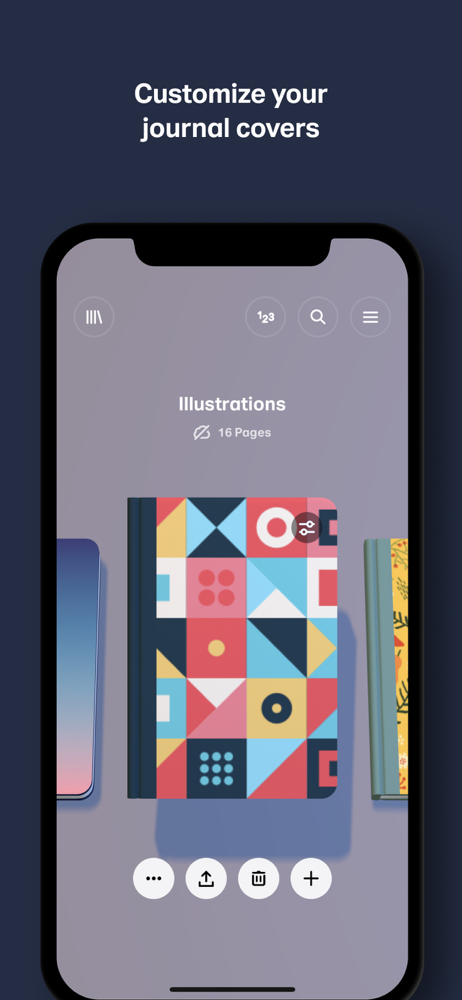
This app has been above and beyond amazing and so many of my friends love it too! I would say there are no problems and it doesn’t feel so overwhelming like in most of the sketching apps I have downloaded because they have so many tools. My favorite part is that is gives a variety of options for starter books and introduces how to use all of the tools the best way possible! I know i said that there was no buts and this is not a complaint the app is already amazing but if it had two more features I would love it even more, the first thing it should add is a feature to lock the drawing or photo in place so that you are unable to zoom in or out! This way is so if you want to focus on one specific part you won’t have to worry about getting distracted and accidentally drawing on the wrong part of the page! The second thing that they should add is oil paint so that if you want to do some abstract art or something else you won’t have to improvise. In conclusion I think that you should definitely download this app and as a person who has, I have used it everyday since.
I have the free version, and it is useful for sketching out concepts when they come to me in the middle of the night in bed so I dont forget by morning. I dont even have a stylus, and I use this on my phone (its tricky, but thats to be expected). I also understand that some features that would be very useful arent free, like changing brush size. With that said, some existing features in the free version need some improvement. First and most critical, it needs the ability to move the canvas around and past the edge of the device screen. It is nearly impossible to draw all the way to the edge of the canvas without zooming all the way in, especially if you have a phone case with a lip around the screen. Second, it doesnt make sense why the notebooks are shown as a centerfold but then rotate 90 degrees into portrait mode when you go to draw. Either make the notebook view portrait pages, or let us draw one image on each side of the notebook. Last, the paintbrush has a nice aesthetic and is by far my most used tool, followed by the pencil, but the way it goes down seems very inconsistent. Sometimes pushing harder or making longer swipes means darker coverage, sometimes it doesnt. It is also inconsistent with how many times you can darken it by layering before it doesnt darken it anymore (it seems to randomly be either 2 or 3). If these things are fixed it would improve the user experience a lot, and get this app a 4 star. I would maybe even give 5 star if the free version also had ability to change brush size.
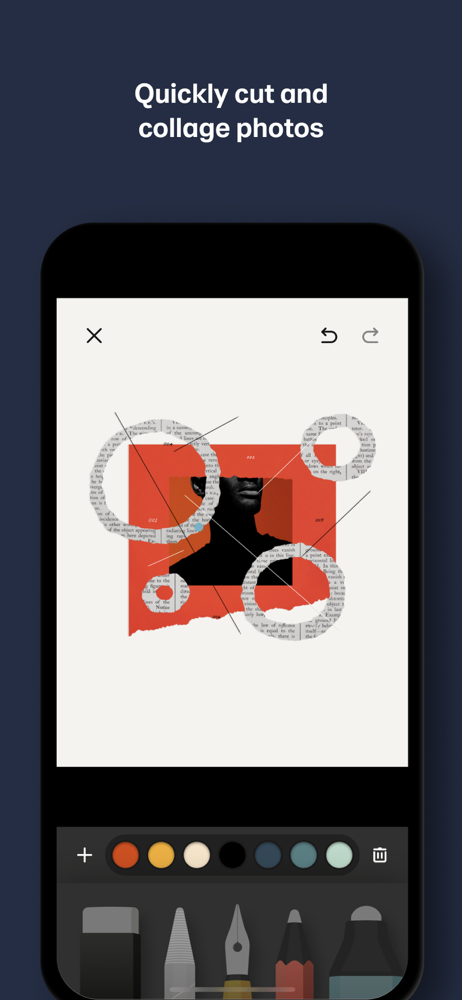
I began using paper in 2015 as a tool to refresh my water color skills without wasting so much paper. Result; my water colors are returning to the levels I enjoyed years ago before work interfered with my art, however the nature of digital ink lured me into this new medium. The ability to undo/redo, save and go on knowing that I can return to that point in time to try new combinations and the ability to utilize my art in a variety of modes tiny miniatures to large color water color paper digital prints. In 2016 I think I also fell in love with the 53 stylus. The ability to morph from paint to smudge & blend like charcoal while in blue tooth mode and hold my longtime favorite drawing tool - a carpenters pencil... or so it seems. This latest upgrade, the ability to choose from a variety of brush/tip sizes is just what I’ve needed. I still do some water color, but for portability my iPad Pro and stylus allow me to sketch when the spirit moves me. In fact I sometimes ‘touch up’ colors by importing a photo that been rendered in greys and apply fresh color. One such original from 50 years storage, freshen up in a several different color modes is my best seller. Truly a marvelous tool. Thus far I’ve not tried the Apple Stylus (spendy & doesn’t seem as intuitive to a long time carpenter pencil sketcher) and free trials of other drawing painting apps have not measured up. In sum, this app does what I wanted - allows me to relax, experiment, do over and produce “high quality digital water colors”
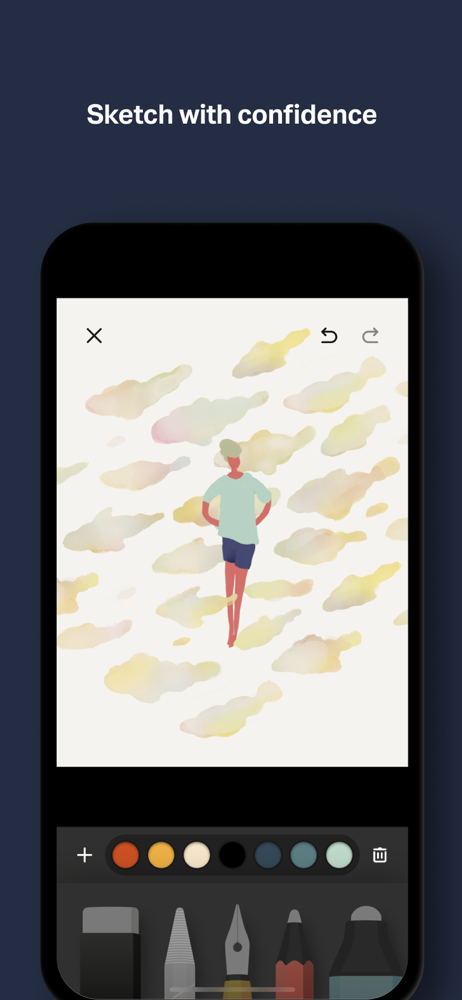
Over 30 million people set their ideas free with Paper®, the award-winning immersive sketching app. SKETCH WITH CONFIDENCE Paper’s perfectly-tuned to...
| Name | Price | Type |
|---|---|---|
| Paper Pro (Weekly) | $4.99 | Weekly |
| Paper Pro (Weekly) | $4.99 | Weekly |
| Paper Pro (6 Month) | $7.99 | Semi-Annual |
| Paper Pro (Weekly) | $9.99 | Weekly |
| Paper Pro (Weekly) | $9.99 | Weekly |
| Paper Pro (Annual) | $11.99 | Yearly |
| Paper Pro (Annual) | $69.99 | Yearly |
| Paper Pro (Annual) | $69.99 | Yearly |
| Paper Pro (Annual) | $99.99 | Yearly |
| Paper Pro (Annual) | $99.99 | Yearly |