Check the acquisition promise
Read the store headline, screenshots and description. What problem is the app promising to solve?
Study the storefront ↗
Courageous Octopus · iOS
Explore the ad evidence, study the storefront, and build your next acquisition hypothesis.
01 / Creative research
Read the store headline, screenshots and description. What problem is the app promising to solve?
Study the storefront ↗Explore apps with direct store-link matches. Compare their hooks and formats without assuming the same approach works here.
Browse observed advertisers ↗Store rankings and revenue estimates describe market context. They do not establish ad spend, conversions or ROAS.
Review the market context ↗02 / Storefront & product
Study the product story and store experience behind the acquisition funnel.



03 / Market context
Keep revenue, downloads and store rankings separate from advertising performance.
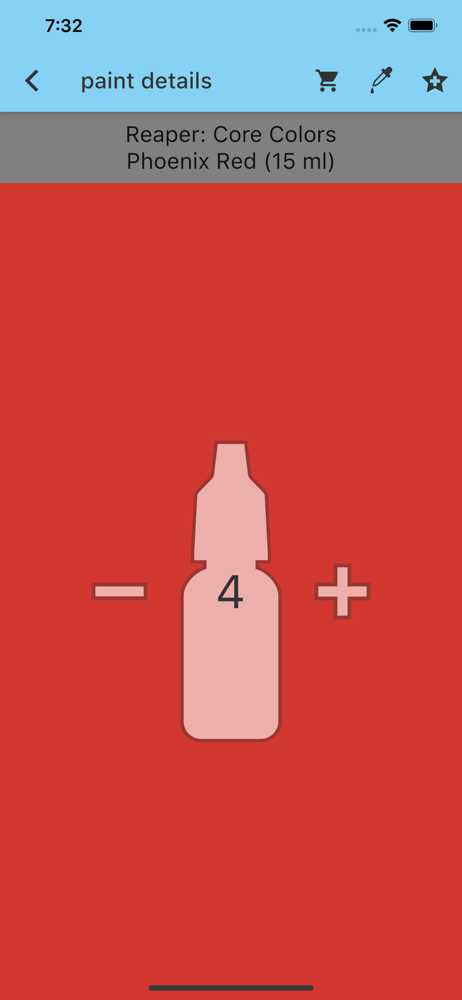
Overall PaintRack is an extremlely useful app for mini painters. However there are some Usability issue that if resolved could easily push it to the next level. Building your paint library in the beginning can be a bit annoyoinb because you have to add everything 1 item at a time and then jump jump back to the library. Having the /- buttons directly on the library view would be very helpful The ability to scan more than 1 item at a time would also be very useful. A function bulk add an entire set (like say the Army Painter Speedpaint Mega Set) would also be great. The other area that could be improved is better organization among manufacturers. For example with Ammo paint, you have multiple completely different lines of paints but they are all just lumped under the AMMO heading making very hard. That said, once do have your library loaded in everything else is very useful.
Get this app if you’ve ever mistakenly bought the same paint twice because you weren’t sure if you had it at home. Update* Changed to 4*. After emailing with the team at paintRack some suggestions improved the usefulness of the paint match function: click the little number in the top right to view the color distance value from your color to the brand you’re searching- under 5 is a good match, 5-10 is okay-ish, more than 10 is a bad match. Not all brands will have a good match. I also made sure I didn’t have any restrictions in my megaFilter. I still get some matches for metallic paints when searching flat base paints so just keep a keen eye for paint type and only use metallic paints in the filter when you’re looking for metallic matches.
Great way to catalog your paints, find matches/alternatives for colors, and to build and save ‘sets’ or colors for projects. The app has a very complete set of paint ranges, from Apple Barrel craft paints, through to Two Thin Coats. Feels like a real passion project. I’d love to be able to scroll a bit further ‘left and right’ in a color hue match (you get the closest five matches to a hue for each manufacturer) — say by holding the best match, but the five is good enough most of the time. It would also be great to have a way to find a color that is close match with a bit of a tint or shade. Not sure if that is even possible? Well worth the investment. I would also like to be able to use across my devices, but I don’t think I can use a common library on my phone and iPad.
FEATURES: LIBRARY: track your paints with over 29000 paints from top brands! SETS: create custom paint SETS (or recipes) for your models WISH LIST: h...
| Name | Price | Type |
|---|---|---|
| Full Unlock | $5.99 | One-time |