Check the acquisition promise
Read the store headline, screenshots and description. What problem is the app promising to solve?
Study the storefront ↗
DiscoDSP LLC · iOS
Explore the ad evidence, study the storefront, and build your next acquisition hypothesis.
01 / Creative research
Read the store headline, screenshots and description. What problem is the app promising to solve?
Study the storefront ↗Explore apps with direct store-link matches. Compare their hooks and formats without assuming the same approach works here.
Browse observed advertisers ↗Store rankings and revenue estimates describe market context. They do not establish ad spend, conversions or ROAS.
Review the market context ↗02 / Storefront & product
Study the product story and store experience behind the acquisition funnel.


03 / Market context
Keep revenue, downloads and store rankings separate from advertising performance.
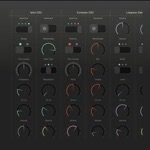
For people who just want to load a patch from the tremendously large built-in library and integrate with a host for sequencing from another app (or playing via midi keyboard) this app would be great. Not so much for my purposes however, though I can’t fault it a great deal for this. It’s a fantastic emulation and the patches are solid and plentiful. Below I will explain why it didn’t work for me though, in case you are planning similarly: Since this is an accurate emulation of a real hardware chip using a standardized OPL fm preset format, I was counting on there being an easy method for programming, testing and storing presets within the app. My goal in buying this was to have a portable way to create and build a library of my own original patches to use with Adlib Tracker ][. This use-case has proved mostly fruitless however for the following reasons— 1. The standalone app does not properly fit an iPhone screen (iPhone X at least); the bottom row of buttons runs below the edge of the screen. 2. There is no way to save your own patches directly inside the app, only load the existing presets. 3. There is no built-in keyboard, basically it’s a plugin more than an app and relies on a host to do most useful things. 4. On an iPad 11” I wasn’t able to scale the view to fit both the complete instrument UI and the AUM virtual keyboard on-screen simultaneously, making it cumbersome to edit, play and test custom patches. (Honestly this one might be user error, please correct if I’m wrong and there’s a way to achieve this)
I’ve been trying to find this “sound” on iOS for a few years. There are a lot of 8-bit/chip/lo fi apps but I never felt the sound was quite right; they didn’t sound like it did back in the day when I was kid. I have come to love OBx and in similar fashion this synth sounds just as genuine and authentic as the original synth it emulates. This devs apps deliver true, authentic sounds with plenty of parameters to manipulate. I don’t know much about the technical side of it, but if you want the best 80s synth tones, you found it.
These sounds are really great, and the ammount of presets is over the top. But because there are so many presets, it would be great to be able to recall favorites. However when changing programs up and down (+, -) there is no display telling you what preset you’re playing, and therefor no easy way to recall it later. The current preset is also not highlighted in the preset menu when browsing. This would add invaluable functionality to a very cool-sounding synth.
The Yamaha OPL chips, introduced in 1985, shaped the sound of 80s and 90s video game soundtracks. discoDSP OPL emulates their FM and additive synthesi...