
Check the acquisition promise
Read the store headline, screenshots and description. What problem is the app promising to solve?
Study the storefront ↗
Software Garden · iOS
Explore the ad evidence, study the storefront, and build your next acquisition hypothesis.
01 / Creative research
Read the store headline, screenshots and description. What problem is the app promising to solve?
Study the storefront ↗Explore apps with direct store-link matches. Compare their hooks and formats without assuming the same approach works here.
Browse observed advertisers ↗Store rankings and revenue estimates describe market context. They do not establish ad spend, conversions or ROAS.
Review the market context ↗02 / Storefront & product
Study the product story and store experience behind the acquisition funnel.


03 / Market context
Keep revenue, downloads and store rankings separate from advertising performance.
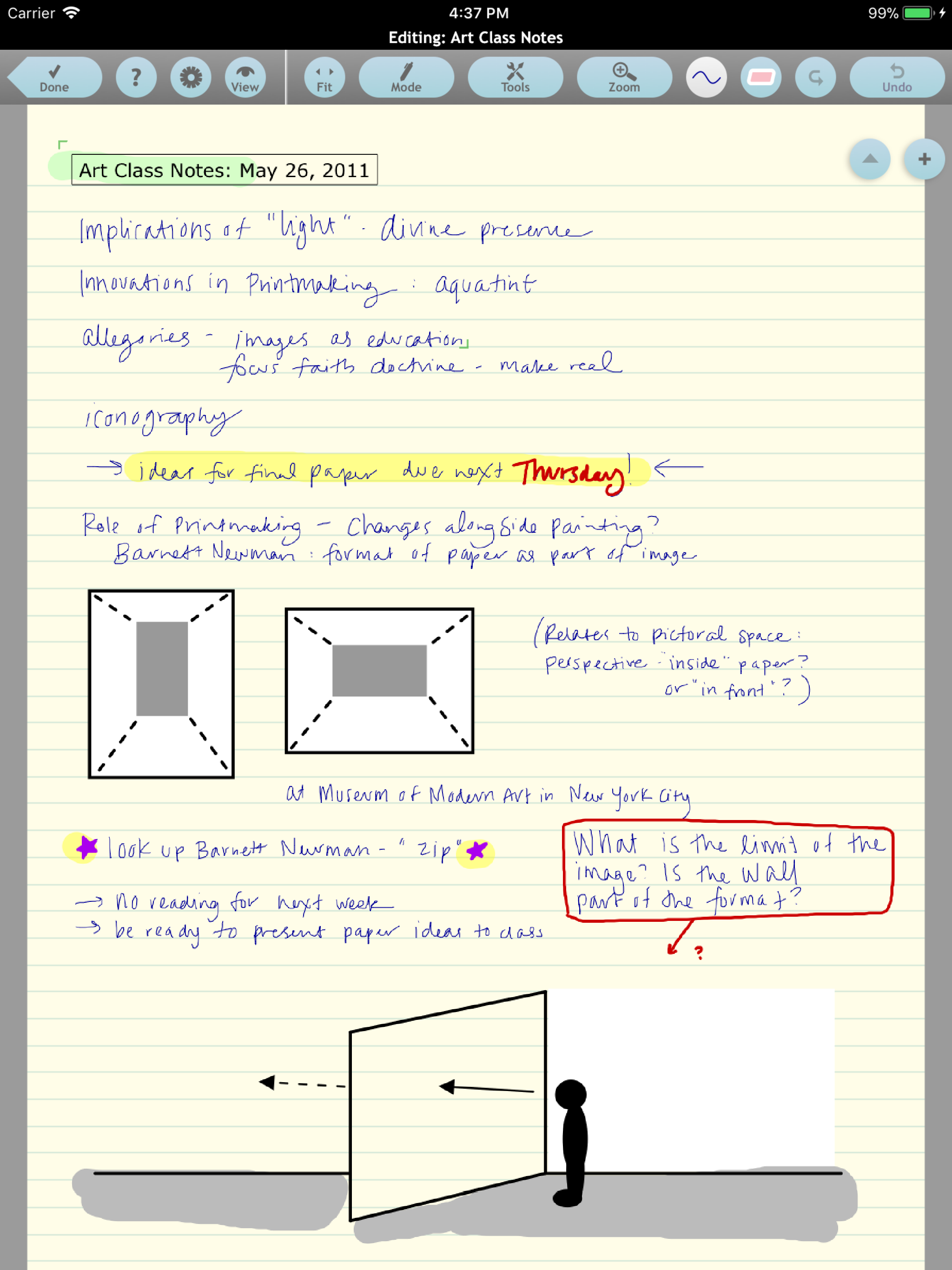
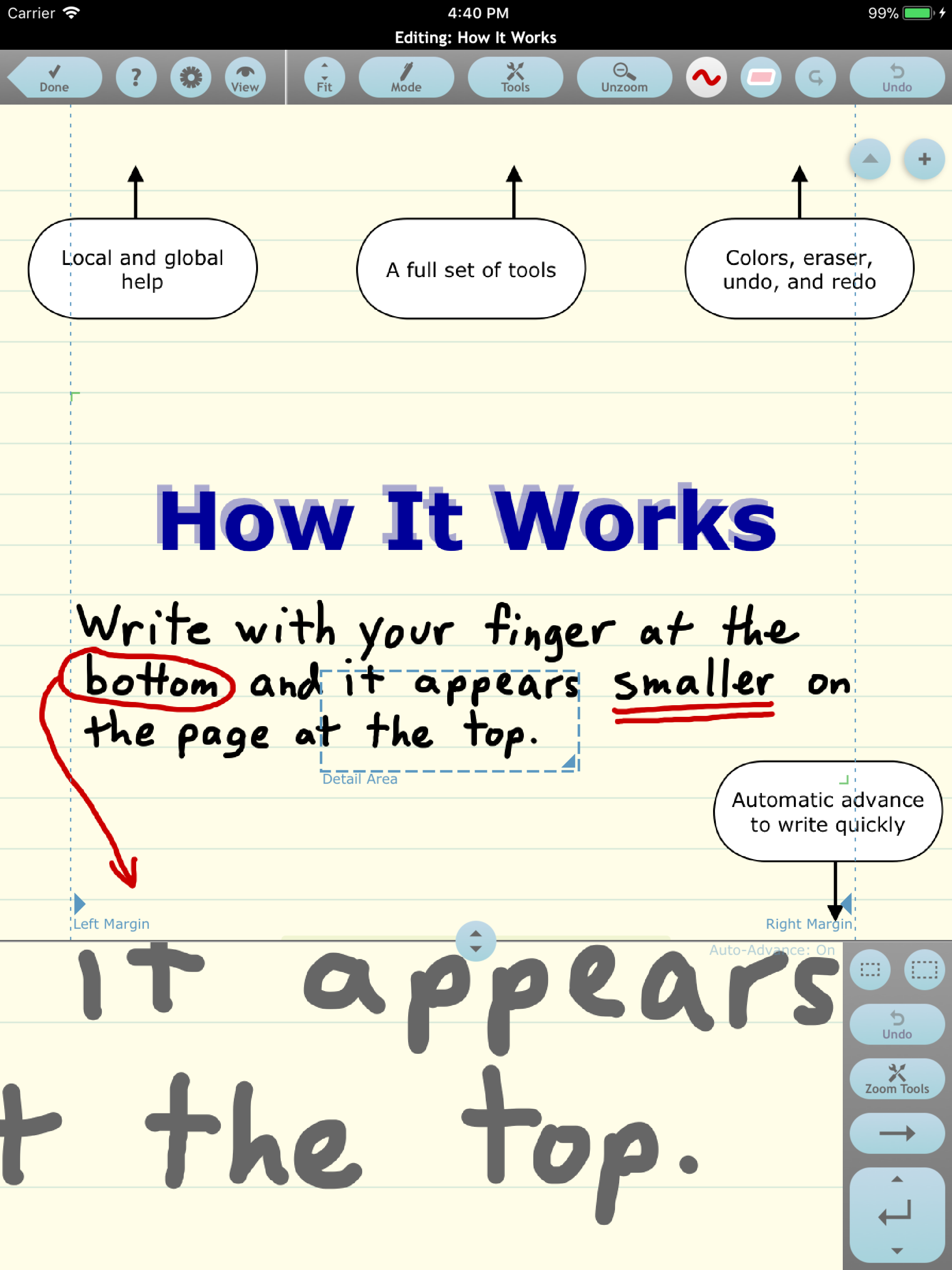
I don’t remember exactly when I started using NoteTaker HD, but it was long enough ago that it has been one of my first installs on several iPads by now. It is a favorite because of the many things it can do, and therefore because of all the solutions it provides me, as I process through all the dang information that moves across my consciousness every day. And, because Dan Bricklin is so engaged with the product (in the videos, responses to questions, etc.),I feel a personal connection to NoteTaker HD, unlike other soulless apps from God knows who. NoteTaker HD does so many things that, if you are new, you should allow yourself time to just play and wade into it. Before long, you’ll start to realize the power you can have to organize and manage all that information, and you, too, will have lots of wow moments and priority downloads onto new generations of iPads.
I began using this app as a simple way to take notes on pdf files. As I explored its abilities for generating notes and diagrams, I discovered some really useful features as well as a few that need to be better. I would love to be able to group objects together similar to the way PowerPoint does. The app allows you to layer drawing for items and text, however, if you have too many layers or layers close together (i.e. trying to make a box with equally spaced lines or hash marks) it is impossible to go back and select a single image. Also, I would love to have the ability to under line, bold or italicize text that I created within the text box. When typing notes, I would like the ability to provide emphasis without having to draw or manually add underlining. Please keep updating this app!!!! It is so close to being the one stop app for note taking and creating study aids! Thank you.
I work as a proofreader and copy editor for a science fiction author. I have used this app for years. The author and I do not live near each other, and we do everything electronically. She sends me a manuscript as a PDF document which I then load into Note Taker HD. It loads a 400 page document in a matter of seconds. I read through the document making notes as I go along. After I have edited a chapter, it is very simple to have Note Taker display only the pages which I have marked up. I then export only those pages and send them back to the author as a PDF document, which she uses to incorporate my changes into her master manuscript. Note Taker provides many options for highlighting in different colors and writing remarks in different colors to call attention to problem areas. It is also simple to include photographs, drawings, sketches and any other thing that you would like to include. Once they have been incorporated into your document you can then write on them, draw or whatever you need to do. I highly recommend this app for anybody who does intense work with PDF documents!
Zoomed ink, PDF markup, photos, shapes, typed text, folders and tagging, extensive AirPlay control, and much more. The latest upgrade of one of the f...


