
Check the acquisition promise
Read the store headline, screenshots and description. What problem is the app promising to solve?
Study the storefront ↗
Jackson Software · iOS
Explore the ad evidence, study the storefront, and build your next acquisition hypothesis.
01 / Creative research
Read the store headline, screenshots and description. What problem is the app promising to solve?
Study the storefront ↗Explore apps with direct store-link matches. Compare their hooks and formats without assuming the same approach works here.
Browse observed advertisers ↗Store rankings and revenue estimates describe market context. They do not establish ad spend, conversions or ROAS.
Review the market context ↗02 / Storefront & product
Study the product story and store experience behind the acquisition funnel.



03 / Market context
Keep revenue, downloads and store rankings separate from advertising performance.
One of the better and useful apps. I use it all the time to check my signal. I love this app which I have been using forever. Unfortunately, IOS broke it so that it says WIFi 0000 instead of the actual network being tested. It three me into thinking that IOS 13 had broken my internet connection through my routers and made me think I was only connected througbAT&T. Please fix it and I will buy sound meter. Otherwise a great simple App.
I like the functionality of this app. It works well and is true to its advertised feature. My one pet peeve and this applies to ALL developers, PLEASE DO NOT USE dark blue text on a black screen! This is elementary programming 101 stuff guys. You CAN NOT READ the blue text. Really, please fix this and I’ll throw in another ⭐️. Thanks
This is a very straightforward utility. It is well laid out, and gives you the information you need. It is not meant to be a consumer wow, item. It has all the features you need to set up a Wi-Fi system. Just used it on a new house! Love it!
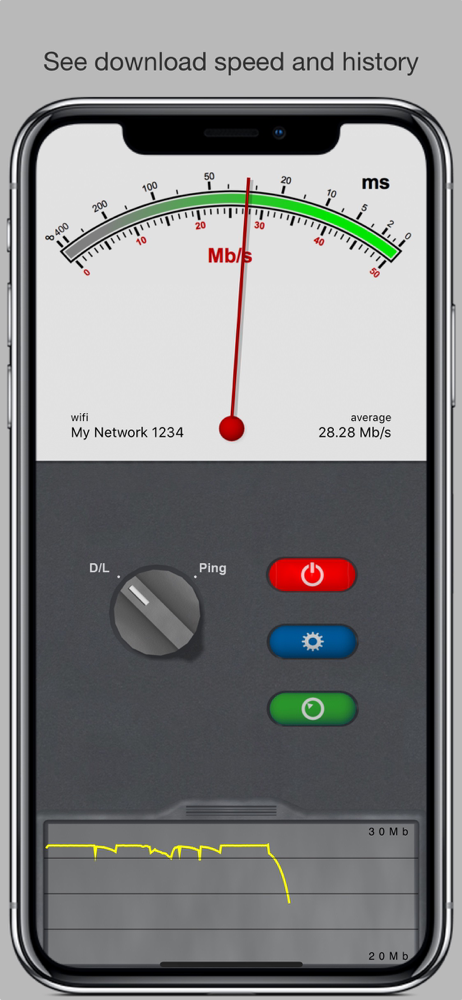
Network Multimeter is an iPhone app that tests download speeds and network latency as you move around your house, coffee shop, or anywhere you have in...