Check the acquisition promise
Read the store headline, screenshots and description. What problem is the app promising to solve?
Study the storefront ↗
iDaily Corp. · iOS
Explore the ad evidence, study the storefront, and build your next acquisition hypothesis.
01 / Creative research
Read the store headline, screenshots and description. What problem is the app promising to solve?
Study the storefront ↗Explore apps with direct store-link matches. Compare their hooks and formats without assuming the same approach works here.
Browse observed advertisers ↗Store rankings and revenue estimates describe market context. They do not establish ad spend, conversions or ROAS.
Review the market context ↗02 / Storefront & product
Study the product story and store experience behind the acquisition funnel.


03 / Market context
Keep revenue, downloads and store rankings separate from advertising performance.
I've only used this app a short time on my iPad but it seems to work well. I like the option of selecting multiple cities for current weather but I would also like to see a "weather MAP" that actually shows the rain, snow, etc. rather than just telling me it is raining/snowing/etc. That might be asking too much for a free app---but it works and I like it. The automatic locator feature is also nice since no matter where I am, I can see what the weather is in my location. It is a quick and easy app to install and set up. The initial app was in "C" temperature---and I quickly changed it to "F". The night and day lighting feature is also a nice touch. I would recommend this app to everyone who travels or simply want to keep up with several locations at a glance.
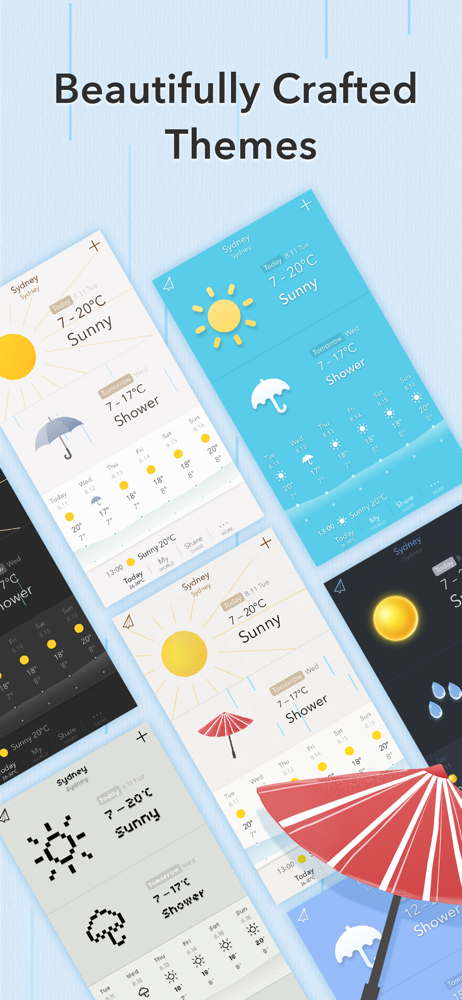
I was surprised to find that this app has so many customizable features that do NOT require purchase. The many options for customization make the app very user friendly. The widget settings are equally sweet and simple. The design of this app is charmingly minimal; The themes and graphics are modern and attractive without being too flashy. The app does lose one star because the ‘hourly’ view isn’t very prominent in the widget and in the app itself and gets lost among the rest of the information. A clear and accurate ‘hourly’ forecast is one of the most important parts of a weather app to me (in addition to current/daily and weekly). Despite this one issue, I think all of the features that this app offers is enough to make me keep it and look forward to future updates and improvements.
I have been hunting for an app that could display the current temperature and weather conditions and provide an Apple Watch complication that would do the same. My Weather nailed both of those requirements. I was also pleasantly surprised at how well it performs on the Apple Watch and how very well organized the information is on both devices. It has a few areas where it could still improve, such as a larger database of cities. There are some other pretty good weather apps out there that are loaded with information and an abundance of useful content. But if you are looking for an app that just gets it right when it comes to displaying the current temperature and weather conditions and plays well on both your iPhone and Apple Watch this is your app.
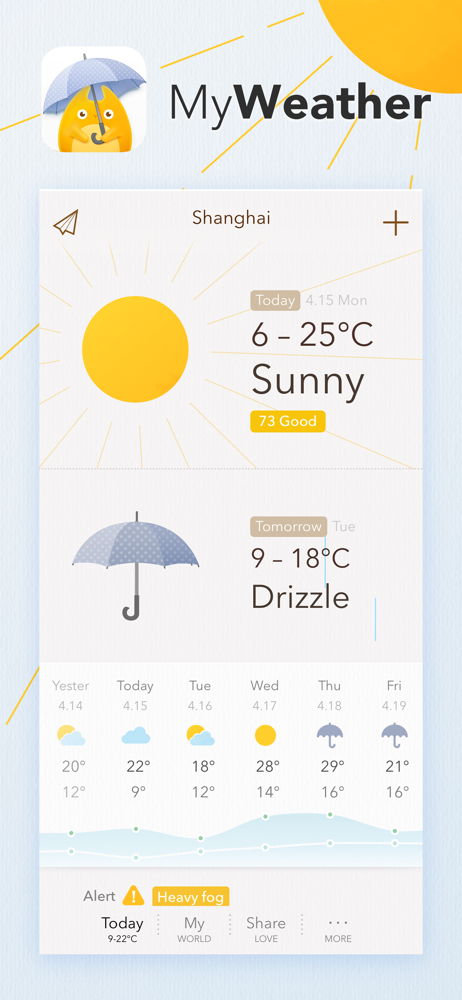
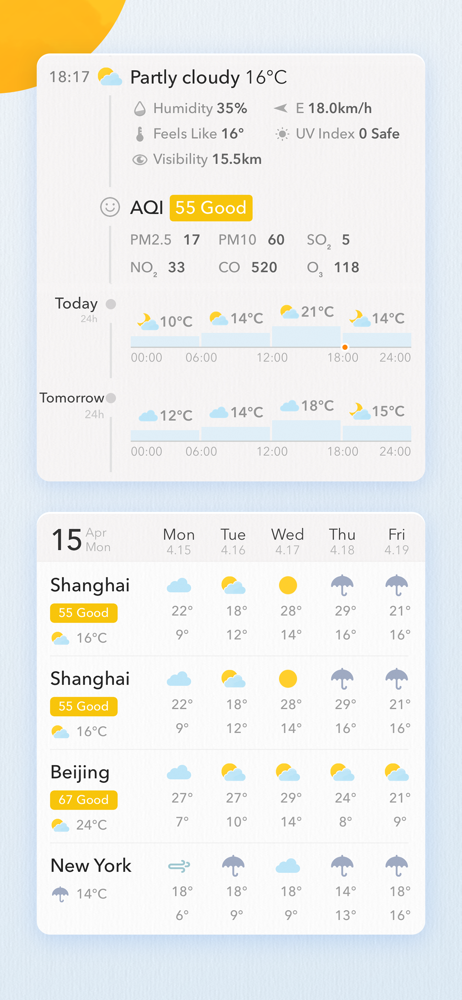
MyWeather is a beautifully crafted weather app providing you with realtime temperature, AQI, 10-day forecast and accurate time-trend. Powerful weather...
| Name | Price | Type |
|---|---|---|
| MyWeather Pro · Monthly | $0.49 | Monthly |
| Coffee for Developer | $2.99 | One-time |
| MyWeather Pro · Yearly | $3.99 | Yearly |
| Coffee for Designer | $4.99 | One-time |
| No Coffee for PM | $14.99 | One-time |
| Coffee for Everyone | $29.99 | One-time |