
Check the acquisition promise
Read the store headline, screenshots and description. What problem is the app promising to solve?
Study the storefront ↗
Nationwide Mutual Insurance · iOS
Explore the ad evidence, study the storefront, and build your next acquisition hypothesis.
01 / Creative research
Read the store headline, screenshots and description. What problem is the app promising to solve?
Study the storefront ↗Explore apps with direct store-link matches. Compare their hooks and formats without assuming the same approach works here.
Browse observed advertisers ↗Store rankings and revenue estimates describe market context. They do not establish ad spend, conversions or ROAS.
Review the market context ↗02 / Storefront & product
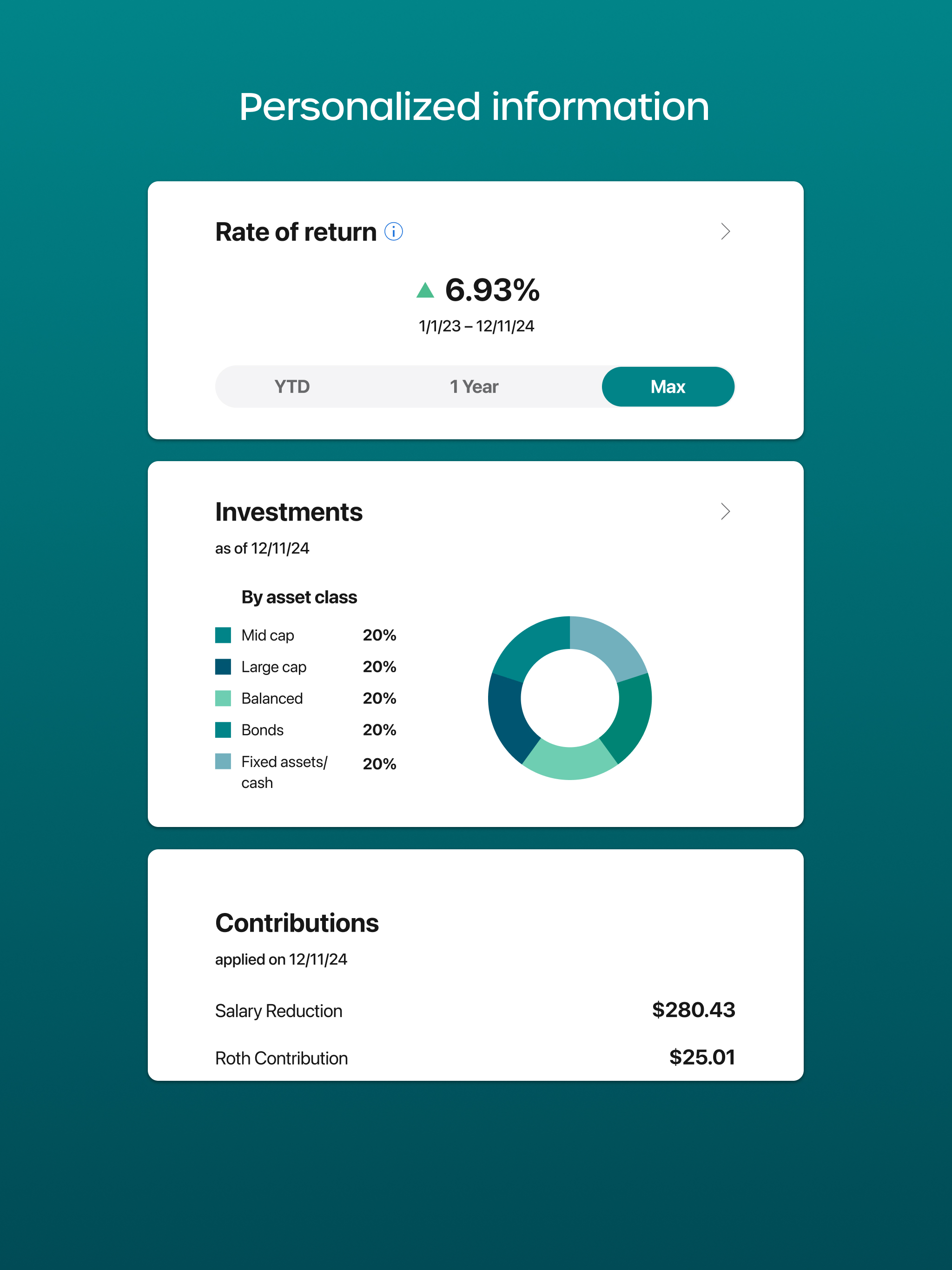
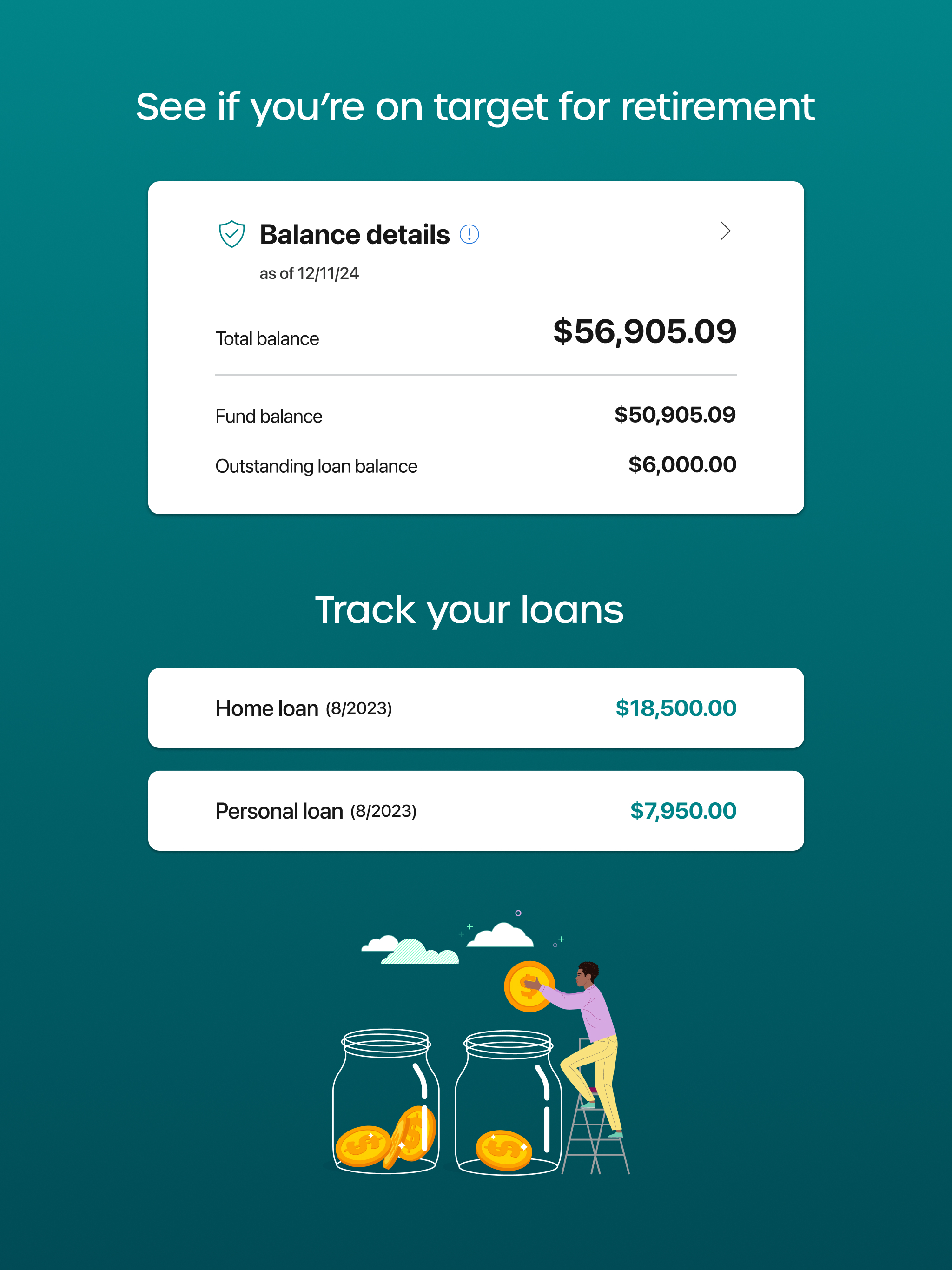
Study the product story and store experience behind the acquisition funnel.


03 / Market context
Keep revenue, downloads and store rankings separate from advertising performance.
I really don’t find certain parts of the app user-friendly compared to the website. It’s a pain having to jump on the computer to finish up because the app doesn’t have all the same options. First of all, I saw nowhere in the app to change current investments elections, only future investment elections. On the website there’s an option to change current elections and then you can check the box if you want future elections to match. I did not see this option in the app. I searched and searched. I saw where I could do auto-balance funds, but to actually change current fund elections, I did not find that and had to jump on the computer to do it. Changing future investment elections was no problem in the app. Also Fund Performance should be easier to find. When choosing to change investments, the option to click on the fund performance page should be right there but it is not. I had to hunt for it. So please make it easily accessible when trying to change investment elections to give the option to check fund performance during that process. I found it under my own current investments and I found it in little blue print but when choosing to change investment elections that should be an option right there to review fund performance of funds since that is often what one will look at when deciding where to move funds to. The biggest for me is being able to change current investment elections when changing future investment elections. The app should mirror the webpage where, when changing current investment elections simply checking a box to also mirror future elections is given and it’s one and done. Maybe that option is there and I just didn’t see it but I looked for a long time before finally decided to jump on the laptop to finish it up. Giving 3 stars since these areas are not user-friendly at all.
Used to work great. Now it’s just an unusable app. I was unable to log in, then I attempted to do a password recovery. I could not get pass the verification page. Called Nationwide to reset password and verify that all the “incorrect” info was correct (it was). After the temporary password was used I was redirected to the verification page which worked this time. Then on to the create new password page and a whole new page of frustration. Type in new pass then confirm pass MAKE SURE YOU DO IT ACCORDING TO THE RULES and still nope. All you will get is “ Check the password format rules” I even typed the temp pass into notes and then made a 1 for 1 of its format by just changing the letters and numbers as in a capitol letter was changed to a different capital letter, lower case for a lower case, and a number for a number. I kept the same special character. I copy and pasted the password and still “Check the password format rules” Please fix what was once a very good app.
Worked well for 24 hours. Haven’t been able to log on to the app in months. Waited to log on to see if it would eventually get fixed, still same message, system error. Ridiculous malfunction for nationwide app and how much money they make. I have to go log onto the computer. No other way. Useless app.
If you’re in an employer-sponsored retirement plan with services provided by Nationwide, check out the My Retirement app. Using fingerprint or facial...

