
Check the acquisition promise
Read the store headline, screenshots and description. What problem is the app promising to solve?
Study the storefront ↗
Daniil Zubach · iOS
Explore the ad evidence, study the storefront, and build your next acquisition hypothesis.
01 / Creative research
Read the store headline, screenshots and description. What problem is the app promising to solve?
Study the storefront ↗Explore apps with direct store-link matches. Compare their hooks and formats without assuming the same approach works here.
Browse observed advertisers ↗Store rankings and revenue estimates describe market context. They do not establish ad spend, conversions or ROAS.
Review the market context ↗02 / Storefront & product
Study the product story and store experience behind the acquisition funnel.



03 / Market context
Keep revenue, downloads and store rankings separate from advertising performance.
iOS version 2.2.1 when launched displays artist and title of currently playing tune from streaming radio, but when next new tune comes up, the display still shows the artist as it was when it was first launched even though new tune is playing. I know the info is available because if I click the 3 dots next to the artist on main screen the artist updates, just not on main screen. Thanks for writing this. I find it useful and handy especially to control volume using my phone, but if I want to see artist info, I am using an old iPad running MS RDP and connecting via remote session direct to the server. This tweak would be appreciated. Cheers!
The app works good overall but doesn't follow in the spirit of free or affordable software that the actual MusicBee developer has maintained since the beginning. To me it seems greedy to charge so much off MusicBee success for an app this simple. This app is limited in features, has annoying ads, and options for subscription payments - or a one time $35 fee to remove the ads and unlock viewing and editing metadata (obviously free in MusicBee itself). What a joke with that pricing. A subscription for a simple remote app to play/pause and skip tracks, when the fully featured MusicBee software is completely free. Other apps that have way more features like play:Sub / Navidrome are free or have a small one time fee like $5. Since this is the only iOS app of its kind I still use it with an ad blocker, and appreciate it being available. I would be fine with paying a $5 fee for lifetime usage of a simple app like this just to remove the ads, but that's it. I'm not trying to manage my entire music collection on mobile. Hoping someone makes a simple music control app like this but free, no need to overdo it.
Thank you for this. I had been wanting exactly something like this, but specifically for Musicbee and most definitely not itunes. Please make it possible to start AutoDJ based on a song choice from the app (for that matter, a right click to “clear playlist and start auto dj based on this song” would also be appreciated in the software). In the App, please make it possible just to browse specific folders within my entire library because my library is too big for the phone to handle or properly peruse. Being able to browse by folder would be even better, as I can never get metadata to clean itself up enough to not be aggravating. Can use some more features and bug fixes, but I know this is new; so happy you got it started!
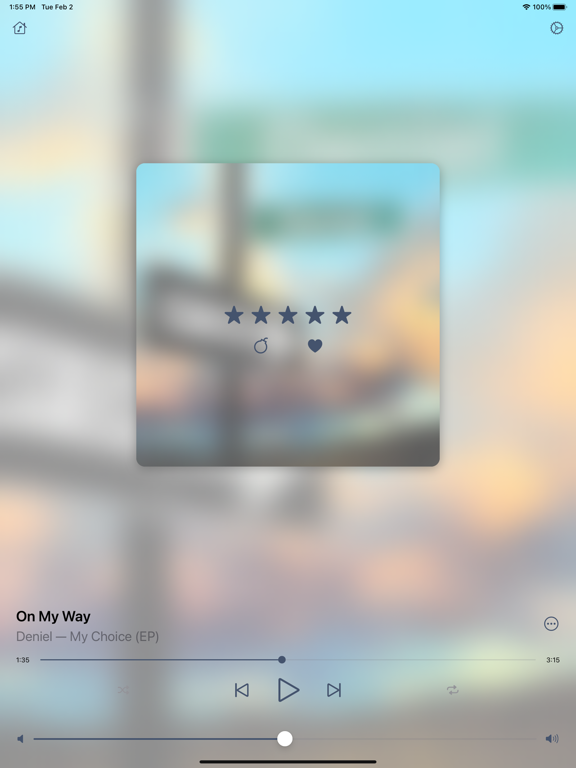
MusicBee Remote application allows you to control MusicBee player using your iOS device. Application requires MusicBee Remote plugin to be installed...
| Name | Price | Type |
|---|---|---|
| Access to Lock Screen Controls | $0.99 | One-time |
| Disable Ads | $0.99 | One-time |
| Detailed Track Information | $0.99 | One-time |
| Premium Subscription (Monthly) | $1.49 | Monthly |
| Premium Subscription (Annual) | $14.99 | Yearly |
| Lifetime Premium | $34.99 | One-time |


