
Check the acquisition promise
Read the store headline, screenshots and description. What problem is the app promising to solve?
Study the storefront ↗
Expert Software Applications Srl · iOS
Explore the ad evidence, study the storefront, and build your next acquisition hypothesis.
01 / Creative research
Read the store headline, screenshots and description. What problem is the app promising to solve?
Study the storefront ↗Explore apps with direct store-link matches. Compare their hooks and formats without assuming the same approach works here.
Browse observed advertisers ↗Store rankings and revenue estimates describe market context. They do not establish ad spend, conversions or ROAS.
Review the market context ↗02 / Storefront & product
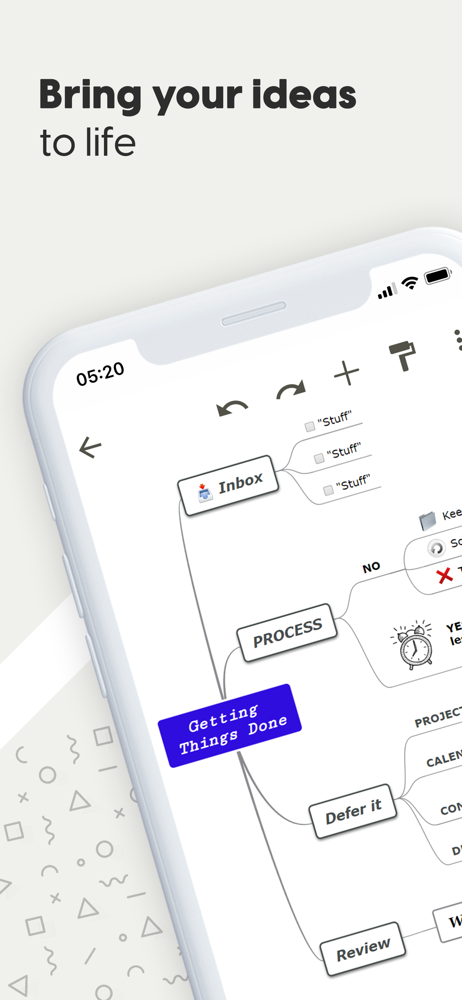
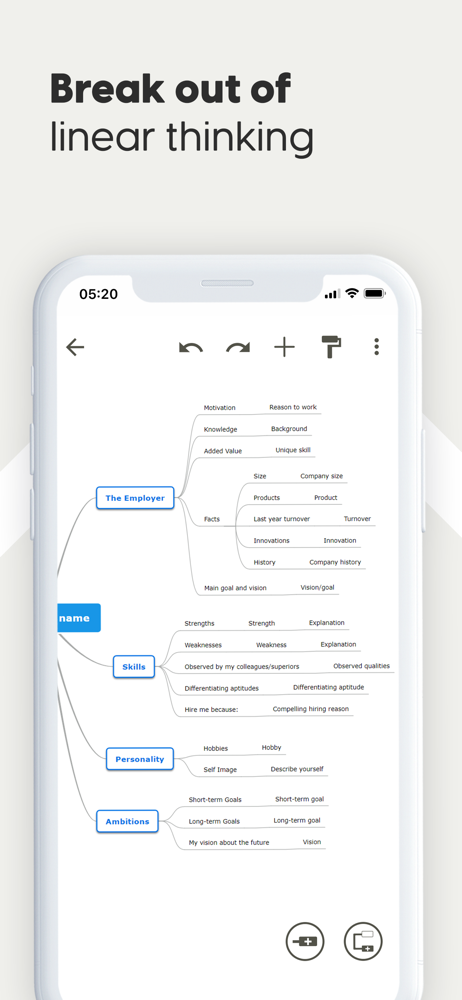
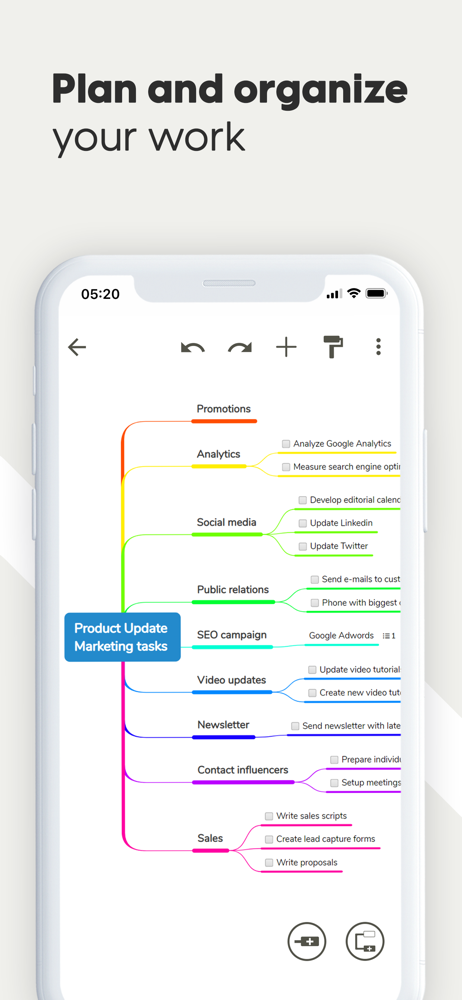
Study the product story and store experience behind the acquisition funnel.



03 / Market context
Keep revenue, downloads and store rankings separate from advertising performance.
I wanted a simple mind map and this is it. No learning curve. You can use immediately without reading long instructions. It has plenty of features, yet it’s easy. I love it. It’s exactly what I was looking for. UPDATE: Jan 28, 2026 — I downloaded this app first in 2022. I loved it. Super easy to use and worked great. Then a little while ago I thought, well, I’m not using it much and deleted it. Then today I really needed a mind map. I downloaded a bunch, a whole bunch of new apps. All ridiculously lousy, hard to use, cost, ugly . . . Then I remembered this app, searched for it and downloaded it, again. STILL the best mind map out there. Very thankful it’s free!
I don’t write a lot of reviews but hoping to see Mindomo invest more time in their mobile app. I’m a veterinary student and I use Mindomo for class notes. It’s the first program I was willing to upgrade to the paid version and it has been well worth it. The online platform is incredibly easy to use. I still haven’t mastered all the capabilities but I love the ability to link between maps and to the web, as well as add pictures and text boxes. The online PDF export option is also great, and I love the ability to switch between outlines and maps. When I discovered you could use icons and filter that was a game changer (as a vet student I have to keep track of disease and conditions for all animals, so being able to filter my map by ‘horse’ or ‘pig’ or ‘dog’ emoji is invaluable). The only feature I have found myself wanting on the online platform at this stage is the ability to add multiple links to one topic or the ability to link to a specific topic on another page (although the latter would be just icing on the cake). However the mobile app experience is an entirely different animal (have on iPad and iPhone). It’s hard to navigate the cloud files because it insists on icons so I can’t read the full file names, so I have to open each map to figure out what it is. Also yesterday in the middle of an exam it crashed numerous times, which is exactly when I need it NOT to fail, so I had to abandon all my notes when I needed them most. I had already determined I would never build maps on mobile cause the font editing etc gets too tricky, but even navigating can be rough (I always end up accidentally adding a new topic as I try to scroll around). So my rating is low for the AppStore, despite how much I could rave on a positive review for the online version. I hope they start investing in their mobile apps because this program is fantastic, and if it could be reliable and more functional in the apps it’d be a force to be reckoned with.
I downloaded 4 apps today that would still run on my iOS 10.3.4 iphone 5. This was one of them. Others included SimpleMind+, Mindly, and MiMind. This made the top two with SimpleMind+. It has a generous selection of free features, including item coloration, cross linking, and layout control. I found it to be a bit laggy and less responsive to finger touch selection than I'd like, but that could also be my older phone. One feature that I would have liked would have been layouts that would have allowed my cross-linked items to be next to each other horizontally. (For Left-Right to Right-Left groups.) Considering these challenges, I'm going to go with SimpleMind+ for now I think, but I'll keep this around in case that ultimately doesn't work out. For free it's a pretty amazing app. It also has some really nice and well developed template maps. It's worth getting just for those samples and ideas of what can be done with mind mapping software.
Mindomo is a seamlessly designed mind mapping app for Mac and iOS. Unleash the power of your ideas with mind mapping and concept mapping. Capture yo...
| Name | Price | Type |
|---|---|---|
| Mindomo Premium Subscription (6 Month) | $35.99 | Semi-Annual |
| Mindomo Premium (6 Month) | $35.99 | Semi-Annual |
| Mindomo Premium Subscription (Annual) | $65.99 | Yearly |
| Mindomo Premium (Annual) | $65.99 | Yearly |


