Check the acquisition promise
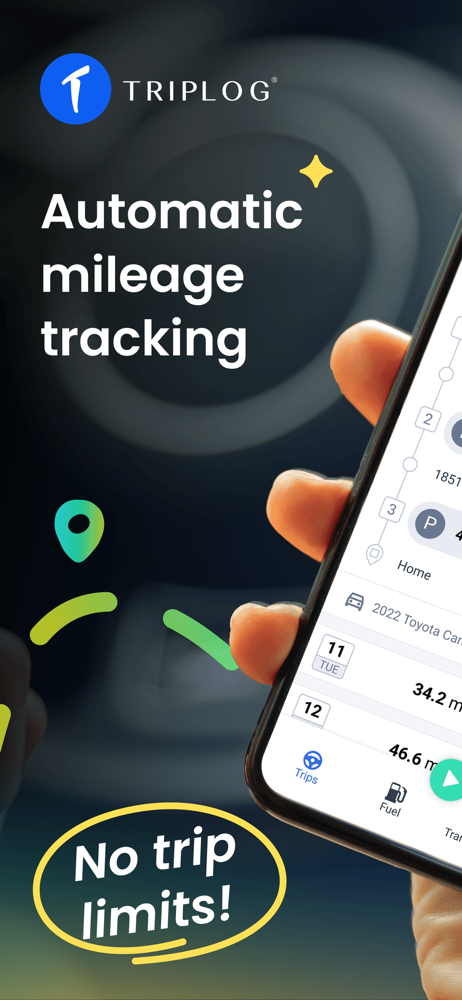
Read the store headline, screenshots and description. What problem is the app promising to solve?
Study the storefront ↗
TripLog, Inc · iOS
Explore the ad evidence, study the storefront, and build your next acquisition hypothesis.
01 / Creative research
Read the store headline, screenshots and description. What problem is the app promising to solve?
Study the storefront ↗Explore apps with direct store-link matches. Compare their hooks and formats without assuming the same approach works here.
Browse observed advertisers ↗Store rankings and revenue estimates describe market context. They do not establish ad spend, conversions or ROAS.
Review the market context ↗02 / Storefront & product
Study the product story and store experience behind the acquisition funnel.


03 / Market context
Keep revenue, downloads and store rankings separate from advertising performance.
As a full-time independent contractor doing deliveries, I can tell you that tracking mileage is the single most important—and annoying—part of the job. Forgetting to log a few trips a week can cost you hundreds, even thousands, of dollars in deductions come tax time. I've tried everything from pen-and-paper logs to other apps, and Trip Log is, without a doubt, the best tool I've found. The automatic drive detection is the star of the show. I just get in my car and go. The app runs quietly in the background and accurately captures every single trip without draining my battery. At the end of the day, I get a notification to classify my drives. A simple swipe left for personal, swipe right for business—it takes literally 10 seconds. No more missed trips or guesstimating my mileage. Beyond the flawless tracking, the reporting feature is a godsend. It generates clear, detailed, IRS-compliant reports that make tax season a breeze. I can also easily log expenses like gas, tolls, and car washes right in the app, often just by snapping a photo of the receipt. It keeps everything I need for my write-offs organized in one place. Honestly, the subscription pays for itself within the first month just from the mileage I would have otherwise missed. If you're a delivery driver for any service (Doordash, Uber Eats, Grubhub, etc.) and you're not using an app like this, you are leaving money on the table. Five stars—this app is an essential tool for my business.
For the past several months I have been using the mileage and expense tracker provided by Quickbooks self employed. It worked ok for the most part. Unless there was any mediocre cell service, it wouldn’t record. I got used to that and would manually record in those areas. Then things got worse and eventually it stopped recording completely no matter what I tried. Uninstalling, updating, trying to send crash reports… So… I downloaded TripLog’s app. I have used it all day, even through mediocre service areas and it has worked seamlessly. I’m so impressed so far I am writing a great review to express my excitement. Should that change and their tech support not be able to help, I will change my review. It also has the expense tracker to go along with time and mileage tracking. BUT it has so many more features and settings. Apparently it integrates with Google or Apple Maps and you can do route planning, click on all the places you need to go, then it pops over to Google maps and provides the best route. This will help so much more than the way I was doing it through saved placed in Google. The layout is better and is a lot more clear to read.. you can upload gas receipts… I have yet to try out doing a report, but I can download as a spreadsheet and will hopefully be able to upload to Quickbooks for tax season. Again, I’m only 1 day into my 15 day trial… but I’m so happy today after my last couple of months of sheer frustration. Tomorrow will be a true test with going through the mountains. I’ll definitely update ya’ll. Whew.
Finding a good, low-cost solution for managing mileage and expenses is tough. The cheap ones are usually unreliable and barely give you the data you need. Expensive ones are typically very intricate and not-so-simple to get around within and manage, when necessary. TripLog rocks. I am a former Mobility Application Solutions guy that worked within the Industry & Mobility Application Solutions team at AT&T for about a decade or more and I definitely tout TripLog as the best product in this category for your money. Over the last 10 years, as the owner of a growing IT business, this tool has become indispensable. We install and manage networks all over a multi state area. We might service multiple customers per day or a single customer for a month or more. We can very easily, from anywhere, calculate time on a job site with absolute accuracy. Fuel expenses, mileage and breadcrumb trails are always readily available with a couple of clicks. And the reliability is fantastic. I've seen a couple of glitches over the last few years but nothing major and each was easily rectified. I highly recommend this solution and bow down to the developer. Well written cloud solution and app, great performance, and the reliability that matters.
Track your miles automatically for FREE with TripLog, the #1 mileage tracker app! Whether you're a gig worker, freelancer, or business of any size, Tr...
| Name | Price | Type |
|---|---|---|
| Cloud Storage (legacy) (Annual) | $2.99 | Yearly |
| Power User Package (legacy) | $59.99 | One-time |
| Bundled Package (legacy) | $59.99 | One-time |
| Executive Package (legacy) | $59.99 | One-time |