Check the acquisition promise
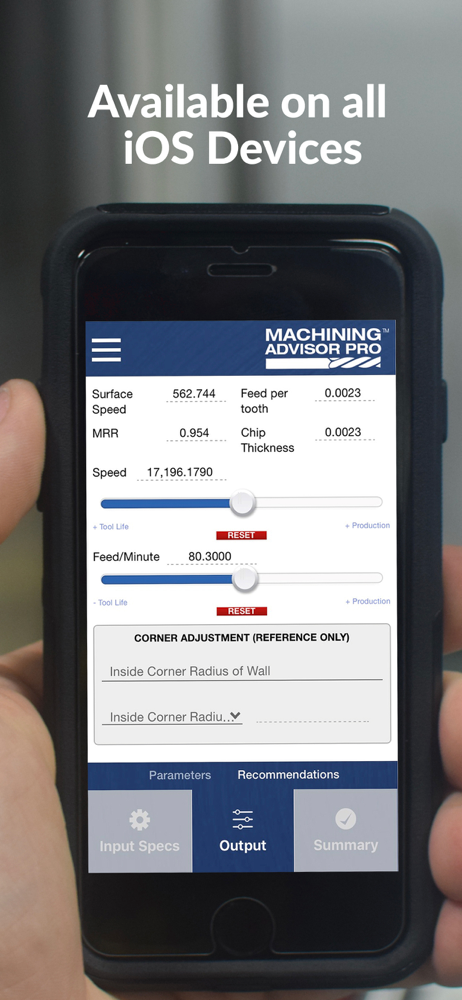
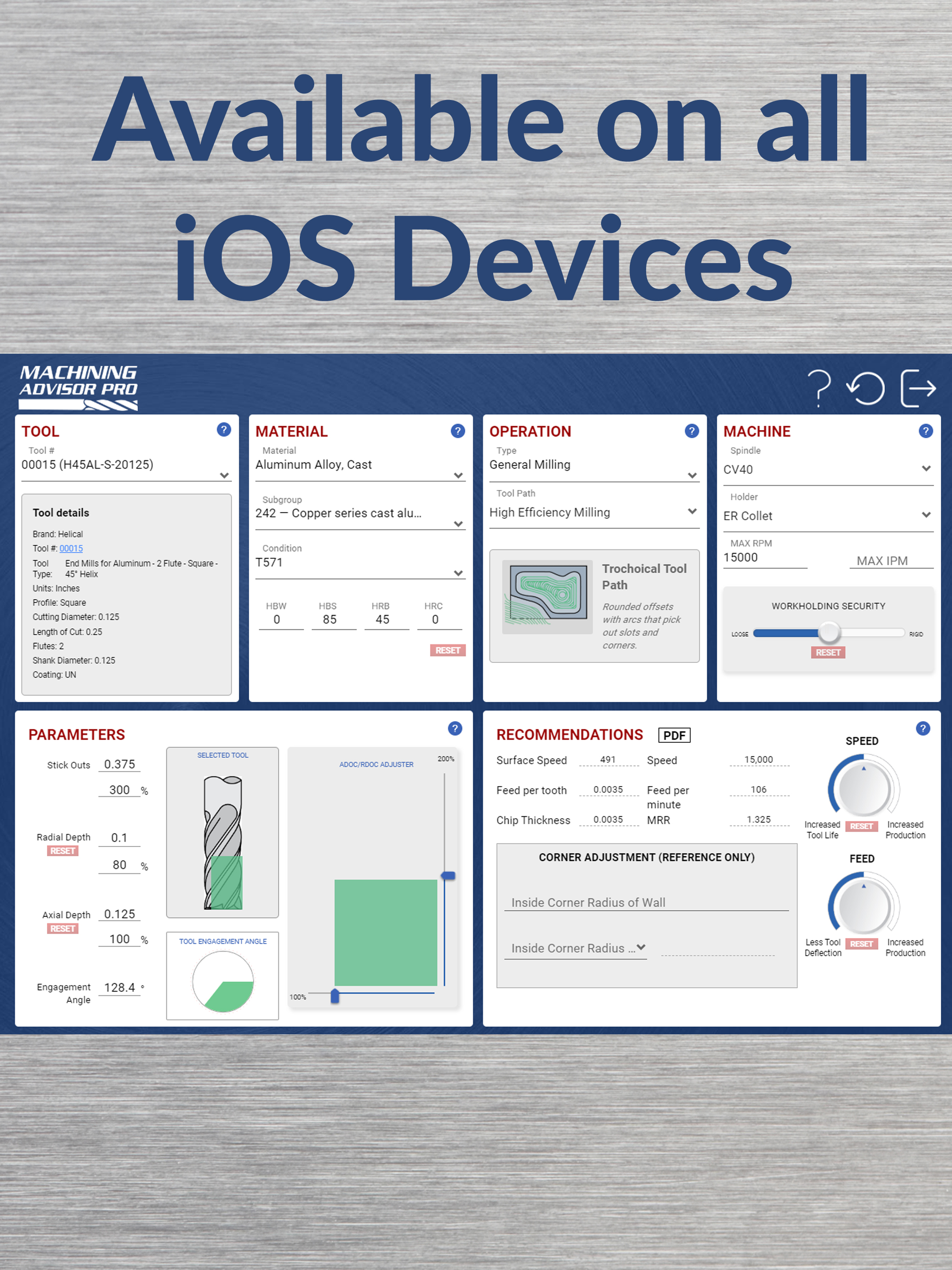
Read the store headline, screenshots and description. What problem is the app promising to solve?
Study the storefront ↗
Harvey Tool · iOS
Explore the ad evidence, study the storefront, and build your next acquisition hypothesis.
01 / Creative research
Read the store headline, screenshots and description. What problem is the app promising to solve?
Study the storefront ↗Explore apps with direct store-link matches. Compare their hooks and formats without assuming the same approach works here.
Browse observed advertisers ↗Store rankings and revenue estimates describe market context. They do not establish ad spend, conversions or ROAS.
Review the market context ↗02 / Storefront & product
Study the product story and store experience behind the acquisition funnel.
03 / Market context
Keep revenue, downloads and store rankings separate from advertising performance.
Paid $250 for a tool that would have destroyed 321 stainless steel according to them. On the app it told me I should run it 215ipm which I thought was crazy for that material called in they said that a little face run it at 201ipm I still doubted it called their local application engineer he said ran it at 176ipm . I stared running it at 129ipm and the tool broke not even 1 min into cut . Called in they didn’t know what to say the application engineer came over to analyze it and he goes “seemed like our data was wrong, it should be closer to 100ipm” . They didn’t even replace the end mill $250 gone not even 1 minute of cut . I got a $100 kennametal tool and it ran for 2 days and a half at 100ipm . Long story short they really need to update their data so people can actually use it and they should at least stand behind their word and fix it not leave you hanging. Don’t overpromise and underdeliver .
I think there is a lot of potential with this app... but I can tell the people who designed it are phenomenal machinist and not app developers. This app is extremely not user friendly. It is very laggy or stutters a lot when making a new selection. Once you’ve selected something it auto fills the parameters for you and only allows the user to adjust a few settings. Ex. I want to change the radial depth of cut, I can’t. I can only change the axial depth of cut or visa versa. Also with that if I attempt to change the percentage of whatever the setting is. Say from 100% engagement to 50% engagement the app freaks out when I delete the 100 and says 0 is not an acceptable amount. I understand it’s not an acceptable amount, but if you would have let me finish inputting what I wanted to input, and not kicked me out and reset it for me, it wouldn’t be 0. Lot of potential here but first needs a lot of refinement. Hope to see a change soon!
Advancements in technology and tools, primarily CAM software, allows me to run parameters just didn't exist 20 years ago. I use this app almost exclusively for high-efficiency milling numbers. The feeds and speeds for modern toolpaths are just so different that you can't guess in the dark the way you could with traditional roughing and finishing. The fact that the app is linked to specific tall part numbers from helical is smart, even though I have had success applying numbers two to tools from competitors. . This App asks for a lot of input parameters which tells me that they're taking many things into account at once.
Machining Advisor Pro quickly, seamlessly, and accurately provides recommended running parameters for CNC machining with your Helical Solutions and Ha...