
Check the acquisition promise
Read the store headline, screenshots and description. What problem is the app promising to solve?
Study the storefront ↗
晖铠 陈 · iOS
Explore the ad evidence, study the storefront, and build your next acquisition hypothesis.
01 / Creative research
Read the store headline, screenshots and description. What problem is the app promising to solve?
Study the storefront ↗Explore apps with direct store-link matches. Compare their hooks and formats without assuming the same approach works here.
Browse observed advertisers ↗Store rankings and revenue estimates describe market context. They do not establish ad spend, conversions or ROAS.
Review the market context ↗02 / Storefront & product
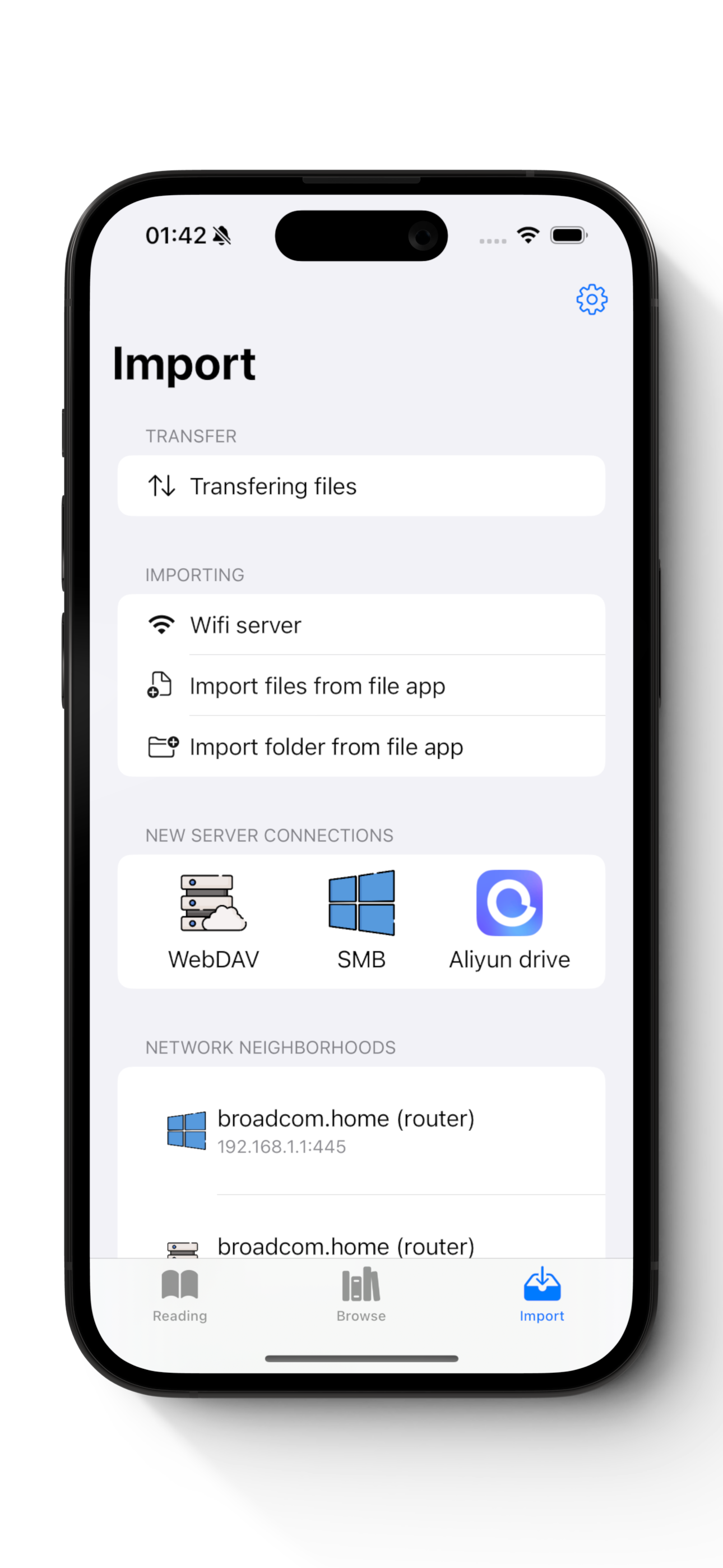
Study the product story and store experience behind the acquisition funnel.




03 / Market context
Keep revenue, downloads and store rankings separate from advertising performance.
I love KedaReader’s Windows folder sharing and cloud storage linking features. It lets me easily load books and comics from local folders or NAS, without manually transferring files. It supports SMB for local sharing and integrates with Google Drive and OneDrive, giving me access anytime, anywhere. Perfect for users with large collections—highly recommended for seamless cross-device syncing!
After trying a few other apps, I discovered KedaReader for streaming my cbr collection from a NAS home server. KedaReader offered the most features for a reasonable one-time price. I used the free trial version of the program for a few days, and then opted to buy the full version. The app is continually being improved and the author appears to be an active contributor in the GitHub community. I had a minor hiccup yesterday when I was reading a file and locked the orientation in my iPad control panel. One page got stuck with the wrong orientation and nothing I tried could get it to realign with the other pages. I looked for a manual control in the app to rotate the page to correct the orientation but couldn’t find anything. If it’s there I missed it. If not, it would be a useful feature to have. I deleted the file from the NAS, confirmed it no longer appeared in KedaReader and re uploaded the file back to the NAS. The error still appeared. I decided that either the app or the NAS was holding a copy of the bad file in a cache storage. I checked within KedaReader and it did not have anything saved in cache, so perhaps my SSD cache in the NAS was serving up the problem file. I renamed the file on my computer and re uploaded it into the NAS. This correctly presented all pages with correct orientation. The problem did not reoccur even after renaming back to original. All-in-all this program is a keeper. It is polished and even after I totally rearranged files and folders and sub folders on my NAS, it required no adjustments to reflect the changes I made. That’s good thoughtful programming.
Edited: the page match function is already implemented, I just didn’t know! Awesome app! I like this app very much. One suggestion to make it even better is to add the function to adjust the page match. Some mangas have images across two pages, but the full display requires the page match (the correct even/odd number of pages) and not all the manga files fulfill it. Sometimes I have to delete a page in the manga to deliberately match the pages. If there is a built-in function to shift a page forward or backward it would be awesome!
This is an image reader dedicated to your DRM-free image collections. If you love comics, you probably have tons of digital comic files sitting on yo...
| Name | Price | Type |
|---|---|---|
| Buy me an ice cream~ | $0.99 | One-time |
| Buy me a milk tea | $1.99 | One-time |
| Buy me a coffee | $2.99 | One-time |
| Buy me a happy day~ | $3.99 | One-time |
| Lifetime (Early supporter) | $3.99 | One-time |
| Buy me a happy week~ | $8.99 | One-time |
| Lifetime | $9.99 | One-time |
| Buy me a happy month~ | $14.99 | One-time |


