Check the acquisition promise
Read the store headline, screenshots and description. What problem is the app promising to solve?
Study the storefront ↗
Mishima Design · iOS
Explore the ad evidence, study the storefront, and build your next acquisition hypothesis.
01 / Creative research
Read the store headline, screenshots and description. What problem is the app promising to solve?
Study the storefront ↗Explore apps with direct store-link matches. Compare their hooks and formats without assuming the same approach works here.
Browse observed advertisers ↗Store rankings and revenue estimates describe market context. They do not establish ad spend, conversions or ROAS.
Review the market context ↗02 / Storefront & product
Study the product story and store experience behind the acquisition funnel.


03 / Market context
Keep revenue, downloads and store rankings separate from advertising performance.
This is a great app, very simple and clean. But the only way to launch it is from the list of apps. Would be great if I could create a shortcut that could be launched by the action button on the Apple Watch Ultra 2. I think that might require a version of the app for the iPhone that could then be linked to the shortcut. Please! thanks.
It’s simplicity and ease of access makes this Apple Watch only counter app a must have. I use it for counting rows or stitches while knitting. It reliably pulls up last count after a closing. I would like to be able to save a shortcut to it on my watch face.
I love how simple and clean this is! Just tap to count! I would be cool if you could count more than one thing at a time. Maybe swipe left or right to access your other tallies. Great app! Definitely keeping it!
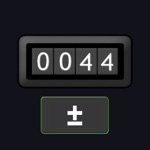
A simple counter app for Apple Watch. Use it for workout reps, golf strokes, knitting rows, fish caught, headcounts, and anything else you want to ta...
| Name | Price | Type |
|---|---|---|
| Counter Plus | $5.99 | One-time |