
Check the acquisition promise
Read the store headline, screenshots and description. What problem is the app promising to solve?
Study the storefront ↗
One Zero One Audio · iOS
Explore the ad evidence, study the storefront, and build your next acquisition hypothesis.
01 / Creative research
Read the store headline, screenshots and description. What problem is the app promising to solve?
Study the storefront ↗Explore apps with direct store-link matches. Compare their hooks and formats without assuming the same approach works here.
Browse observed advertisers ↗Store rankings and revenue estimates describe market context. They do not establish ad spend, conversions or ROAS.
Review the market context ↗02 / Storefront & product
Study the product story and store experience behind the acquisition funnel.



03 / Market context
Keep revenue, downloads and store rankings separate from advertising performance.
This app is very good for playing backing tracks and I like the features it provides, however, I have two gripes: 1. The in-app purchases are on the nickel-and-diming side on things. Each upgrade is worth it, and they are well listed and described, however, I was surprised by the shear amount of them. I was expecting an unlock all features option. I get it though, the developers deserve compensation, and it is necessary to keep adding updates and features. 2. Only being able to output to channel 1 and 2 of an interface is a massive disadvantage. I was expecting to be able to select whichever outputs were necessary for a more complex setup. This limitation forces you to change your workflow to match what the app wants, instead of working the other way around. That’s a real downer and I hope it is addressed in the future. Despite those two gripes, and some interface issues on modern iPhones (I’m looking at you performance mode’s close arrow), this is a pretty solid app that gets the job done.
UPDATE: After communicating with the team for several weeks they were able to fix this problem with the newest update to 1.5 and now integrated to the iPad. I love this app! I’ve been using it for 4 hrs now. Love that it runs in the background while being able to view charts or adjust my in ear mix. It does it seamlessly. Highly recommend and is super easy and the workflow is fantastic! This was a great workhorse app but now is failing. Whenever trying to create a “Set” the app closes/quits. Everything is updated and has been deleted and redownloaded several times and is still failing. I’ve done reboots, hard resets and closed all other apps. I’ve deleted all tracks and rebooted from “restore” and still fails whenever I push “Set” to create one on both the iPad and iPhone. Super bummed out.
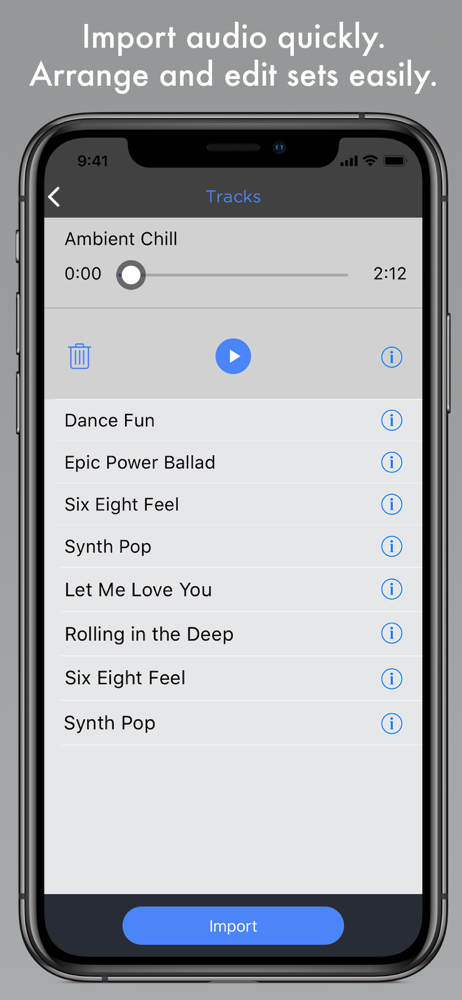
My band has been using this app for the past few years, five nights a week, AND WE LOVE IT!!! It has never failed us. We were running the app on an iPad mini until a few weeks ago. We then switched up and started using the app on an iPad Air. When we downloaded the latest version of the app onto our iPad Air, my drummer noticed a change in the layout that he was quite disappointed to see. He’s been fighting with it ever since. With my band, we don’t use the “Set List” feature. We use the app with the full list of tunes that are imported, so my drummer can scroll up and down quickly to pull up the next song I call out on the fly from my talkback mic. This is routed into his and the other band members IEM’s. Blah blah blah..... Anyway, the key feature that I’m referring to, is the big “Green/Red Play/Pause” button that was positioned nicely at the very bottom of the list of tunes. Drummer says, the big “Green/Red Play/Pause” button on the old version made it much much easier to reach over quickly and hit on the fly for the next song. With the new app layout, the “Play/Pause” button is much much smaller and easy to MISS if you’re trying to move the show along at a good professional pace. Also, on the newer version of the app, the spot where the new “Import” button sits seems out of place. This button should stay where it was located in the previous version, so the big “Green/Red Play/Pause” button can return to where it was originally as well. Thank you for reading my feedback. Please give my feedback some thought and consider for the next ShowOne update. 👍🏻
ShowOne is a pro app for musicians who use backing tracks live. You supply the music - we give you the features, flexibility, and stability to play yo...