Check the acquisition promise
Read the store headline, screenshots and description. What problem is the app promising to solve?
Study the storefront ↗
Daiko K.K. · iOS
Explore the ad evidence, study the storefront, and build your next acquisition hypothesis.
01 / Creative research
Read the store headline, screenshots and description. What problem is the app promising to solve?
Study the storefront ↗Explore apps with direct store-link matches. Compare their hooks and formats without assuming the same approach works here.
Browse observed advertisers ↗Store rankings and revenue estimates describe market context. They do not establish ad spend, conversions or ROAS.
Review the market context ↗02 / Storefront & product
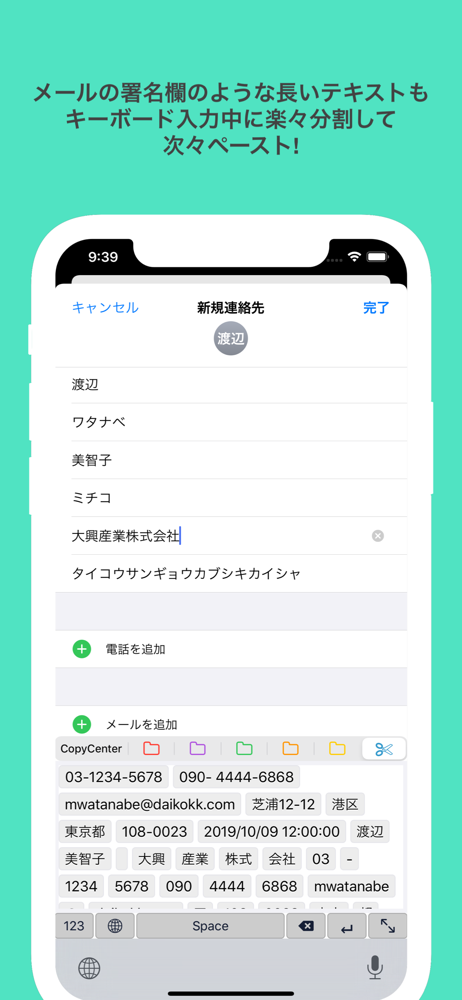
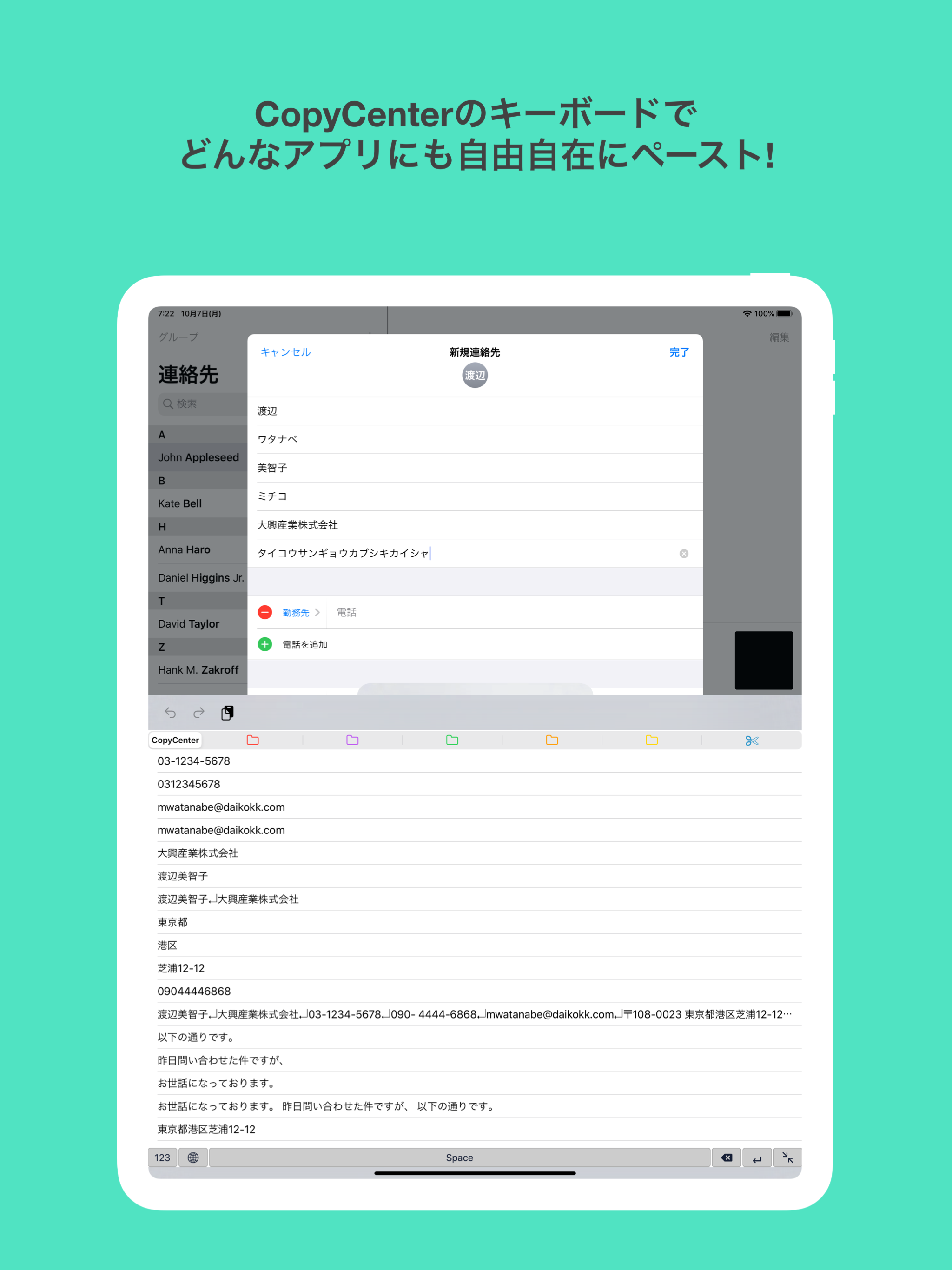
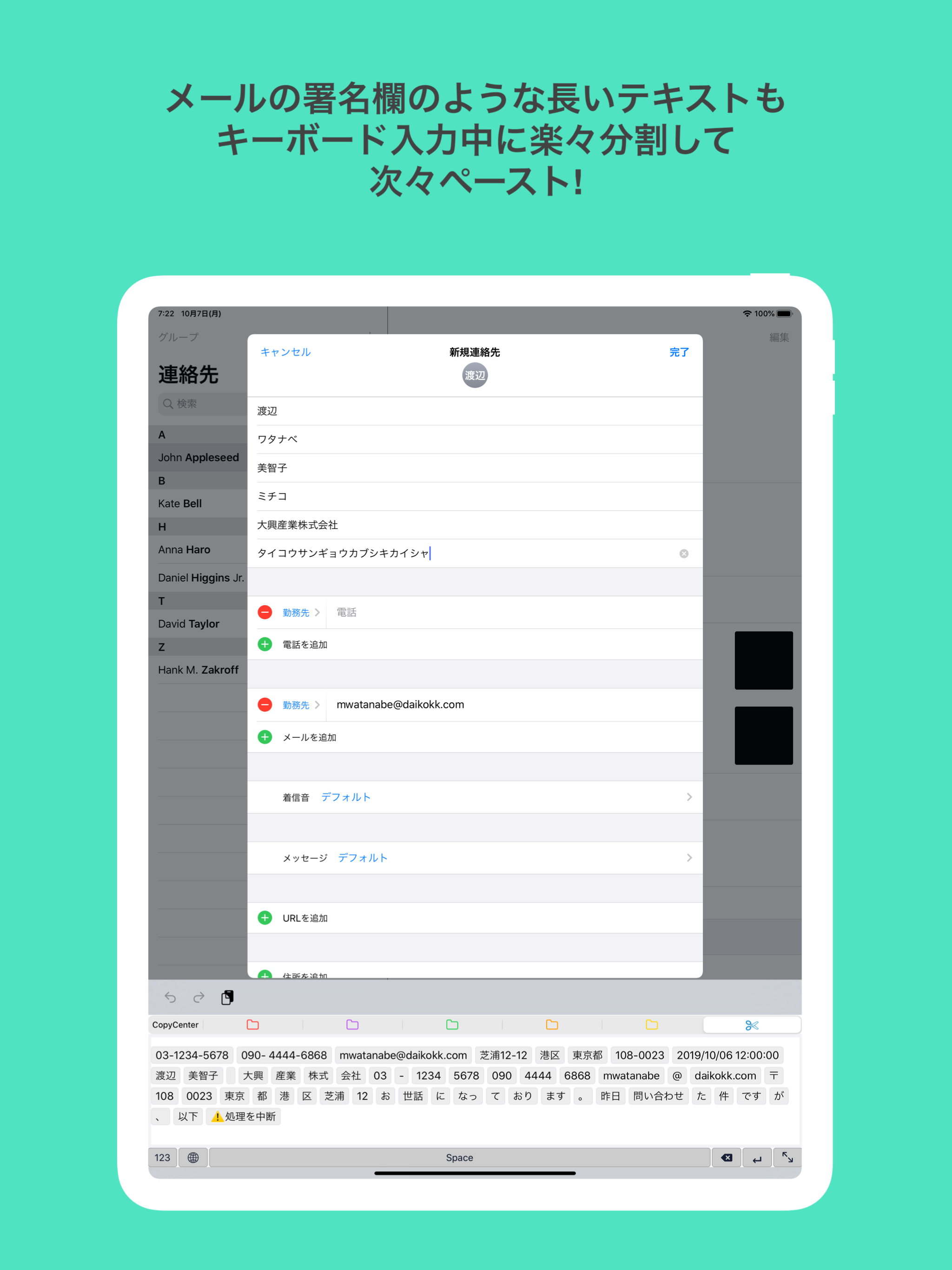
Study the product story and store experience behind the acquisition funnel.




03 / Market context
Keep revenue, downloads and store rankings separate from advertising performance.
キーボード出ました!最高! って思ったけど、出る時と出ない時がある… ━━━━以下前回レビュー━━━━━ キーボード追加→フルアクセスを許可 までしてキーボード自体には追加しても、キーボード→地球マークで切り替えることができず。 設定→キーボード一覧には表示されるのに、キーボード→地球マークで表示される一覧にはcopy centerがありません。 せっかく使い勝手の良さそうなアプリなだけに残念です😢どうすればキーボードも使えますか?
5つしか出て来ないのがきつい。 iPadの利点は画面が広い事なのでそれを活用して20くらい一覧できるようにして欲しい。それが実装されたら神 追記:かなり遅くなりましたが、キーボードとして使った時に数件しか表示されないのでもっと一覧できたらなということです。アドオンは購入済みです。 追記(18年9月23日):うおー、神ですやばいですね笑。iPad確認しました。ありがとうございます。 実はiPhoneでもたくさん表示したいと思っていたら、右下に既にその機能もつけていただいていたと。これも実はめちゃくちゃ欲しかった機能です。 技術もさることながら、ちゃんと対応していただいたことが本当に凄い。開発者の鑑です。評価を4から5に変更しました。 あとこれがあったら文句のつけようがないというのが、 1.表示件数を自分で選択できる機能 2.フォントサイズを変えられる機能 です。というのも、クリップボードを使いたい人のニーズって、「なるべくたくさんの選択肢からワンタップで選択する」ということだと思います。 僕の場合で言えば、キーボードスペースが9割占めていて、その中のフォントサイズも今の60%で良いです。そうするとiPhoneでも25件くらい、iPad なら100件くらい表示出来る気がします。 サイズと件数は人それぞれなので、ここ(表示件数と文字サイズ)をカスタマイズできると万人に対応できるのではないかなと。 あ、でももしそれが出来たらたぶん快適すぎて依存してしまい、フォルダ数が5つよりもっと欲しくなるだろうな、という事も先に書いておきます笑。 さらに言うと、選択時にフォルダ上に1文字か2文字だけ名前が表示されると最強ですね。もしフォルダ10個以上になる場合は重要だと思います。 それだけあれば1000円でも書います。値上げしてもらって大丈夫です。ご検討頂けたら。
シンプルでとても使いやすく重宝してます!
◉ライフハッカー[日本版]「iPhoneでのIDとパスワード入力は面倒?『CopyCenter2』がオススメ!」 ◉週アスPLUS「コピペ時にイラッとしないCopyCenter2に惚れた!」 CopyCenter(コピーセンター)はウィジェットやカスタム・キーボードに対応したコピペ管理アプリです。...