Check the acquisition promise
Read the store headline, screenshots and description. What problem is the app promising to solve?
Study the storefront ↗
Serpenti Sei Japan · iOS
Explore the ad evidence, study the storefront, and build your next acquisition hypothesis.
01 / Creative research
Read the store headline, screenshots and description. What problem is the app promising to solve?
Study the storefront ↗Explore apps with direct store-link matches. Compare their hooks and formats without assuming the same approach works here.
Browse observed advertisers ↗Store rankings and revenue estimates describe market context. They do not establish ad spend, conversions or ROAS.
Review the market context ↗02 / Storefront & product
Study the product story and store experience behind the acquisition funnel.




03 / Market context
Keep revenue, downloads and store rankings separate from advertising performance.
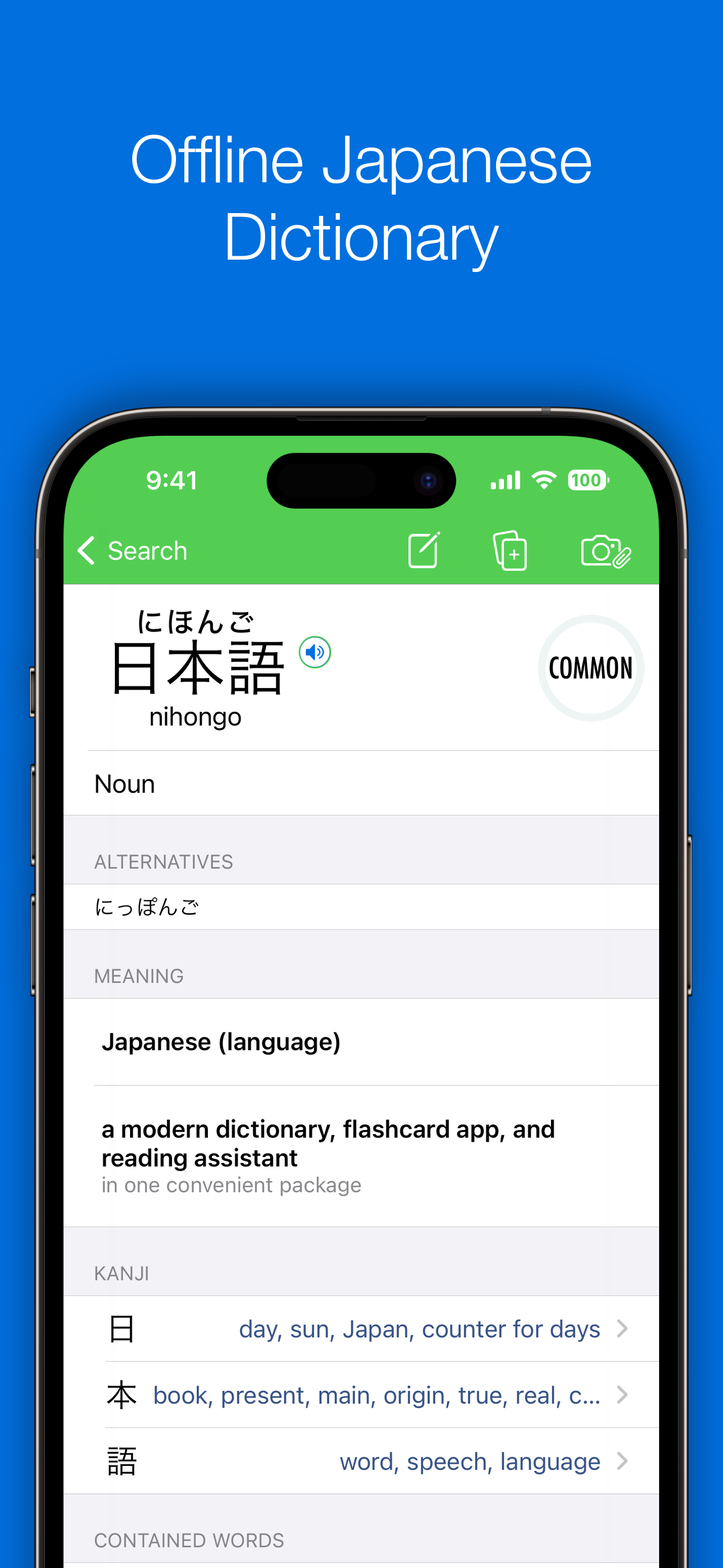
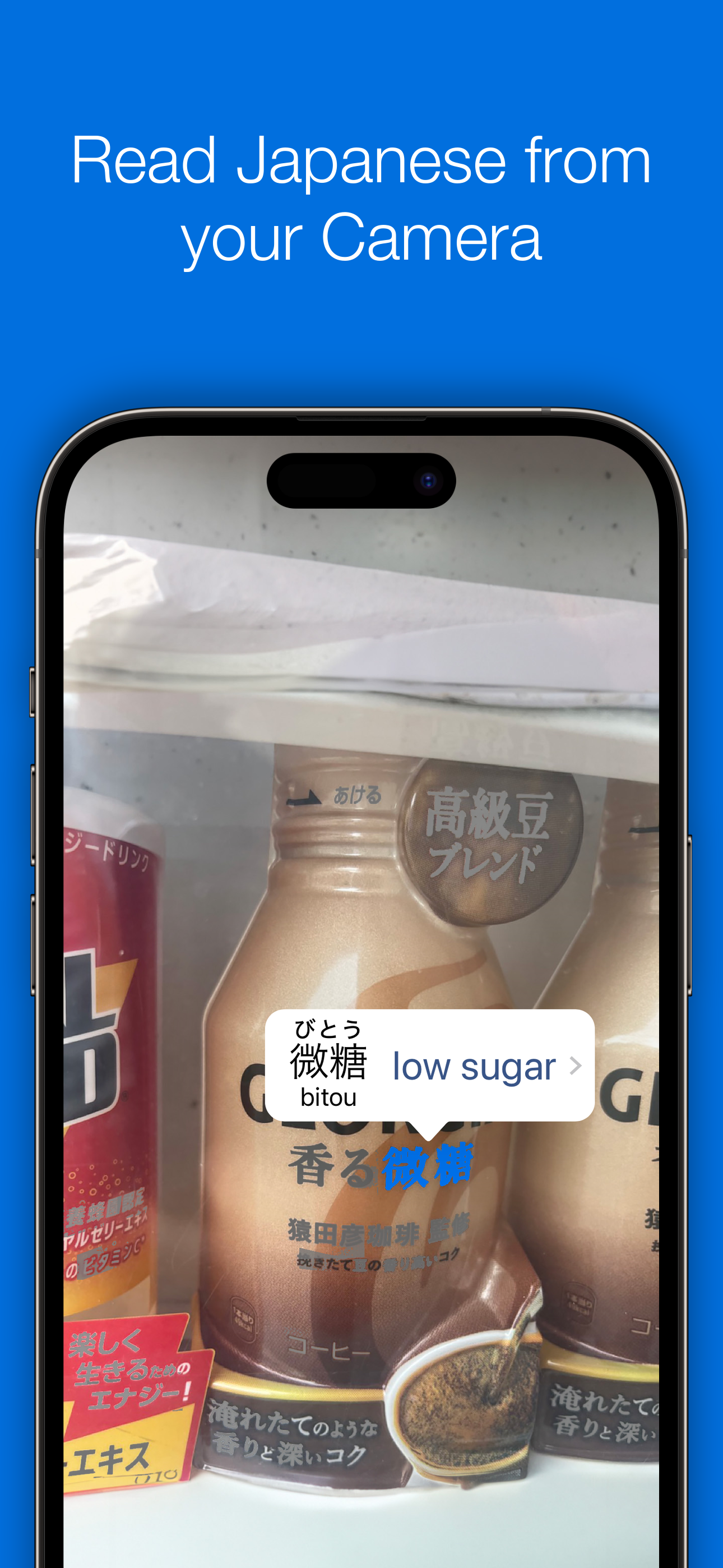
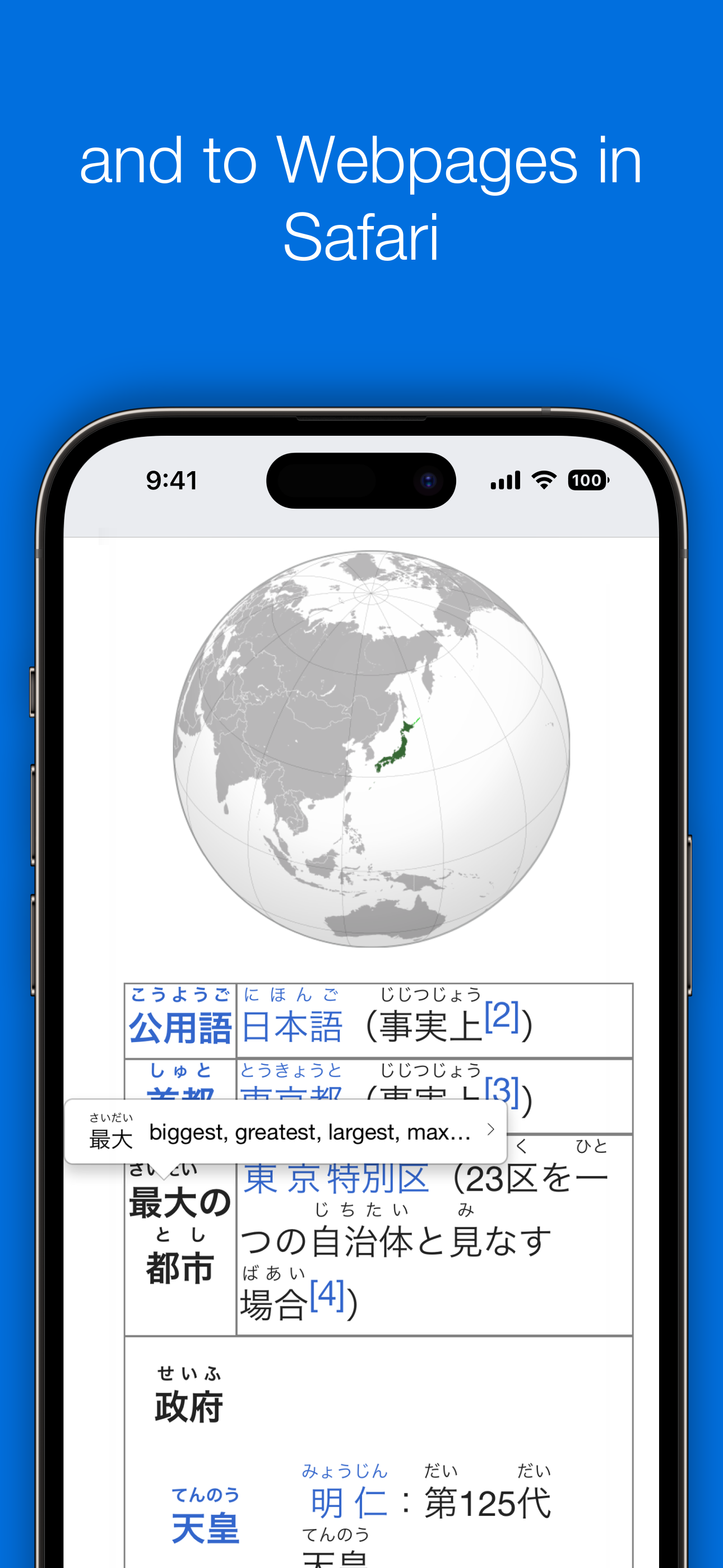
I use Nihongo Pro for Kanji, phrases, and rapid flashcard creation using the dictionary and even OCR of photos of Japanese that I come across. There are a lot of features that are great to have when you are trying to figure things out. This even has the ability to insert furigana on websites in Safari like Rikaichan! The latest update adds helpful context using the Kanji radicals, which I am glad to see! I combine this with his Lessons app derived from Jalup sentence packs for a complete learning suite. This system does a better job of preventing you from being overwhelmed with too many reviews when you fall behind as compared to other learning tools I have tried, which is the key selling point for me honestly, since that is what makes it hard to recover using other flashcard systems where you take off a few weeks and come back to thousands of reviews due. I wish I has this app many years ago. I recommend giving the trial a go to see if this flashcard learning system works for you!
I am using this to read manga for learning Japanese. I do a screen capture and load it into the app, which recognizes text. I can then look up words. On the whole, it works quite well, and is the best I have found. It ends up getting about 80% of the text recognized by OCR, particularly good for kanji. The dictionary is good as well. Things that are not working as well as I would like: * It tends to translate word by word (or short phrase), which makes it miss some phrases * The missing 20% of the text that it can’t recognize for OCR, sometimes inexplicably, which exacerbates the problem above of not correctly translating a phrase. * The number of clicks required to read page after page is high. It would be nice if this use case was streamlined. I generally pair it with DeepL for whole sentence translation. That is pretty amazing, but doesn’t do OCR. It would be great to be able to make it easier to e.g. copy all the text found, or do some deeper integration.
This is hands down the best Japanese dictionary app on the app store. The free version already comes with many great features such as animated kanji stroke order, tons of example sentences, and conjugation charts for each word, but the paid version takes it to a whole new level, and it’s reasonably priced too. The paid version allows you to take photos of japanese text and paste them into the app, which will then highlight words in the text for you to click on and it will give you their meaning. You can then click on them again to go to their dictionary entry for more information. This feature alone has made my japanese learning experience so much easier and faster. Even better, premium allows you to turn any dictionary entry into a flashcard with the click of a single button, so you don’t have to spend hours writing your own flashcards. Premium also comes with a timed-repetition based review system for your flashcards, similar to Anki, where cards you’re less familiar with are reviewed more frequently, but as you get better at each word they show up less and less. This ensures your flashcard practice is used efficiently by targeting words you’re less familiar with. Premium also comes with the ability to add furigana and clickable dictionary entries to japanese safari webpages. This makes reading practice online much easier. These are only a few of the great features this app has to offer, but there are many more. All in all, i couldn’t rate this app high enough, and if i could give it more than 5 stars i would. It’s also developed by just one guy and despite being a one person project, it is exceptionally well put together. It is the highest of professional quality and you can feel the love and passion he puts into the app, which is why i decided to support him by purchasing the life-time subscription for $50, and it has been well worth it. To end, this app is amazing, if you’re serious about learning Japanese, this is an essential purchase.
Nihongo is an offline Japanese dictionary, picture-to-text translator, flashcard app, and reading assistant. Our app helps you learn Japanese natural...
| Name | Price | Type |
|---|---|---|
| Nihongo Pro (Monthly) | $4.99 | Monthly |
| Pitch Accents | $9.99 | One-time |
| Nihongo Pro (3 Months) | $11.99 | Quarterly |
| Nihongo Pro (Annual) | $49.99 | Yearly |
| Nihongo Pro (Lifetime) | $179.99 | One-time |
| Nihongo Pro (Lifetime) | $179.99 | One-time |