
Check the acquisition promise
Read the store headline, screenshots and description. What problem is the app promising to solve?
Study the storefront ↗
Pocketbook International SA · iOS
Explore the ad evidence, study the storefront, and build your next acquisition hypothesis.
01 / Creative research
Read the store headline, screenshots and description. What problem is the app promising to solve?
Study the storefront ↗Explore apps with direct store-link matches. Compare their hooks and formats without assuming the same approach works here.
Browse observed advertisers ↗Store rankings and revenue estimates describe market context. They do not establish ad spend, conversions or ROAS.
Review the market context ↗02 / Storefront & product
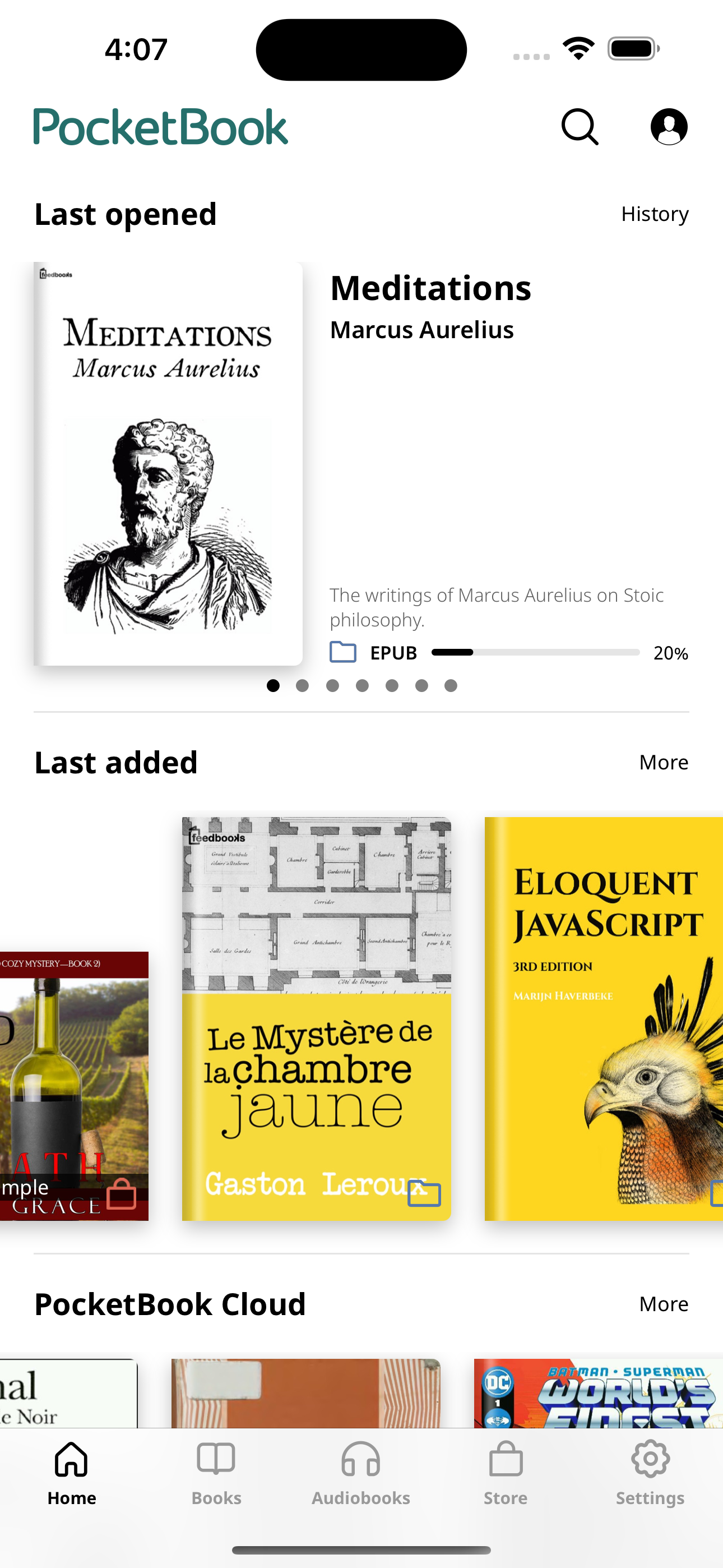
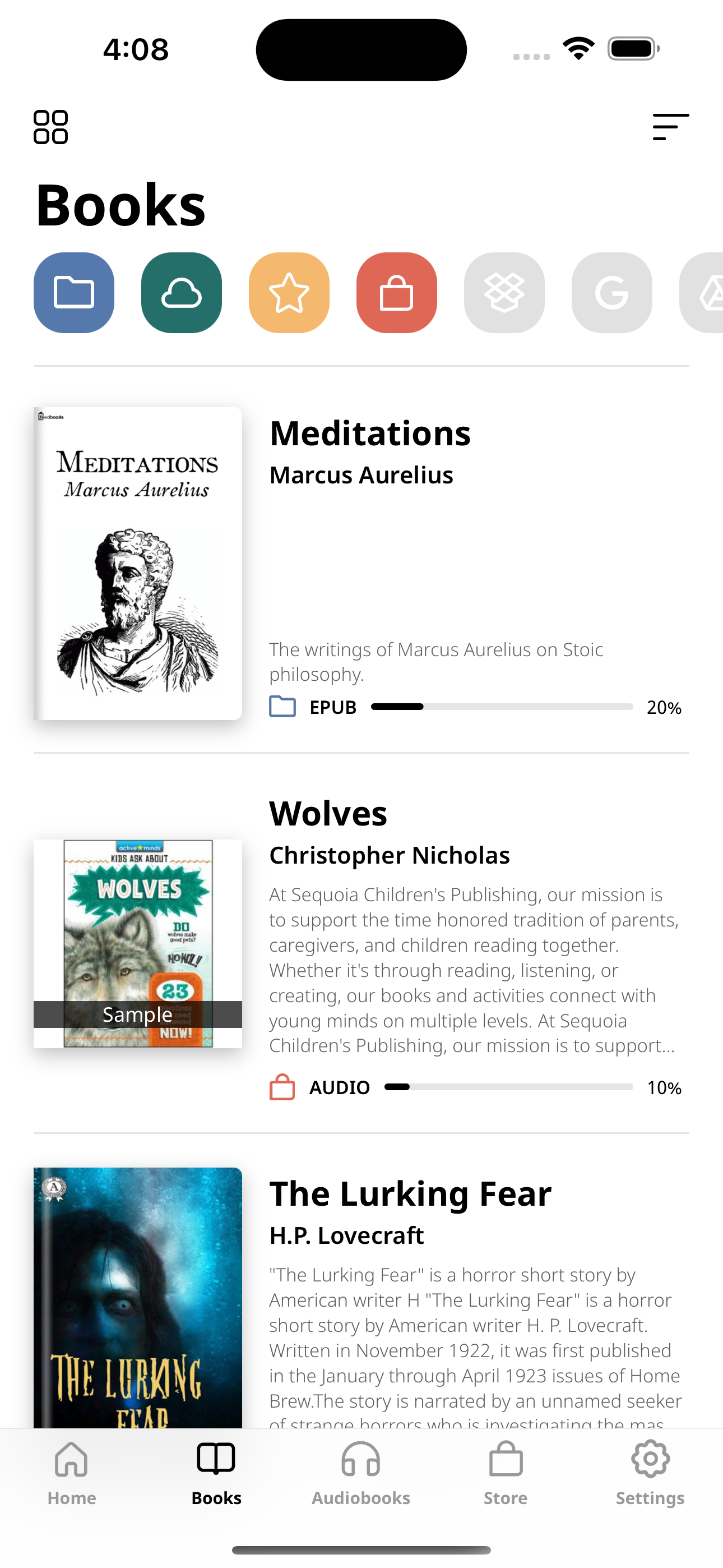
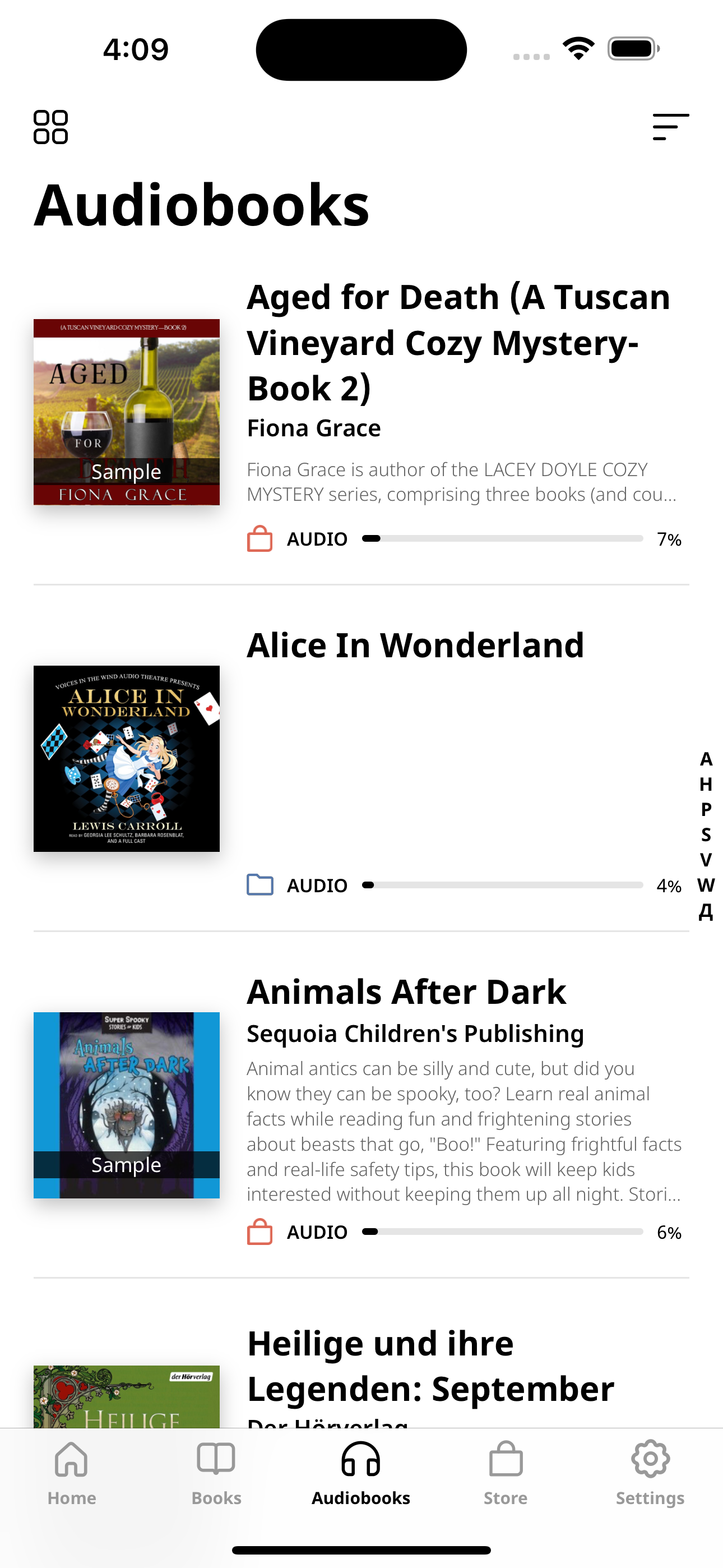
Study the product story and store experience behind the acquisition funnel.




03 / Market context
Keep revenue, downloads and store rankings separate from advertising performance.
First off: I want to say I never write reviews… but halfway into this book I am reading on the Pocketbook Reader app, I knew I had to write a review. I have never been more satisfied with a book app in all my life. 1. I can sign in on any device with my email and my entire library is at my fingertips. 2. It’s free 3. My highlights and notes all transfer over to my other devices! 4. There are 6 different highlighting colors (I wish they were a little bit different.. the pink and the orange are too similar and the two blues are too similar as well… I would love a pink and purple and more neon colors… but it’s not a deal breaker) 5. You are literally customize everything about the book you are reading. 6. Uploading epubs is so easy with this app. 7. One noticeable con is there seems to be a slight lag, when I am scrolling through my books, but the one tiny negative does not deter me from loving this app! I love that it gives descriptions of all the books before you even open them. 10/10 recommend, clearly the person who designed this app spends time reading! Now I have to figure out how to upload all my epubs from my calibre library!
I will start off by saying that compared to almost every other book reading app that I have found, this one is fantastic. That said the most recent iOS upgrade made the app crash every single time I tried to use it with the exception of one day. As stated earlier compared to all of the other free readers, I have found this one works pretty dang well. I will rate this appropriately once they fix apps operation with the newest iOS update. There are a few things that are missing or need to be fixed to make this by far the best one free to use. The first thing is that there are some formatting issues that can be experienced when opening certain books. There seems to be a missing paragraph separation in almost every one of the books that I read, but it isn’t so bad that it causes problems. I do like how there are many different text and very specific formatting options and it is possible that I do not have the correct ones selected to make the book that I am reading as good as it would appear if I were using whatever the native reading app that it is designed for. I will also say that with the new iOS update the app has crashed every single time, I’ve tried to use it except for one day and earlier this morning, but the moment I found and loaded a new book the app stopped working again, and that is unacceptable and I have no idea how to make it work again. I wish that it worked better on my iPhone 16 with the newest iOS update and that seems to be the problem as it worked perfectly fine prior to the last update. It seems to me that they need to update with this app so that it works flawlessly with the newest iOS update on any phone other than the Apple iPhone 17. Other than that all seems to be well and it is better than any reading app. I have used other than Marvin, which is no longer available on the App Store.
I am giving it 3 stars for this mainly because I have an updated iPhone and I am using the pdf books loaded into the files on my phone. When I go into any book and press on the left side the book will go back to the cover. You can make a saved spot in your book. The app functions well except for one tiny little thing. How do I exit the book so I can load a new book? You press and hold your finger down and a menu bar appears. For copy the screen, send or share the book, look up doing a search on the book and a dictionary. Then there are 5 colored balls that do nothing. So I am in the book and want to make sure my other book is loaded and I can’t get out of the book. I had Google search how to exit the book, it didn’t have a good answer. I opened the app several times hoping to beat the book loading and hit a menu button and gave up for a while then came back and got it to stop loading the book long enough to get to the main page. You would think the holding your finger down would bring the menu up with a “return to main screen” button link. Ok add that and I will be happy and give it 5 stars. Also for book reading maybe a better offer or link to a second app for reading the pages back as well
PocketBook Reader is a free app for reading all formats (books, magazines, textbooks, comic books, etc.) and listening to audiobooks! The application...
| Name | Price | Type |
|---|---|---|
| eBook (class A) | $0.99 | One-time |
| eBook | $0.99 | One-time |
| eBook (class B) | $1.99 | One-time |
| eBook | $2.99 | One-time |
| eBook: type 4.79 | $3.99 | One-time |
| eBook (class D) | $3.99 | One-time |
| eBook (class F) | $4.99 | One-time |
| eBook: type 5.89 | $4.99 | One-time |
| eBook: type 7.09 | $5.99 | One-time |
| eBook: type 8.29 | $6.99 | One-time |


