Check the acquisition promise
Read the store headline, screenshots and description. What problem is the app promising to solve?
Study the storefront ↗
groosoft · iOS
Explore the ad evidence, study the storefront, and build your next acquisition hypothesis.
01 / Creative research
Read the store headline, screenshots and description. What problem is the app promising to solve?
Study the storefront ↗Explore apps with direct store-link matches. Compare their hooks and formats without assuming the same approach works here.
Browse observed advertisers ↗Store rankings and revenue estimates describe market context. They do not establish ad spend, conversions or ROAS.
Review the market context ↗02 / Storefront & product
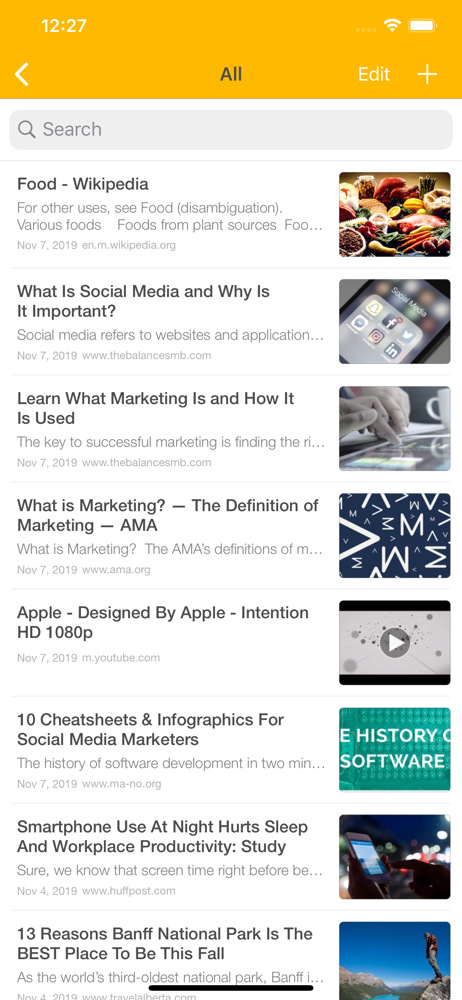
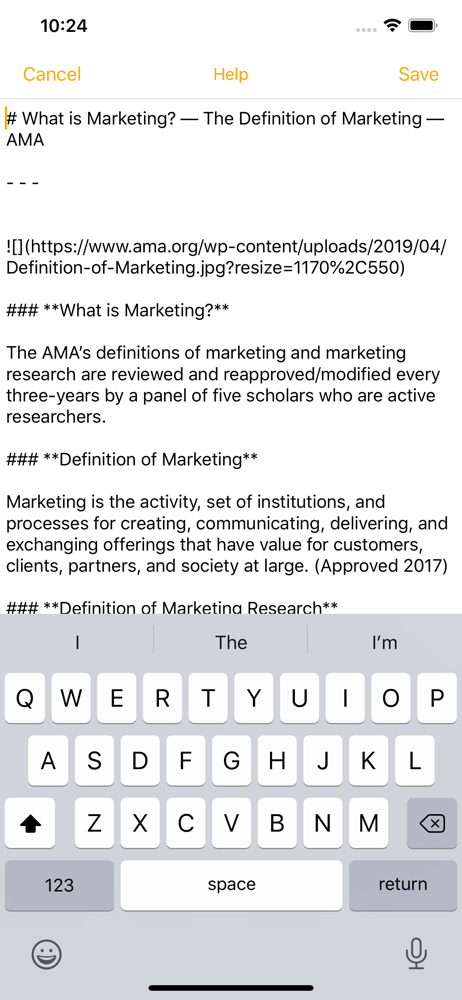
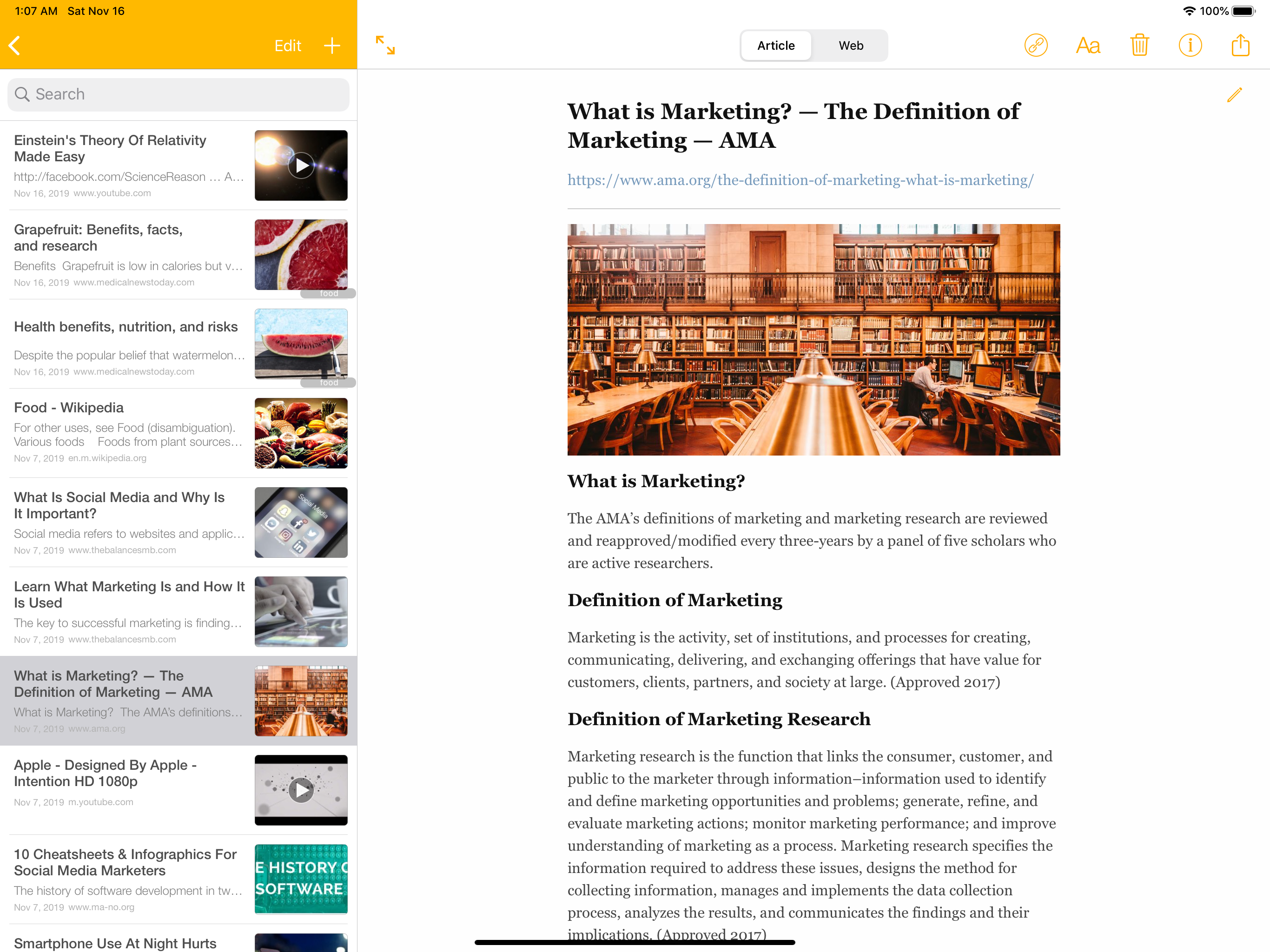
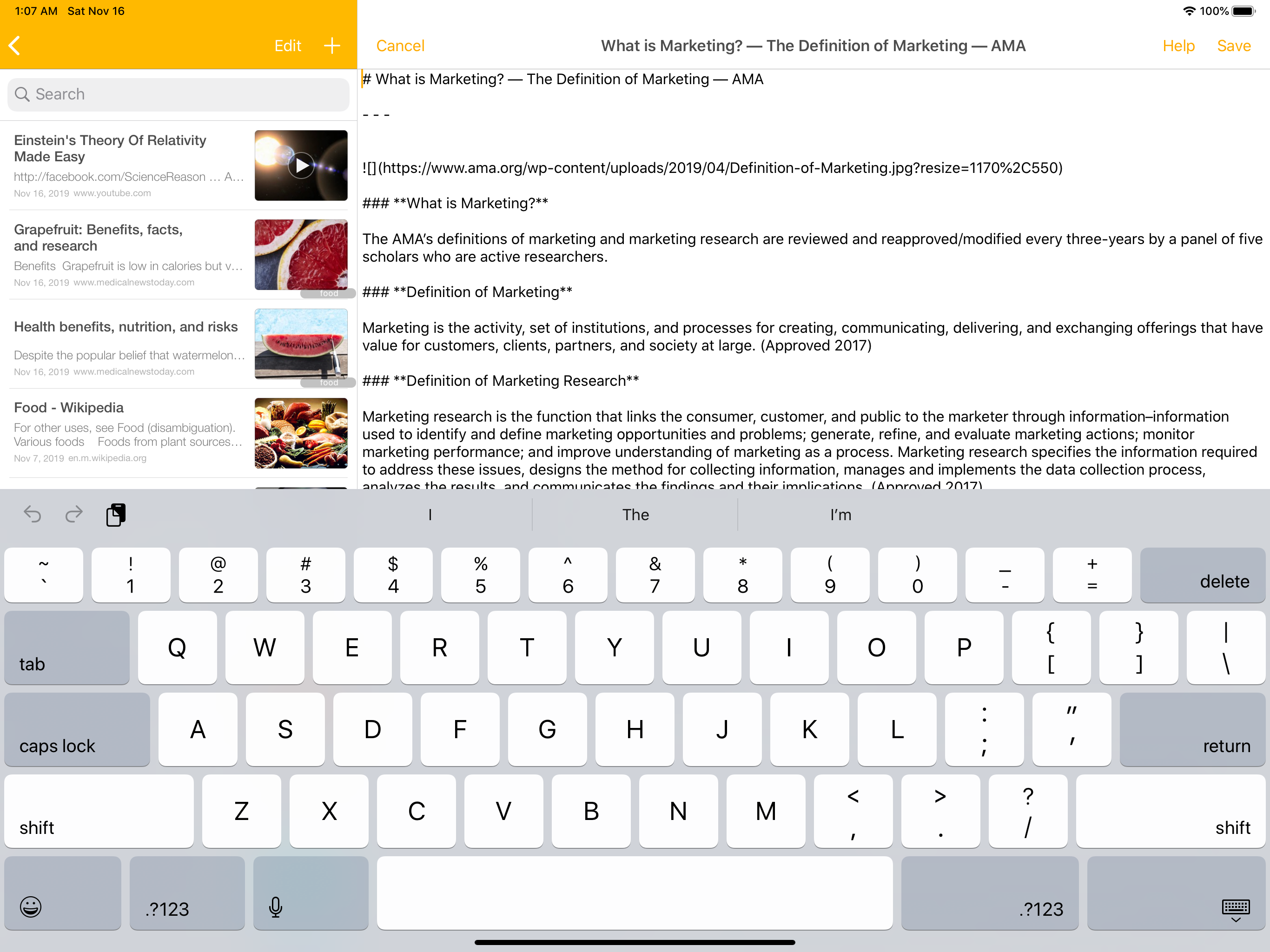
Study the product story and store experience behind the acquisition funnel.




03 / Market context
Keep revenue, downloads and store rankings separate from advertising performance.
유료로 전환해 유용하게 사용하던 사용자입니다. 그런데 IOS 122.2 이후 저장된 사이트를 web 형식으로 볼 수 없습니다 Article 형식은 문제없이 열리는데 web 보기를 선택하면 하얀 화면만 나오네요. 신속한 업그레이드 부탁드립니다.
쓴 지 며칠 안돼 없으면 안될 앱으로 자리잡았습니다. 유료결제가 전혀 아깝지 않습니다. 깔끔하고 직관적인 인터페이스와 강력한 수납 능력이 마음에 듭니다. 그루핑 기능은 트위터를 많이 스크랩하는 제게 특히 유용하고요. 단, 때로는 캡처 화면이나 사진을 스크랩해야 할 때가 있는데, 사진 앱에서 '공유'를 누르면 keep everything 메뉴가 뜨지 않는 점이 아쉽습니다. 앱 내에서 사진을 스크랩할 때 원하는 앨범을 고르지 못하는 것도요. 기존에 마땅히 스크랩할 방법이 없어서 사진으로 캡처해둔 정보가 꽤 되는데, 사진 스크랩이 번거로운 것은 옥에 티입니다. 다음 업데이트에는 개선되었으면 좋겠습니다.
웹서핑하면서 보관하고 싶은 정보를 스크립 하는 용도로 이용하고 있습니다. 이런 가능에 최적화된 어플인것 같아요. 매우 직관적이고 원하는 카테고리를 만들어 보관할 수 있어요. 쾌 좋은 어플인것 같아요.
Keep Everything은 보고 싶은 웹페이지를 iPhone 또는 iPad에 저장해서, 언제 어디서든 다시 볼 수 있도록 해 줍니다. 특히 웹페이지의 일부만 선택해서 보관하거나 웹주소를 사용하여 전체를 보관하기에도 유용하고, URL을 사용해서 트위터, 페이스북,...