Check the acquisition promise
Read the store headline, screenshots and description. What problem is the app promising to solve?
Study the storefront ↗
Christian Thompson · iOS
Explore the ad evidence, study the storefront, and build your next acquisition hypothesis.
01 / Creative research
Read the store headline, screenshots and description. What problem is the app promising to solve?
Study the storefront ↗Explore apps with direct store-link matches. Compare their hooks and formats without assuming the same approach works here.
Browse observed advertisers ↗Store rankings and revenue estimates describe market context. They do not establish ad spend, conversions or ROAS.
Review the market context ↗02 / Storefront & product
Study the product story and store experience behind the acquisition funnel.




03 / Market context
Keep revenue, downloads and store rankings separate from advertising performance.
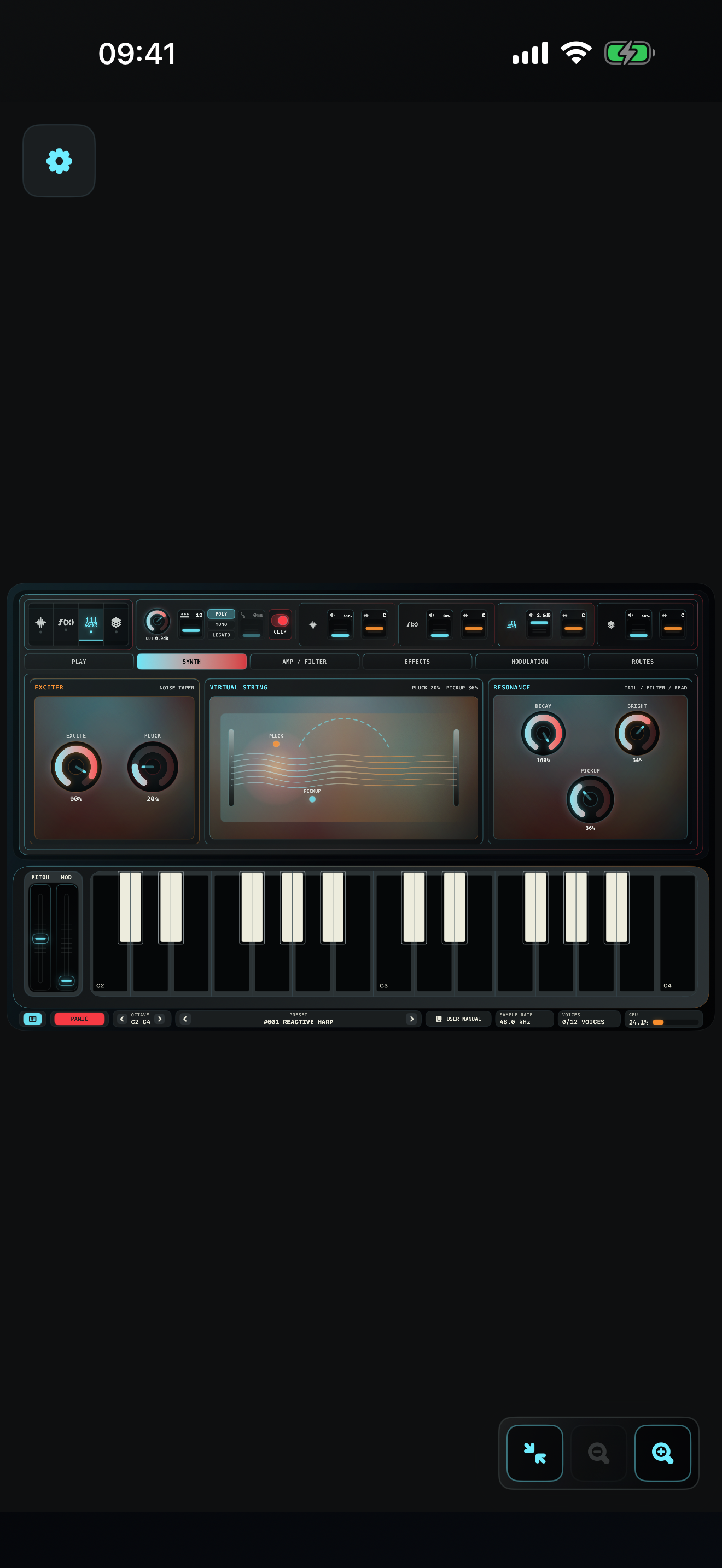
This synth is absolutely epic! I mean that both sonically and visually. It’s such a unique powerhouse. Who would’ve thought that blending FM and Karplus Strong could create something so musical. Brilliant!
I’ve however only started playing around with it so I have yet to form a full opinion; but as of now… I really like the UI (on an iPad mini) but I also really do NOT like the UI on iPhone (well, more like… the UX): everything is just way too small to be manageable. Whilst I understand that this is perhaps more of a detail, I seriously think that for a synth which will cost 30 dollars (I purchased it at a discount at launch — so 20 dollars for me) and that is sold on the AppStore, a better UX should be considered for what is, in fact, also an iPhone product. I’ve also mentioned this about Recodec (another app by the same dev) which originally had a beautiful UI which was great on iPhone (and probably very decent on any iPad too btw) but which later got refactored into a more “iPad friendly” UI which is now really not great on iPhone at all. I think the opposite compromise was much better — as I’m sure many people use these apps on phones and not on tablets — as I more often than not, do myself. I also have another issue with the UI in general —> the wavetable position can be modulated and it reacts properly, BUT the UI does not reflect this. I find this to be something missing, it would be ideal to be able to see which “position” the wavetable is currently at — including the offset applied by modulation. It would also be way better if we could IMPORT our own wavetables — I figured this would be a thing, but I haven’t found a way of adding my own wavetables. Please consider adding an import option for these 🙏🏼 As a last detail, but perhaps expected given the complexity of this synth… it can be a bit heavy on the CPU (but I’m sure this is mostly because of the complexity of the synth and probably not much can be done about it). I still think this is a great synth, though perhaps a little expensive — excuse me if I don’t show much praise on my review — I find it easier to pinpoint what I consider to be the faults of the app but it is a great app regardless and if you’re interested in what the description of this synth is, you probably won’t regret the purchase (especially if you’re using an iPad) 👍🏼.
Build animated electronic instruments from four synthesis engines. Blend Subtractive, FM, Karplus-Strong, and Wavetable layers. Sentium Glitch is a s...